EasyManua.ls Logo

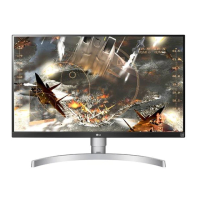
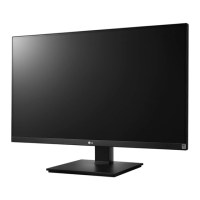
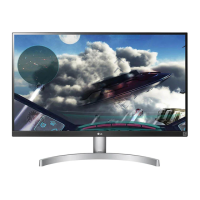
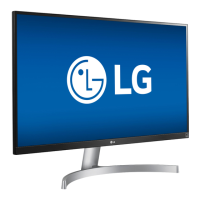
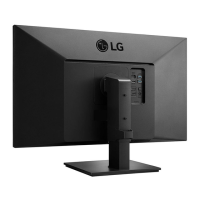
LG 27UK650-W - User Manual

LG 27UK650-W
32 pages
Print Icon
To Next Page IconTo Next Page
Loading...
www.lg.com
Please read the safety information carefully before using the product.
IPS LED Monitor (LED Monitor) Model List
Owner's Manual
IPS LED MONITOR
(LED MONITOR*)
*Disclaimer: LG LED Monitor applies LCD screen with LED backlights.
This product is a computer monitor and not for television purpose.
27UK650
27UK600

Questions and Answers

  • N
    Nicole ZimmermanJul 28, 2025
    Why is nothing displayed on my LG Monitor?
    • J
      Jacqueline LawrenceJul 28, 2025
      There are several reasons why your LG monitor might not be displaying anything. First, check if the power cord is correctly plugged into the power outlet and ensure the power cable is properly connected, then press the power button. Also, verify that the connected input is enabled in the monitor's settings (Settings > Input > Input list). If the signal cable between your PC and the monitor is missing or disconnected, check the cable and reconnect it. Finally, if the signals from your PC are out of the monitor's frequency range, refer to the Product Specification section of the manual to set the appropriate frequency.
  • M
    Michelle CrawfordAug 1, 2025
    How to fix unstable and shaky screen display on LG 27UK650-W?
    • M
      Melissa BonillaAug 1, 2025
      If your LG Monitor's screen display is unstable and shaky, or if images leave shadow trails, it might be due to the selected resolution. If the resolution is HDMI 1080i 60/50 Hz (interlaced), the screen may flicker. Change the resolution to 1080P or the recommended resolution to resolve this issue.
  • M
    Megan GonzalezAug 5, 2025
    Why is there no sound from the headphone port on my LG 27UK650-W?
    • S
      Suzanne GarciaAug 6, 2025
      If there is no sound from the headphone port on your LG monitor, try increasing the volume using the button on the monitor. Also, set the audio output of the PC to the monitor you are using. On Microsoft Windows, go to Control Panel > Hardware and Sound > Sound and set the monitor as the default device.
  • J
    Jodi JacksonAug 9, 2025
    What to do if the display color is abnormal on my LG 27UK650-W?
    • C
      Crystal HarmonAug 10, 2025
      If the display color on your LG monitor appears abnormal, first, set the color to 24 bit (true color) or higher by navigating to Control Panel > Display > Settings > Color Quality in Windows. Then, check if the signal cable is properly connected by reconnecting the cable or reinserting the PC's graphics card. Note that pixilated spots (red, green, blue, white, or black) may appear on the screen, which is normal for an LCD screen and not related to the monitor's performance.
  • M
    Mr. Jesus JenkinsAug 14, 2025
    What to do if I see an "Unrecognized monitor, Plug&Play (VESA DDC) monitor found" message on my LG 27UK650-W Monitor?
    • S
      smithcherylAug 14, 2025
      If you see an "Unrecognized monitor, Plug&Play (VESA DDC) monitor found" message, be sure to install the display driver from the LG website: http://www.lg.com. Also, make sure to check if the video card supports Plug&Play function.
  • B
    brittanyvaughnAug 18, 2025
    Why is the OSD lock message being displayed on my LG 27UK650-W?
    • F
      fwilliamsAug 18, 2025
      If the OSD lock message is displayed on your LG monitor, go to Settings > General and set OSD Lock to Off.
  • C
    Cameron GutierrezAug 23, 2025
    Why does my LG 27UK650-W screen retain an image?
    • K
      Karen RodriguezAug 23, 2025
      Displaying a still image for a prolonged time may cause damage to the screen of your LG monitor, resulting in image retention. To extend the monitor's lifetime, use a screensaver.

Summary

ASSEMBLING AND PREPARING

MONITOR STAND ASSEMBLY

Assembling the Stand Base (27 UK650)

Step-by-step guide to assemble the stand base for the 27UK650 model.

Assembling the Stand Base (27 UK600)

Step-by-step guide to assemble the stand base for the 27UK600 model.

MONITOR PLACEMENT AND ADJUSTMENT

Adjusting the Stand Height

Instructions and warnings for adjusting the monitor's stand height.

WALL MOUNTING

Installing the Wall Mount Plate

Steps to attach the wall mount plate to the monitor.

Installing Monitor to Wall

Guidelines for mounting the monitor securely onto a wall.

USING THE MONITOR

Connecting to PC

Explains how to connect the monitor to a PC via HDMI or DisplayPort.

USER SETTINGS

Menu Navigation and Features

Steps to access and navigate the monitor's main menu using the joystick.

Detailed Menu Settings

Detailed guide to navigating and configuring various monitor settings.

Picture and Game Settings

Covers picture adjustments, game settings, color adjustments, and picture reset.

TROUBLESHOOTING

TECHNICAL SPECIFICATIONS

LG 27UK650-W Specifications

General IconGeneral
3DNo
DDC/CIYes
Pixel pitch0.1554 x 0.1554 mm
Screen shapeFlat
Backlight typeW-LED
Display diagonal27 \
Display technologyLED
Native aspect ratio16:9
Maximum refresh rate60 Hz
sRGB coverage (typical)99 %
Display number of colors-
Digital vertical frequency56 - 61 Hz
Digital horizontal frequency30 - 135 kHz
Display brightness (typical)300 cd/m²
Supported graphics resolutions3840 x 2160
Dynamic contrast ratio marketing nameMega Contrast
Sustainability certificatesEPEAT Gold
AC input voltage100 - 240 V
AC input frequency50 - 60 Hz
Power consumption (max)45 W
Power consumption (off)0.3 W
Power consumption (standby)- W
Power consumption (typical)32 W
Tilt angle range-5 - 15 °
Cable lock slot typeKensington
Number of OSD languages18
Panel mounting interface100 x 100 mm
On Screen Display (OSD) languagesCHI (SIMPL), DEU, ENG, ESP, FIN, FRE, GRE, HIN, ITA, JPN, KOR, POL, POR, RUS, SWE, UKR
Package typeBox
Package depth213 mm
Package width694 mm
Package height502 mm
Package weight9000 g
CertificationUL(cUL), TUV-type, FCC-B, CE, VCCI, EPA 7.0, ErP, ROHS, REACH, Windows 10, DisplayPort, FreeSync
Product colorBlack, Silver, White
Cables includedDC, DisplayPort, HDMI
Weight and Dimensions IconWeight and Dimensions
Depth (with stand)230 mm
Width (with stand)613.1 mm
Height (with stand)567.3 mm
Weight (with stand)6200 g
Depth (without stand)44.6 mm
Height (without stand)364.4 mm
Weight (without stand)4600 g

Related product manuals