EasyManua.ls Logo

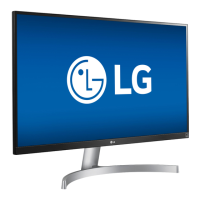
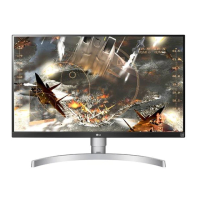
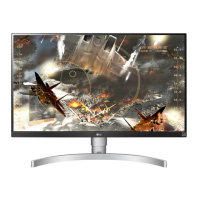
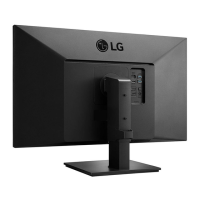
LG 27UK600 - User Manual

LG 27UK600
32 pages
Print Icon
To Next Page IconTo Next Page
Loading...
www.lg.com
Please read the safety information carefully before using the product.
IPS LED Monitor (LED Monitor) Model List
Owner's Manual
IPS LED MONITOR
(LED MONITOR*)
*LG LED Monitors are LCD Monitors with LED Backlighting.
27UK650
27UK600

Questions and Answers

  • T
    Tara LawrenceJul 29, 2025
    Why is nothing displayed on my LG 27UK600 Monitor screen?
    • R
      rogersronnieJul 29, 2025
      If nothing is displayed on the LG Monitor screen, verify the power cord is properly connected to the outlet, and check the power cable connection, pressing the power button. Ensure that the connected input is enabled via Settings > Input > Input List. Also, check the cable and reconnect it. If signals from the PC are out of range, refer to the Product Specification section to set the appropriate frequency.
  • K
    Kari MezaAug 3, 2025
    How to get sound from the headphone port on my LG 27UK600 Monitor?
    • B
      Bryan BrennanAug 3, 2025
      To get sound from the headphone port on your LG Monitor, first, increase the volume using the monitor's button. If that doesn't work, set the PC's audio output to the monitor in Control Panel > Hardware and Sound > Sound, and set the monitor as the default device.
  • W
    wloganAug 10, 2025
    What to do if the display color is abnormal on my LG 27UK600?
    • J
      Jaime KennedyAug 10, 2025
      If the display color is abnormal on your LG Monitor, set the color to 24 bit (true color) or higher via Control Panel > Display > Settings > Color Quality in Windows. Also, check the signal cable connection; reconnect it or reinsert the PC's graphics card. Note that pixilated spots (red, green, blue, white, or black) may appear, which is normal for an LCD screen and not a defect.
  • S
    Stephanie LevyAug 16, 2025
    What to do if my LG 27UK600 shows 'Unrecognized monitor, Plug&Play (VESA DDC) monitor found'?
    • M
      melanieyoungAug 16, 2025
      To resolve the 'Unrecognized monitor, Plug&Play (VESA DDC) monitor found' message on your LG Monitor, install the display driver from http://www.lg.com. Also, ensure that your video card supports the Plug&Play function.
  • N
    nperezAug 22, 2025
    How to turn off the OSD lock message on my LG 27UK600 Monitor?
    • L
      Lauren GonzalezAug 22, 2025
      To turn off the OSD lock message on your LG Monitor, go to Settings > General and set OSD Lock to Off.

Summary

ASSEMBLING AND PREPARING

Moving and Lifting the Monitor

Provides instructions and cautions for safely moving and lifting the monitor.

Assembling the Monitor Stand Base

Step-by-step guide to assemble the monitor stand base for different models.

Adjusting the Stand Height

Steps for safely adjusting the monitor's stand height.

Wall Mounting Preparation

Guide for attaching a wall mount plate and installing the monitor on a wall.

USING THE MONITOR

HDMI Connection

Connects PC/AV devices to the monitor via HDMI cable for video and audio.

DisplayPort Connection

Connects PC to the monitor via DisplayPort cable for video and audio signals.

USER SETTINGS

Activating the Main Menu

Steps to access and navigate the monitor's main menu using the joystick.

Main Menu Features

Describes the main functions accessible through the monitor's menu.

User Settings Configuration

Explains how to navigate and configure various monitor settings.

Picture Adjust Options

Section detailing various picture adjustment options for optimal display.

TROUBLESHOOTING

No Screen Display Issues

Troubleshooting steps for when the screen remains blank.

LG 27UK600 Specifications

General IconGeneral
BrandLG
Model27UK600
CategoryMonitor
LanguageEnglish

Related product manuals