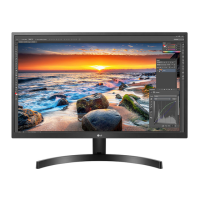
EasyManua.ls Logo

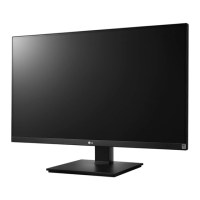
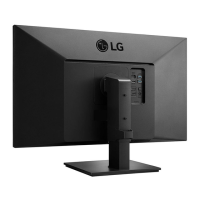
LG 27UK670P - User Manual

LG 27UK670P
29 pages
Print Icon
To Next Page IconTo Next Page
Loading...
* LG LED Monitor applies LCD screen with LED backlights.
Please read this manual carefully before operating your set and
retain it for future reference.
27UK670
27UK670P
27BK67U
OWNER’S MANUAL
LED LCD MONITOR
(LED Monitor*)
www.lg.com
Copyright © 2018 LG Electronics Inc. All Rights Reserved.
Questo manuale d’istruzione è fornito da trovaprezzi.it. Scopri tutte le offerte per LG 27UK670P-B o
cerca il tuo prodotto tra le migliori offerte di Monitor

Other manuals for LG 27UK670P

Questions and Answers

  • S
    Sean TrujilloAug 18, 2025
    What to do if nothing is displayed on my LG 27UK670P Monitor screen?
    • M
      Michael WatkinsAug 18, 2025
      If your LG Monitor screen is blank, there are several things to check: * Ensure the power cord is securely plugged into the outlet. * Verify the power cable connection and press the power button. * Confirm the correct input is enabled in the monitor's settings (Settings > Input > Input list). * If the signal cable between your PC and the monitor is loose or missing, check the cable and reconnect it. * If signals transferred from the PC (graphics card) are out of the horizontal or vertical frequency range of the monitor, please see the Product Specification section of this manual to set the appropriate frequency.
  • B
    Brandon MooreAug 20, 2025
    Why is there no sound when using DisplayPort or HDMI on my LG Monitor?
    • S
      Stacie GrayAug 20, 2025
      If images displayed using DisplayPort or HDMI input have no sound on your LG Monitor, try the following: 1. Increase the volume using the button on the monitor. 2. Set the audio output of the PC to the monitor you are using. On Microsoft Windows, go to Control Panel > Hardware and Sound > Sound > set the monitor as default device.
  • M
    Mario WelchAug 22, 2025
    What to do if my LG 27UK670P Monitor screen is flickering?
    • B
      Bradley TorresAug 22, 2025
      If the selected resolution is HDMI 1080i 60/50 Hz (interlaced) on your LG Monitor, the screen may flicker. Change the resolution to 1080P or the recommended resolution.
  • L
    Linda SmithAug 26, 2025
    How to fix LG 27UK670P when nothing is displayed on the screen?
    • B
      Beth TurnerAug 26, 2025
      If nothing is displayed on your LG Monitor screen, start by checking if the power cord is correctly plugged into the power outlet. Also, verify the power cable connection and ensure you press the power button. It's also important to check that the connected input is enabled via Settings > Input > Input list. If the issue persists, the signals transferred from your PC (graphics card) might be out of the monitor's horizontal or vertical frequency range. Refer to the Product Specification section of this manual to set the appropriate frequency. Also, check the signal cable and reconnect it, and make sure that OSD Lock is set to Off in Settings > General.
  • J
    jessica62Aug 27, 2025
    What to do if there is no sound from LG 27UK670P Monitor headphone port or speaker?
    • J
      Juan PetersonAug 27, 2025
      If you're experiencing no sound from the headphone port or speaker of your LG Monitor, first try increasing the volume using the button on the monitor. If that doesn't work, ensure that the audio output of your PC is set to the monitor you are using. On Microsoft Windows, navigate to Control Panel > Hardware and Sound > Sound and set the monitor as the default device.
  • M
    Mrs. Amanda RamosAug 30, 2025
    How to change resolution on LG 27UK670P Monitor if nothing is displayed?
    • L
      lzimmermanAug 30, 2025
      If nothing is displayed on the screen of your LG Monitor, and you have checked the power and connections, try changing the resolution to 1080P or the recommended resolution.
  • M
    Matthew MorenoSep 2, 2025
    How to install display driver for LG 27UK670P Monitor when nothing is displayed?
    • M
      Mathew HancockSep 2, 2025
      If nothing is displayed on the screen of your LG Monitor, and you have checked the power and connections, be sure to install the display driver from the display driver CD (or diskette) that comes with your display. Or, you can also download the driver from our web site: http://www.lg.com.
  • B
    Billy MorenoSep 4, 2025
    What does 'Unrecognized monitor, Plug&Play (VESA DDC) monitor found' mean on an LG 27UK670P Monitor?
    • A
      Anita ReyesSep 4, 2025
      If your LG Monitor displays an "Unrecognized monitor, Plug&Play (VESA DDC) monitor found" message, install the display driver from the LG website: http://www.lg.com. Also, ensure that your video card supports the Plug&Play function.
  • S
    Stephen CampbellSep 7, 2025
    Why does the display color appear unstable or monochrome on my LG 27UK670P Monitor?
    • E
      edwardsseanSep 7, 2025
      If the display color on your LG Monitor appears unstable or monochrome, check if the signal cable is properly connected. Try reconnecting the cable or reinserting the PC's graphics card.
  • R
    Ryan SchroederSep 9, 2025
    How to fix a discolored (16 colors) display on my LG 27UK670P?
    • V
      vasquezedwardSep 9, 2025
      If your LG Monitor display appears discolored (16 colors), set the color to 24 bit (true color) or higher. In Windows, go to Control Panel > Display > Settings > Color Quality.

LG 27UK670P Specifications

General IconGeneral
Screen Size27 inches
Resolution3840 x 2160 (4K UHD)
Panel TypeIPS
Refresh Rate60 Hz
Brightness350 cd/m²
Contrast Ratio1000:1
Response Time5ms (GTG)
VESA Mount CompatibleYes (100 x 100 mm)
Aspect Ratio16:9
HDR SupportHDR10
Color GamutsRGB 99%
Ports2 x HDMI, 1 x DisplayPort, 2 x USB 3.0
Viewing Angle178° (H) / 178° (V)

Related product manuals