63
ENGENGLISH
EXTERNAL CONTROL DEVICE SETUP
15. Energy Saving (Command: j q)
► To reduce the power consumption of the
TV. You can also adjust Energy Saving in
PICTURE menu.
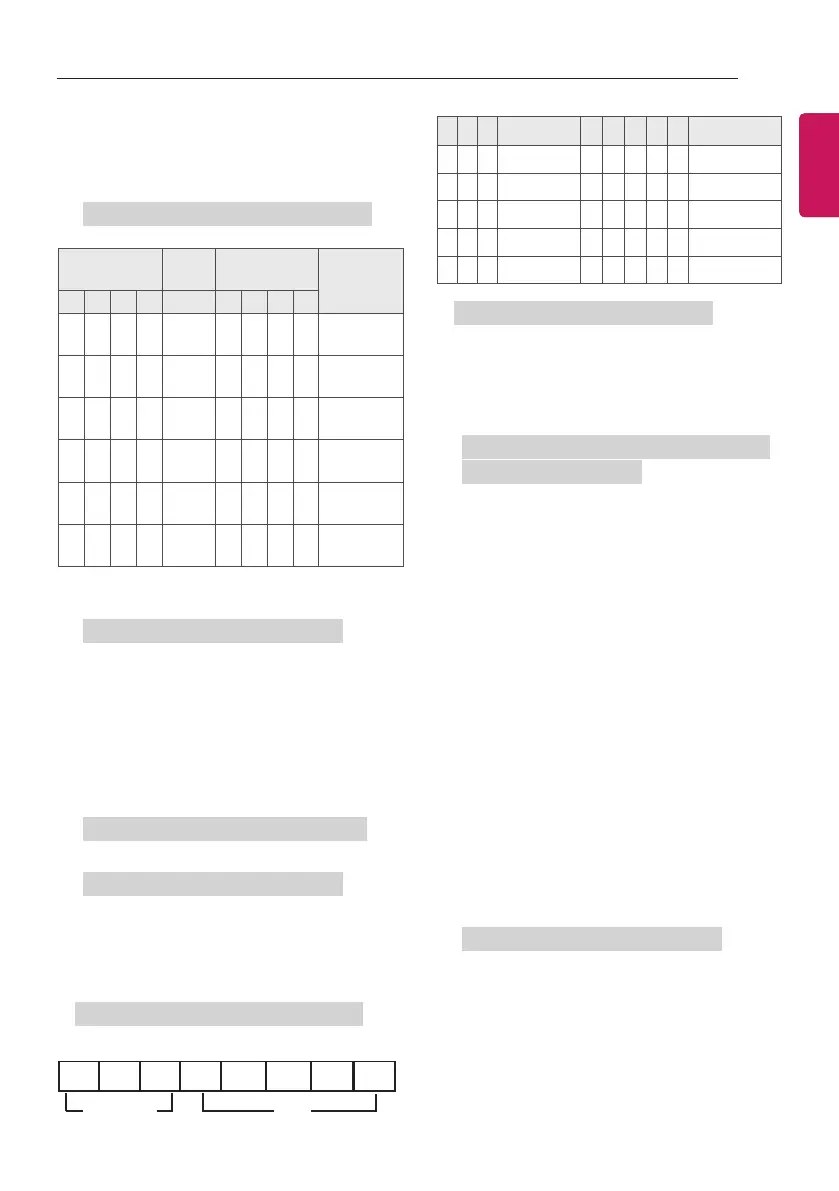
Transmission [j][q][ ][Set ID][ ][Data][Cr]
Power Saving
Function
Level
Description
7 6 5 4 3 2 1 0
0 0 0 0
Low
Power
0 0 0 0 Off
0 0 0 0
Low
Power
0 0 0 1 Minimum
0 0 0 0
Low
Power
0 0 1 0 Medium
0 0 0 0
Low
Power
0 0 1 1 Maximum
0 0 0 0
Low
Power
0 1 0 1 Screen Off
0 0 0 0
Low
Power
0 1 0 0 Auto
► 'Auto' is available in TV that supports
'Intelligent Sensor'.
Ack [q][ ][Set ID][ ][OK/NG][Data][x]
16. Auto Configure (Command: j u) (Only RGB
support model)
► To adjust picture position and minimize
image shaking automatically. It works only in
RGB (PC) mode.
Transmission [j][u][ ][Set ID][ ][Data][Cr]
Data 01 : To set
Ack [u][ ][Set ID][ ][OK/NG][Data][x]
17. Equalizer (Command : j v)
► To adjust equalize.
Transmission [j][v][ ][Set ID][ ][Data][Cr]
MSB LSB
Frequency
Data
0 0 0 0 0 0 0 0
7 6 5
Frequency
4 3 2 1 0 Step
0 0 0 1st Band 0 0 0 0 0 0(decimal)
0 0 1 2nd Band 0 0 0 0 1 1(decimal)
0 1 0 3rd Band ... ... ... ... ... ...
0 1 1 4th Band 1 0 0 1 1 19(decimal)
1 0 0 5th Band 1 0 1 0 0 20(decimal)
Ack [v][ ][Set ID][ ][OK/NG][Data][x]
18. Tune Command (Command: m a)
► Select channel to following physical number.
Transmission [m][a][ ][Set ID][ ][Data 00][ ]
[Data 01][ ][Data 02][Cr]
Data 00 : High channel data
Data 01 : Low channel data
ex. No. 47 -> 00 2F (2FH)
No. 394 -> 01 8A (18AH),
DTV No. 0 -> Don’t care
Data02 : [Antena]
0x00 : Analog Main
0x10 : DTV Main
0x20 : Radio
[Cable]
0x80 : Analog Main
0x90 : DTV Main
0xA0 : Radio
[Satellite]
0x40 : DTV Main
0x50 : Radio Main
Channel data range
Min: 00 Max: 270F (0 to 9999)
Ack [a][ ][Set ID][ ][OK/NG][Data][x]
Data Min: 00 to Max: 7DH


 To Next Page