12
ENG
ENGLISH
ASSEMBLING AND PREPARING
y
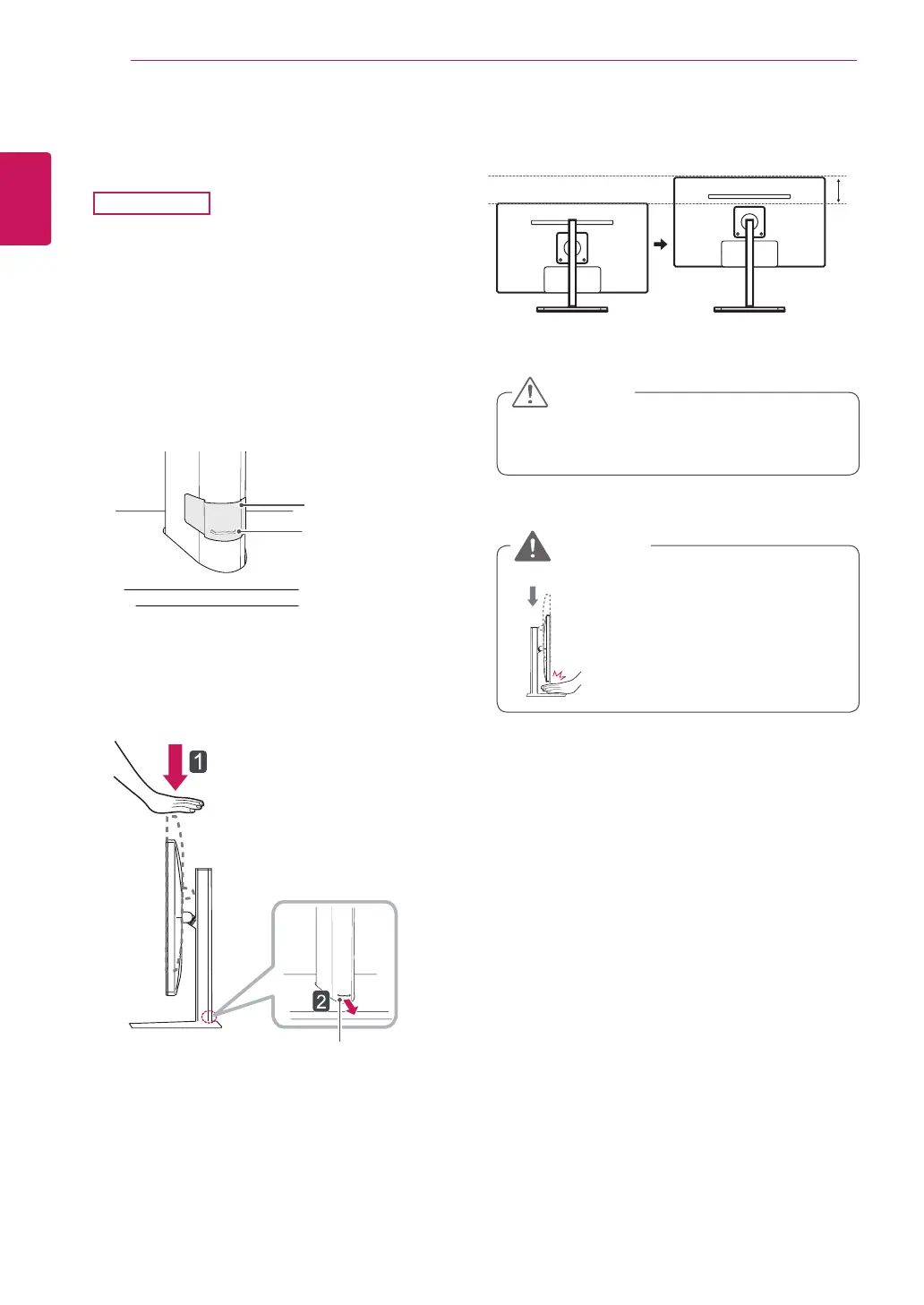
Once the pin is removed, it is not neces-
sary to re-insert it to adjust the height.
Adjusting the stand height
2
Remove the tape attached at the bottom rear
of the stand body, then pull out the locking
pin.
4
The height can be adjusted up to 110.0 mm.
y
Do not put your fingers or
hand between the screen
and the base (chas-
sis) when adjusting the
screen's height.
Tape
Locking Pin
Stand Body
CAUTION
WARNING
110.0 mm
3
Push the Head downward and pull out the
Locking Pin.
Head
Locking pin
1
Place the monitor mounted on the stand base
in an upright position.
29EB93



 To Next Page