EasyManua.ls Logo

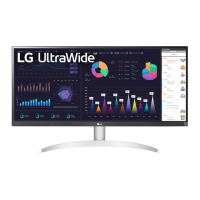
LG 29WR30MR User Manual

LG 29WR30MR
45 pages
To Next Page IconTo Next Page
Page #1 background imageLoading...
Page #1 background image
www.lg.com
OWNER’S MANUAL
MONITOR SIGNAGE
29WR30MR
Please read this manual carefully before operating the your set and
retain it for future reference.
MONITOR SIGNAGE MODELS

Questions and Answers:

LG 29WR30MR Specifications

General IconGeneral
Aspect Ratio21:9
Panel TypeIPS
VESA Mount100 x 100 mm
Screen Size29 inches
Resolution2560 x 1080
Response Time5 ms (GtG)
Contrast Ratio1000:1
PortsHDMI, DisplayPort, USB-C
FeaturesAMD FreeSync, Black Stabilizer, Reader Mode
Viewing Angle178º(R/L), 178º(U/D)
Color GamutsRGB 99%

Summary

Assembling and Preparing

Accessories

Lists and illustrates included accessories for the monitor.

Parts and buttons

Identifies physical buttons and connection ports on the monitor.

Mounting on a wall

Details instructions and precautions for wall mounting the monitor.

Using the Monitor

Connecting to a PC

Explains Plug & Play feature and recommended connections.

DVI Connection

Details how to connect the monitor using a DVI cable.

Display Port Connection

Explains connecting the monitor via Display Port cable.

HDMI Connection

Describes connecting the monitor using an HDMI cable.

Customizing Settings

Menu Settings

Overview of accessing and navigating the OSD menu options.

Troubleshooting

No Image Displayed Issues

Solutions for problems where no image appears on the screen.

Abnormal Screen Image

Troubleshooting for incorrect screen position or abnormal display.

Abnormal Screen Color

Solutions for poor color resolution or unstable screen color.

Specifications

LCD Panel and Video Signal Specifications

Details screen type, pixel pitch, resolution, and frequency.

Input Connectors and Power

Lists input ports and power consumption details.

Controlling the Multiple Product

Related product manuals