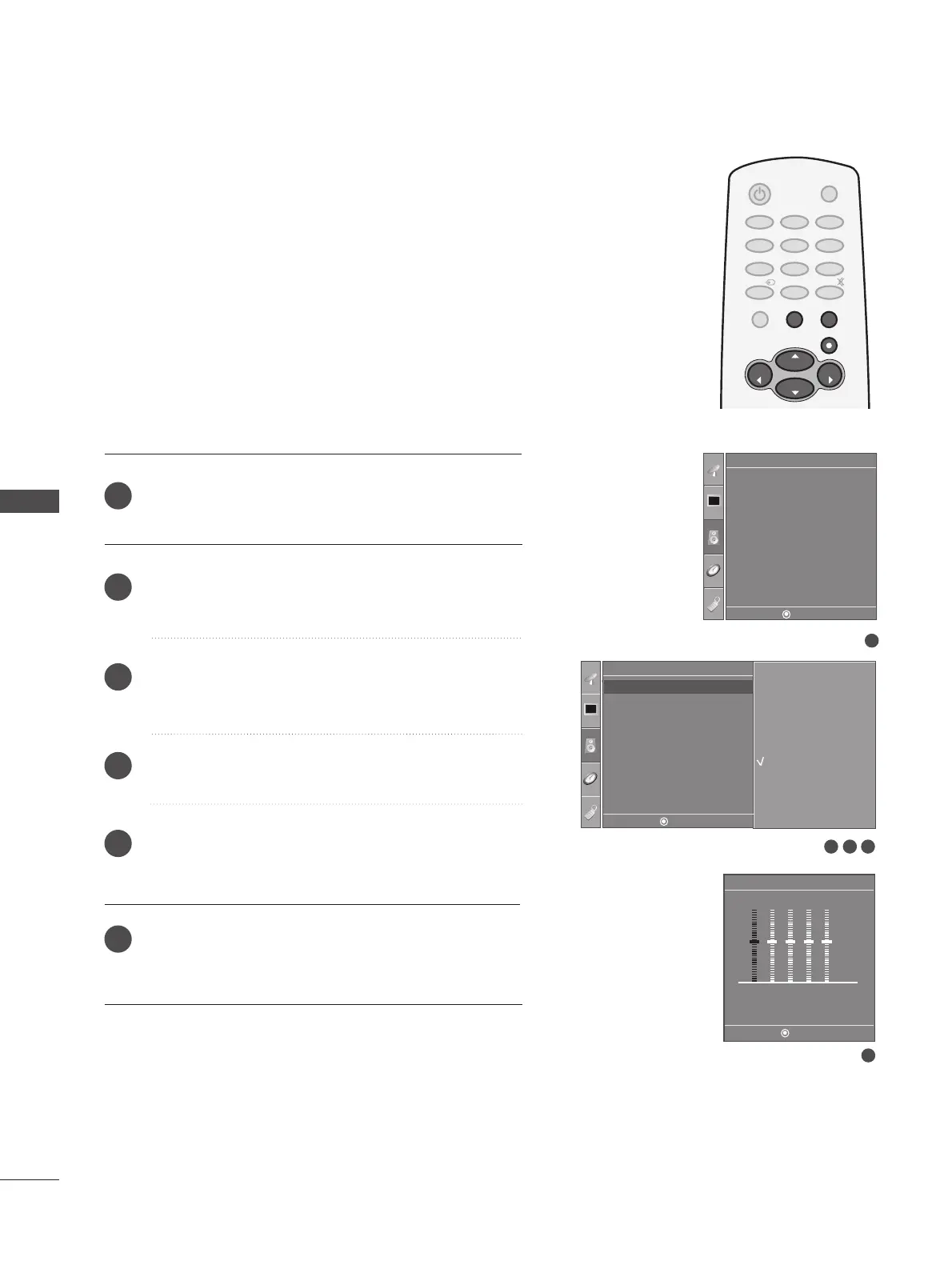
SOUND FREQUENCY ADJUSTMENT
SOUND & LANGUAGE CONTROL
54
SOUND & LANGUAGE CONTROL
Press the
MMEENNUU
button and then use
DD
or
EE
button
to select the
AAuuddiioo
menu.
Press the
GG
button and then use
DD
or
EE
button to
select
SSoouunndd MMooddee
.
Press the
GG
button and then use
DD
or
EE
button to
select
UUsseerr
.
Press the
GG
button.
Select a sound band by pressing the
FF
or
GG
button.
Make appropriate sound level with the
DD
or
EE
button.
Press
EEXXIITT
button to return to TV viewing or press
MMEENNUU
button to return to the previous menu.
1
2
3
4
5
6
1
Sound Mode
Auto Volume
Balance 0
TV Speaker
Audio
3 42
Audio
Surround MAX
Standard
Music
Movie
Sports
User
User
0.1 0.5 1.5 5.0 10 kHz
5
DE F G
MENU
DE F G
MENU
DE F G
MENU
Adjust the sound equalizer.
Sound Mode G
Auto Volume
Balance 0
TV Speaker



 To Next Page