EasyManua.ls Logo

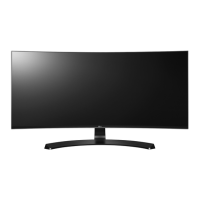
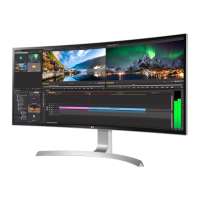
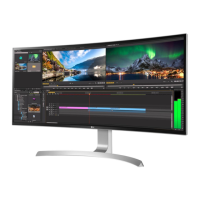
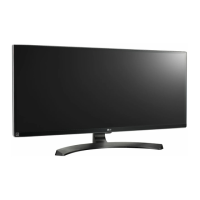
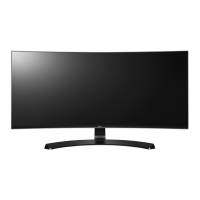
LG 34CB88 - User Manual

LG 34CB88
38 pages
Print Icon
To Next Page IconTo Next Page
Loading...
www.lg.com
* LG LED Monitor applies LCD screen with LED backlights.
Please read this manual carefully before operating your set and retain it for future
reference.
OWNER’S MANUAL
34UC98
34UC88
34CB98
34CB88
IPS LED
MONITOR
(LED Monitor*)

Other manuals for LG 34CB88

Questions and Answers

  • P
    Pamela DuncanSep 12, 2025
    How to fix unstable and shaky screen display with shadow trails on LG 34CB88?
    • H
      Hannah JenkinsSep 12, 2025
      If your LG Monitor's screen display is unstable, shaky, or images leave shadow trails, and the selected resolution is HDMI 1080i 60/50 Hz (interlaced), the screen may be flickering. Try changing the resolution to 1080p or the recommended resolution.
  • A
    alvarezjessicaSep 12, 2025
    What to do if my LG 34CB88 screen display is unstable and shaky?
    • J
      Joseph DavisSep 12, 2025
      If your LG monitor's screen display is unstable and shaky, or if images leave shadow trails, try changing the resolution to 1080p or the recommended resolution.
  • B
    Brad VasquezSep 9, 2025
    Why does the screen retain an image on my LG 34CB88 Monitor?
    • C
      Cheryl HallSep 9, 2025
      To extend the lifetime of your LG Monitor and prevent the screen from retaining an image, use a screensaver. Displaying a still image for a prolonged time may cause damage to the screen, resulting in the retention of the image.
  • J
    Jennifer KelleySep 8, 2025
    Why does my LG 34CB88 Monitor screen retain an image?
    • B
      Brianna SimmonsSep 8, 2025
      If your LG Monitor screen retains an image, it may be due to displaying a still image for a prolonged time, which can damage the screen. To extend the monitor's lifespan, use a screensaver.
  • S
    Sherry BryantSep 7, 2025
    Why is the display color abnormal on my LG 34CB88?
    • D
      Donna DukeSep 7, 2025
      If the display color on your LG Monitor is abnormal: * First, ensure that the color is set to 24 bit (true color) or higher. For Windows, navigate to Control Panel > Display > Settings > Color Quality to adjust this. * Next, check the signal cable connection. Reconnect the cable or reinsert the PC's graphics card to ensure a proper connection. * If the issue persists, it may not be an error related to the monitor's performance.
  • S
    Steven GrahamAug 23, 2025
    What to do if nothing is displayed on my LG 34CB88 screen?
    • J
      Janice HughesAug 23, 2025
      If nothing is displayed on your LG Monitor screen, start by checking if the power cord is correctly plugged into the power outlet. Also, verify the power cable connection and ensure the power button is pressed. Confirm that the connected input is enabled via Menu > Quick Settings > Input. If the monitor is in sleep mode, move the mouse or press any key. Lastly, ensure your computer is turned on. If the signals from your PC are out of range, refer to the Product Specification section of this manual to set the appropriate frequency. Also, check the cable and reconnect it.
  • R
    Rebecca ReyesSep 5, 2025
    How to turn off OSD lock on LG Monitor?
    • A
      Alvin SimsSep 5, 2025
      To turn off the OSD lock on your LG Monitor, go to Menu > General and set OSD Lock to Off.
  • M
    maria48Sep 4, 2025
    Why is my LG Monitor display color abnormal?
    • T
      Tara GrahamSep 4, 2025
      If the display color on your LG Monitor is abnormal, first set the color to 24 bit (true color) or higher by navigating to Control Panel > Display > Settings > Color Quality in Windows. Also, check if the signal cable is properly connected; try reconnecting it or reinserting the PC's graphics card. Note that sometimes, this is not an error and is unrelated to the monitor's performance.
  • M
    Mark CoxSep 3, 2025
    How to troubleshoot no sound from the headphone port on my LG 34CB88 Monitor?
    • J
      James BushSep 3, 2025
      If there is no sound from the headphone port on your LG Monitor, first make sure that the headphone port connections are properly made. If the connections are correct, try increasing the volume using the joystick. Finally, set the audio output of the PC to the monitor you are using by going to Control Panel > Hardware and Sound > Sound and set the Monitor as the default device.
  • R
    Robert ThomasSep 2, 2025
    What to do if the screen display is unstable and shaky on my LG Monitor?
    • K
      Kathy JohnsonSep 2, 2025
      If the screen display on your LG Monitor is unstable and shaky, or if images leave shadow trails, and the selected resolution is HDMI 1080i 60/50 Hz (interlaced), the screen may be flickering. Change the resolution to 1080p or the recommended resolution to resolve this issue.

LG 34CB88 Specifications

General IconGeneral
BrandLG
Model34CB88
CategoryMonitor
LanguageEnglish

Related product manuals