EasyManua.ls Logo

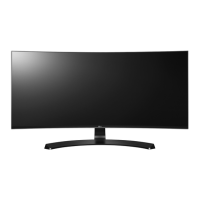
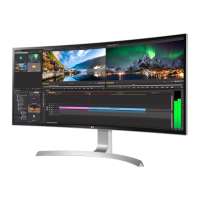
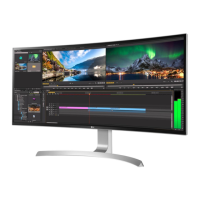
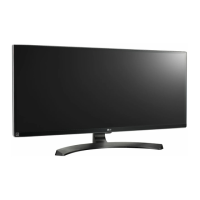
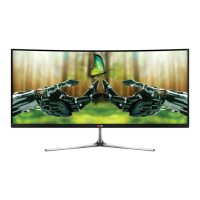
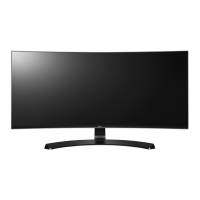
LG 34CB88 - User Manual

LG 34CB88
38 pages
Print Icon
To Next Page IconTo Next Page
Loading...
www.lg.com
* LG LED Monitor applies LCD screen with LED backlights.
Please read this manual carefully before operating your set and retain it for future
reference.
OWNER’S MANUAL
34UC98
34UC88
34CB98
34CB88
IPS LED
MONITOR
(LED Monitor*)

Other manuals for LG 34CB88

Questions and Answers

  • T
    Tammy MasonSep 1, 2025
    How to fix an LG Monitor when nothing is displayed on the screen?
    • H
      harrisashleySep 1, 2025
      If nothing is displayed on your LG Monitor, ensure the power cord is correctly plugged into the power outlet. Also, check the power cable connection and press the power button. Verify that the connected input is enabled by navigating to Menu > Quick Settings > Input. If the monitor is in sleep mode, move the mouse or press any key on the keyboard. Also, ensure your computer is turned on. If the signals from your PC are out of the monitor's frequency range, consult the Product Specification section of this manual to set the appropriate frequency. Finally, check the cable and reconnect it.
  • M
    Michelle MunozAug 31, 2025
    What to do if there is no sound from the headphone port on my LG 34CB88 Monitor?
    • A
      allen47Aug 31, 2025
      If there is no sound from the headphone port on your LG Monitor, ensure that the headphone port connections are properly made. You can also try increasing the volume using the joystick. Additionally, set the audio output of the PC to the monitor you are using. On Microsoft Windows, go to Control Panel > Hardware and Sound > Sound and set the Monitor as the default device.
  • M
    Marie PalmerAug 30, 2025
    How to fix no sound from the headphone port on my LG 34CB88?
    • M
      Megan BakerAug 30, 2025
      If there is no sound from the headphone port on your LG monitor, ensure the following: * Make sure that the headphone port connections are made properly. * Try increasing the volume with the joystick. * Set the audio output of the PC to the monitor you are using. On Microsoft Windows, go to Control Panel > Hardware and Sound > Sound and set the Monitor as the default device.
  • E
    Elizabeth FarmerAug 29, 2025
    How to fix no sound from the headphone port on LG Monitor?
    • X
      xweaverAug 29, 2025
      If there is no sound from the headphone port on your LG Monitor, ensure the headphone port connections are properly made. Try increasing the volume using the joystick. Also, set the audio output of your PC to the monitor you are using by going to Control Panel > Hardware and Sound > Sound and setting the Monitor as the default device.
  • E
    Erica DanielsAug 28, 2025
    What to do if LG 34CB88 Monitor screen display is unstable and shaky?
    • D
      dianaolsonAug 28, 2025
      If the screen display on your LG Monitor is unstable and shaky, and the resolution is HDMI 1080i 60/50 Hz (interlaced), the screen may be flickering. Try changing the resolution to 1080p or the recommended resolution.
  • R
    Renee LewisAug 27, 2025
    Why is my LG 34CB88 Monitor screen display unstable and shaky?
    • J
      joneskaylaAug 27, 2025
      If your LG Monitor's screen display is unstable, shaky, or images leave shadow trails, and the resolution is set to HDMI 1080i 60/50 Hz (interlaced), this may cause flickering. Change the resolution to 1080p or the recommended resolution to resolve this issue.
  • C
    Corey WardAug 26, 2025
    What to do if there is no sound from the headphone port on LG Monitor?
    • K
      Kim HoltAug 27, 2025
      If there is no sound from the headphone port on your LG Monitor: * Ensure that the headphone port connections are properly made. * Try increasing the volume using the joystick. * Set the audio output of your PC to the monitor. On Microsoft Windows, go to Control Panel > Hardware and Sound > Sound and set the Monitor as the default device.
  • J
    Joseph ReedAug 25, 2025
    How to fix LG 34CB88 Monitor when nothing is displayed on the screen?
    • V
      Victor CollinsAug 26, 2025
      If nothing is displayed on your LG Monitor screen, there are several things you can check: * Ensure the power cord is correctly plugged into the power outlet and that the power cable is properly connected. Then, press the power button. * Make sure the connected input is enabled by going to Menu > Quick Settings > Input. * If the monitor is in sleep mode, move the mouse or press any key on the keyboard. Also, verify that your computer is turned on. * If the signals from your PC are out of the monitor's frequency range, refer to the Product Specification section of this manual to set the appropriate frequency. * Check the signal cable between the PC and the monitor to ensure it is properly connected. Reconnect if necessary.
  • J
    jeffreyibarraAug 25, 2025
    Why is there no sound from my LG Monitor headphone port?
    • K
      kimberlydanielAug 25, 2025
      If there is no sound from the headphone port on your LG Monitor, first make sure that the headphone port connections are properly made. Then, try increasing the volume using the joystick. Finally, set the audio output of your PC to the monitor you are using by going to Control Panel > Hardware and Sound > Sound on Microsoft Windows and setting the Monitor as the default device.

LG 34CB88 Specifications

General IconGeneral
BrandLG
Model34CB88
CategoryMonitor
LanguageEnglish

Related product manuals