TV SPEAKERSONIOFF SETUP
Turn the TV speakers off if using external audio equipment.
Feature turns the TV Speakers option On or Off.
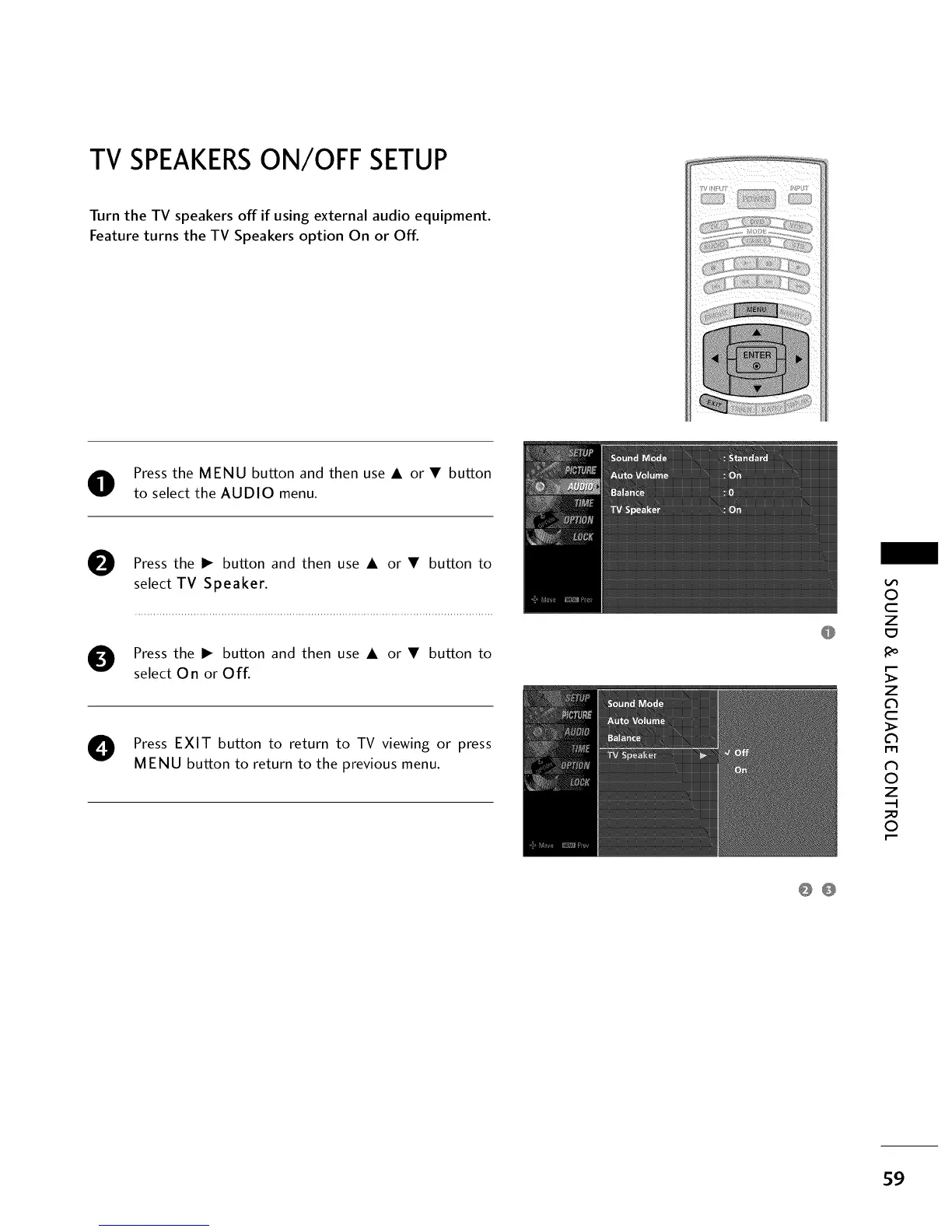
O Press the MENU button and then use A or • button
to select the AUDIO menu.
O
Press the I_ button and then use A or • button to
select TV Speaker.
O ress the I_ button and then use A or • button to
select On or Off.
O Press EXIT button to return to TV viewing or press
MENU button to return to the previous menu.
0
c
Z
_o
z
c
l'rl
N
0
Z
.-I
0
0O
59


 To Next Page