Manual Clock Setup
If the current time setting is wrong, reset the clock manually.
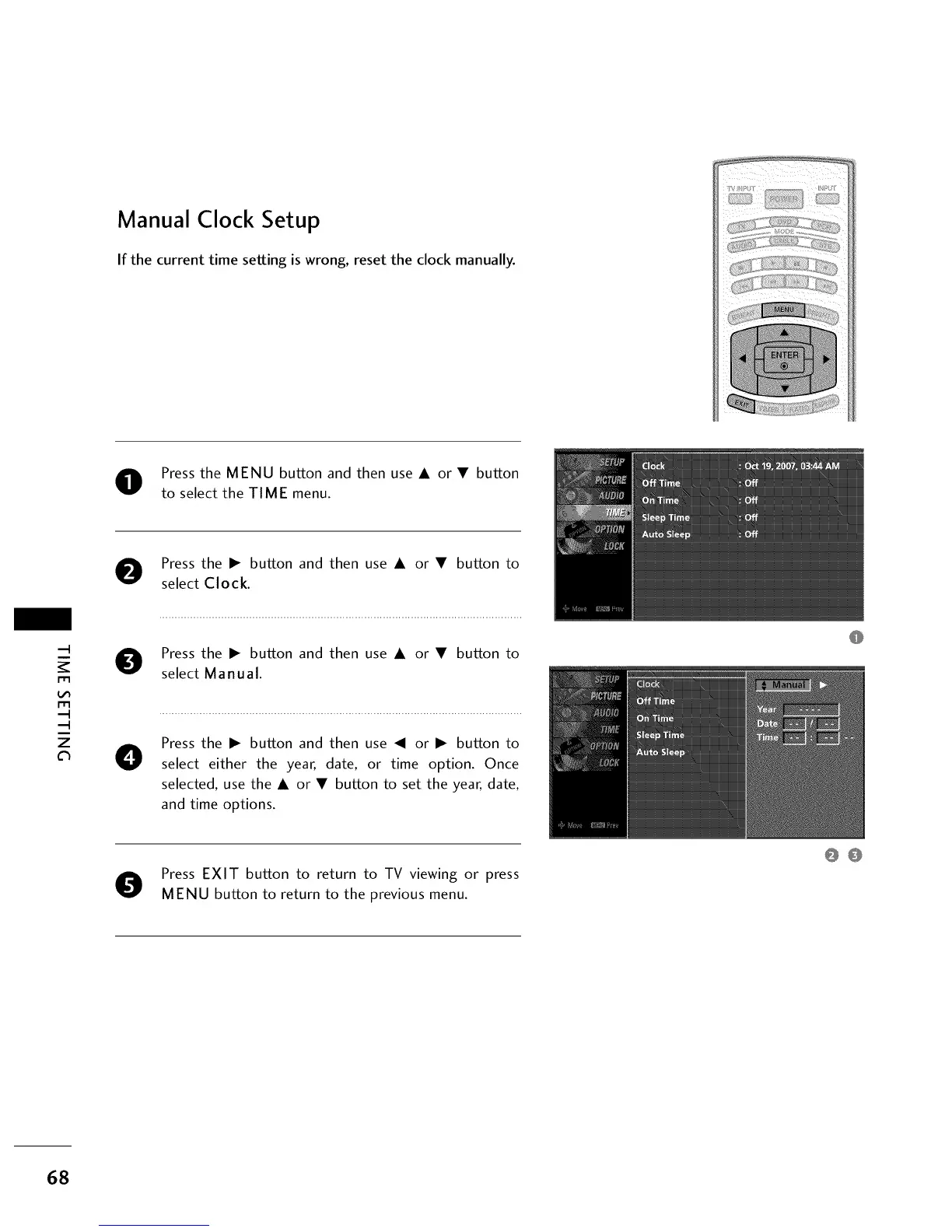
Press the MENU button and then use A or • button
to select the TIME menu.
O Press the I_ button and then use A or • button to
select Clock.
m
m
z
O Press the I_ button and then use A or • button to
select Manual.
O
Press the I_ button and then use _1 or I_ button to
select either the year, date, or time option. Once
selected, use the A or • button to set the year, date,
and time options.
O Press EXIT button to return to TV viewing or press
MENU button to return to the previous menu.
68
00


 To Next Page
 Loading...