73
PICTURE CONTROL
AA
XXDD CCoonnttrraasstt ::
Optimises the contrast automatically
according to the brightness of the reflection.
AA
XXDD CCoolloouurr ::
Adjusts the colour of the reflection auto-
matically to reproduce as close as possible natural
colours.
AA
XXDD NNRR
: Removes interference up to the point where it
does not damage the original picture.
AA
MMPPEEGG NNRR
: Reduces interference which may appear on
the screen while watching TV.
Picture Mode
Colour Temperature
G
Advanced
Picture Reset
Demo
Auto
Manual
XD Contrast
XD Colour
XD NR
MPEG NR
0
On
On
Low
Picture Mode
Colour Temperature
Advanced
Picture Reset
Demo
1
2
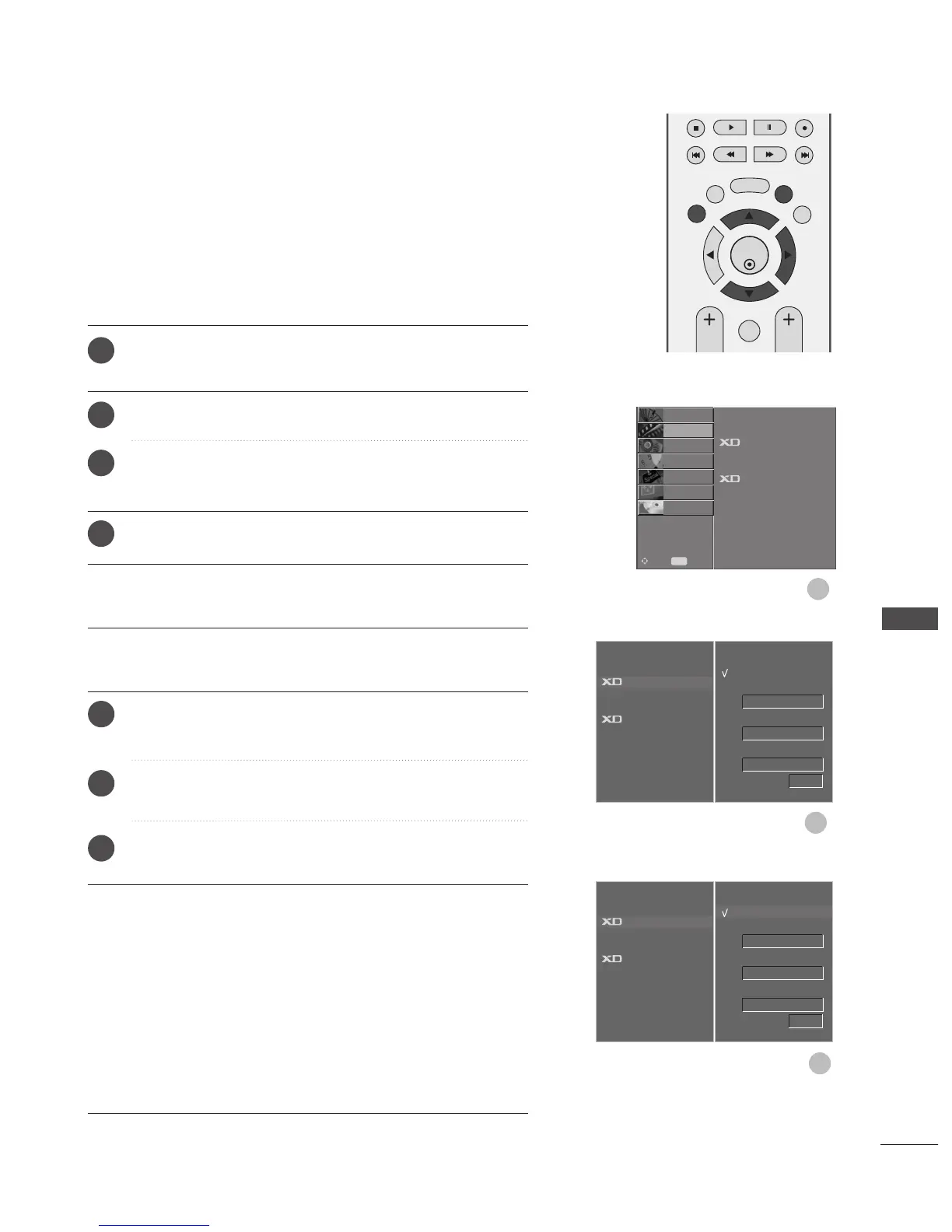
XD - PICTURE IMPROVEMENT TECHNOLOGY
3
Press the MENU button and then
DD
or
EE
button to select
the
PPIICCTTUURREE
menu.
Press the
GG
button and then
DD
or
EE
button to select
XX DD
.
Press the
GG
button and then
DD
or
EE
button to select
AAuuttoo
or
MMaannuuaall
.
Press the
EEXXIITT
button to return to normal TV viewing.
* Manual Selection
This menu is activated after selecting the
UUsseerr11
or
UUsseerr22
of
PPiiccttuurree
MMooddee
.
Press the
GG
button and then
DD
or
EE
button to select
XX DD
CCoonnttrraasstt
,,
XXDD CCoolloouurr
,
XXDD NNRR
or
MMPPEEGG NNRR
.
Press the
GG
button and then
DD
or
EE
button to select
OO nn
or
OOffff
.
Press the
EEXXIITT
button to return to normal TV viewing.
XD is LG electronic's unique picture improving technology to
display a real HD source through an advanced digital signal pro-
cessing algorithm.
It is not possible to use this function in RGB-PC mode.
1
2
3
4
1
2
3
Auto
Manual
G
XD Contrast
XD Colour
XD NR
MPEG NR
0
On
On
Low
Picture Mode
Colour Temperature
Advanced
Picture Reset
Demo
SETUP
O
AUDIO
O
TIME
O
OPTION
O
SCREEN
O
D V R
O
Prev.
MENU
Move
PICTURE
G



 To Next Page