Need help?
Do you have a question about the LG 43UD79 and is the answer not in the manual?
Covers essential safety notices, general technician guidance, and leakage current checks.
Details on customer, model, region, feature, chassis, and general scope of the monitor.
Technical details on horizontal and vertical timing for video and sync signals.
Introduction to the In-System Programming (ISP) process for firmware.
Steps to launch the RTDToll software and identify the ISP icon.
Procedure to verify the correct access method for the firmware update tool.
Details on checking options and setting user data areas for firmware updates.
Steps for selecting the correct firmware file (*.bin or *.hex) for the update.
Instructions to click the Thunder icon and monitor the ISP progress bar.
Presents safety notices in the context of the component layout for service.
Step-by-step guide to diagnose and resolve power-related problems.
Diagnostic steps for troubleshooting when the screen does not turn on.
Procedure for diagnosing and fixing problems related to video signal display.
This document outlines the service manual for an LG LED Monitor, specifically model 43UD79, built on the LM60B chassis. It provides comprehensive information for technicians, covering safety precautions, specifications, firmware upgrade procedures, block diagrams, assembly/disassembly instructions, and troubleshooting guides. The manual is intended for internal use only by LG Electronics for training and service purposes, emphasizing the importance of adhering to specified procedures to ensure safety and proper functionality.
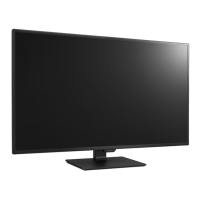
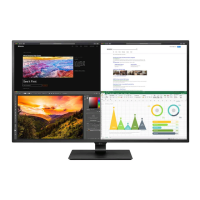
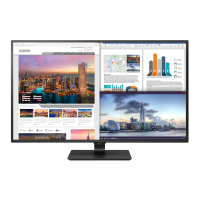
The monitor's primary function is to display visual content, likely offering a high-definition experience given the "UHD" (Ultra High Definition) designation for the 43-inch IPS LCD panel. As an LED monitor, it utilizes LED backlighting for illumination, which typically contributes to better contrast, brightness, and energy efficiency compared to traditional CCFL backlighting. The inclusion of various input ports such as HDMI (versions 1.4 and 2.0), DisplayPort (1.2), and USB-C (with DP 1.2 and Power Delivery support) indicates its versatility in connecting to a wide range of devices, from computers and gaming consoles to other multimedia sources. The USB-C port's Power Delivery (PD) capability, specifically 5V 1.5A, suggests it can not only receive video signals but also provide power to connected devices, simplifying cable management for compatible laptops and smartphones. Additionally, the presence of USB 3.0 downstream ports, with one supporting quick charging (up to 5V 1.5A DC), further enhances its utility as a central hub for peripherals and device charging.
Usage features of the monitor are highlighted by its 5-way joystick switch for general control and adjustments. This intuitive control mechanism allows users to navigate menus, select options, and power the device on/off with ease. The manual mentions various picture modes, aspect ratio controls, and on-screen display (OSD) settings, which are standard features for modern monitors, enabling users to customize their viewing experience. Support for "Dual Controller" and "PBP/PIP" (Picture-by-Picture/Picture-in-Picture) functionalities suggests advanced multitasking capabilities, allowing users to view content from multiple sources simultaneously on the large 43-inch screen. Factory calibration is also noted, implying that the monitor is pre-tuned for accurate color reproduction, which is crucial for professional applications like graphic design and video editing. The RS-232C port indicates support for remote control and integration into professional AV systems, allowing for centralized management and automation.
Maintenance features are extensively covered in the service manual, starting with critical safety precautions. Technicians are warned about special safety-related electrical and mechanical parts, identified in the schematic diagram and exploded view, which must be replaced with identical components to prevent hazards like shock or fire. Modifying the original design without manufacturer permission is strictly prohibited. The manual emphasizes the use of an isolation transformer during servicing for technician safety when dealing with non-isolated AC power lines. It also provides detailed instructions for AC leakage current checks (both cold and hot) on exposed metallic parts of the cabinet to ensure the device is safe for operation after servicing. Replacing blown fuses or fusible resistors with specified types and maintaining proper spacing for high-wattage resistors are also crucial safety guidelines.
The firmware upgrade method is a key maintenance feature, detailing a step-by-step process for updating the monitor's internal software. This involves connecting a "Realtek Jig" to the monitor and a PC, installing necessary drivers, and using a specific software tool ("RTDTool"). The process includes selecting the correct access method (FTDIUsb), unchecking "Check ACK" in communication options, and then loading the firmware file (in .bin or .hex format) into the tool. Finally, clicking a "Thunder icon button" initiates the ISP (In-System Programming) process, with a progress bar and status window indicating completion. This procedure is essential for resolving software-related issues, improving performance, or adding new features to the monitor.
Disassembly and assembly instructions are provided with clear visual aids, guiding technicians through the process of taking apart and reassembling the monitor. This includes steps like removing the rear shield, speaker brackets, and PCB components, as well as detaching the LVDS cable. A specific warning about disassembling the LVDS cable when the rear shield is up highlights a critical point to prevent damage. The manual also specifies screw torque values for certain components, such as the joystick cover screw, indicating a focus on precise reassembly to maintain structural integrity and functionality.
Troubleshooting guides are structured to address common issues like "No Power," "No Screen On," and "No Video." For "No Power," the guide directs technicians to check voltage levels at specific points (JP800 for 12V, IC700 for 5VS, IC801 for 1.1V/3.3V) and the X100 clock (14.318MHz), suggesting replacements for the power board, IC700, IC801, X100, or IC101 Flash Memory based on the findings. For "No Screen On," the steps involve checking the module backlight, panel power (5V at JP125), LED driver FB (P700 1,6), and panel clock (P101). Solutions include replacing IC700, repairing the main B/D (IC100), checking/replacing the FFC cable, or replacing the T-Con Board or Module. The "No Video" guide focuses on verifying input signal format compatibility, checking the Dsub cable, inspecting connectors (JK200, 201, 202, P200), and checking I2C signals. Potential fixes include replacing connectors, re-downloading EDID data, or replacing the main scaler IC (IC100). These structured troubleshooting flows are invaluable for efficient and effective repair.
 General
| 3D | Yes |
|---|---|
| Color gamut | 72 % |
| Pixel pitch | 0.2451 x 0.2451 mm |
| Screen shape | Flat |
| Response time | 8 ms |
| Display diagonal | 42.5 \ |
| Display technology | LED |
| Native aspect ratio | 16:9 |
| Vertical scan range | 56 - 61 Hz |
| Horizontal scan range | 30 - 135 kHz |
| Contrast ratio (typical) | 1000:1 |
| Display number of colors | 1.073 billion colors |
| Display brightness (typical) | 350 cd/m² |
| Supported graphics resolutions | 3840 x 2160 |
| Dynamic contrast ratio marketing name | Mega Contrast |
| Audio system | Rich Bass |
| On/off switch | - |
| HDMI ports quantity | 4 |
| VGA (D-Sub) ports quantity | 0 |
| USB Type-A downstream ports quantity | 2 |
| RMS rated power | 20 W |
| Product color | Black |
| Tilt angle range | -5 - 10 ° |
| Number of OSD languages | 17 |
| Panel mounting interface | 200 x 200 mm |
| On Screen Display (OSD) languages | CHI (SIMPL), CHI (TR), DEU, ENG, ESP, FIN, FRE, GRE, ITA, JPN, KOR, POL, POR, RUS, SWE, UKR |
| AC input voltage | 100 - 240 V |
| AC input frequency | 50 - 60 Hz |
| Power consumption (off) | 0.3 W |
| Power consumption (standby) | 1.2 W |
| Sustainability certificates | EPEAT Gold |
| Package type | Box |
| Package depth | 285 mm |
| Package width | 1065 mm |
| Package height | 658 mm |
| Package weight | 20000 g |
| Cables included | AC, DisplayPort, HDMI, USB Type-C |
 Weight and Dimensions
| Depth (with stand) | 275 mm |
|---|---|
| Height (with stand) | 647.6 mm |
| Weight (with stand) | 15900 g |
| Depth (without stand) | 70.6 mm |
| Width (without stand) | 967 mm |
| Height (without stand) | 575.2 mm |
| Weight (without stand) | 12300 g |

 To Next Page