EasyManua.ls Logo

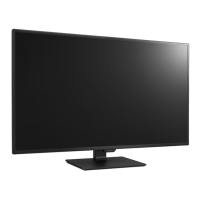
LG 43SE3DD - User Manual

LG 43SE3DD
36 pages
Print Icon
To Next Page IconTo Next Page
Loading...
OWNER’S MANUAL
LG Digital
Signage
(MONITOR SIGNAGE)
Please read this manual carefully before operating your set and retain it
for future reference.
43SE3DD
49SE3DD
55SE3DD
www.lg.com
Copyright © 2017 LG Electronics Inc. All Rights Reserved.

Questions and Answers

  • D
    Donald LittleAug 20, 2025
    What to do if my LG Monitor displays a 'No Signal' message?
    • J
      Jamie McconnellAug 20, 2025
      If your LG Monitor displays a 'No Signal' message, it means the signal cable between your PC and the monitor is not connected. You should check the signal cable and ensure it is properly connected. Also, press the 'INPUT' menu on your remote control to check the input source.
  • K
    Kevin JacksonAug 21, 2025
    Why is there no sound from my LG 43SE3DD?
    • H
      Heather NixonAug 22, 2025
      If there is no sound from your LG Monitor, check if the audio cable is connected properly. Also, adjust the volume and ensure the sound is set correctly.
  • S
    Shannon AtkinsonAug 25, 2025
    How to fix an LG 43SE3DD if it says 'Invalid Format'?
    • C
      Cassandra AndersonAug 25, 2025
      If your LG Monitor displays an 'Invalid Format' message, the signal from your PC (graphics card) is outside the monitor's vertical or horizontal frequency range. You should adjust the frequency range by referring to the specifications in the manual.
  • S
    Stephanie MillerAug 26, 2025
    Why does my LG Monitor have black spots on the screen?
    • E
      Erin CostaAug 26, 2025
      If you notice black spots on your LG Monitor screen, it's likely due to the unique characteristics of the LCD panel, where several pixels (red, green, blue, white, or black) may appear. This is not a malfunction of the LCD.
  • M
    mooreandrewAug 28, 2025
    How to check power cord of LG Monitor?
    • M
      Madison WhiteAug 28, 2025
      If no image is displayed on your LG Monitor, check if the power cord is correctly plugged into the power outlet.
  • B
    Barbara ShermanAug 29, 2025
    How to fix unstable screen color on LG Monitor?
    • M
      Michael RamosAug 29, 2025
      If the screen color on your LG Monitor is unstable or mono-colored, check the connection status of the signal cable. You can also try re-inserting your PC graphics card.
  • B
    Billy WagnerSep 1, 2025
    Why did my LG 43SE3DD suddenly turn off?
    • A
      Anna ArnoldSep 1, 2025
      If your LG Monitor suddenly turned off, check if the Off Time is set in the power control settings. Also, ensure that the power supply has not been interrupted.
  • G
    Gina ArnoldSep 3, 2025
    How to adjust screen position on LG 43SE3DD Monitor?
    • D
      dwhiteSep 3, 2025
      If the screen position is incorrect on your LG Monitor, check the D-Sub analog signal. Press the AUTO button on your remote control to automatically select an optimal screen setting that matches the current mode. If you are not satisfied with the adjustment, go to [PICTURE] ? [Screen(RGB-PC)] ? [Position] in the OSD menu. Also, ensure the resolution and frequency of your graphics card are supported by the monitor. Use the recommended resolution shown in Windows by going to [Control Panel] ? [Display]. Some graphics cards can adjust the size of the screen automatically, so adjust your graphics card settings.
  • R
    Robert GarciaSep 5, 2025
    Why is the sound too low on my LG 43SE3DD Monitor?
    • J
      Jessica OrrSep 5, 2025
      If the sound from your LG Monitor is too low, adjust the volume.
  • L
    Lisa GuzmanSep 6, 2025
    How to fix blurred characters on LG 43SE3DD Monitor?
    • B
      bhodgeSep 7, 2025
      If horizontal noise appears or the characters look blurred on your LG Monitor, check the D-Sub analog signal. Press the AUTO button on your remote control to automatically select an optimal screen setting that matches the current mode. If you are not satisfied with the adjustment, go to [PICTURE] ? [Screen(RGB-PC)] ? [Phase] in the OSD menu.

LG 43SE3DD Specifications

General IconGeneral
BrandLG
Model43SE3DD
CategoryMonitor
LanguageEnglish

Related product manuals