EasyManua.ls Logo

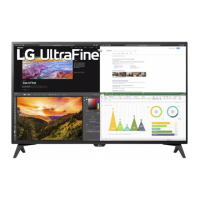
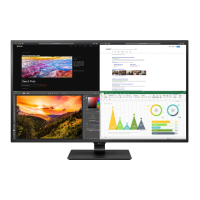
LG 43UN700T - User Manual

LG 43UN700T
33 pages
Print Icon
To Next Page IconTo Next Page
Loading...
www.lg.com
Please read the safety information carefully before using the product.
IPS LED Monitor (LED Monitor) Model List
Owner's Manual
IPS LED MONITOR
(LED MONITOR*)
*LG LED Monitors are LCD Monitors with LED Backlighting.
43UN700
43BN70U
43UN700T

Questions and Answers

  • S
    stephanie97Jul 27, 2025
    What to do if nothing is displayed on my LG 43UN700T screen?
    • C
      Clayton ParkerJul 28, 2025
      If nothing is displayed on your LG monitor screen, first, ensure the power cord is correctly plugged into the power outlet. Next, check the power cable connection and press the power button. Verify that the connected input is enabled in the monitor settings (Settings > Input > Input list). Also, check the cable and reconnect it. If signals transferred from the PC are out of the monitor's frequency range, refer to the Product Specification section of this manual to set the appropriate frequency.
  • V
    Victoria WilkinsAug 1, 2025
    How to fix no sound from LG 43UN700T headphone port?
    • C
      Christopher MurphyAug 1, 2025
      If there is no sound from the headphone port or speaker of your LG monitor, first, try increasing the volume using the button on the monitor. If that doesn't work, set the audio output of the PC to the monitor you are using. On Microsoft Windows, go to Control Panel > Hardware and Sound > Sound and set the monitor as the default device.
  • E
    Erica SheltonAug 5, 2025
    What to do if LG 43UN700T Monitor screen display is unstable?
    • R
      reesecarlyAug 5, 2025
      If your LG Monitor's screen display is unstable and shaky, or if images leave shadow trails, and the selected resolution is HDMI 1080i 60/50 Hz (interlaced), the screen may be flickering. Change the resolution to 1080P or the recommended resolution.
  • E
    Eddie FieldsAug 10, 2025
    How to turn off OSD lock on LG Monitor?
    • G
      garciasuzanneAug 10, 2025
      If the OSD lock message is being displayed on your LG monitor, go to Settings > General and set OSD Lock to Off.
  • Y
    ysmithAug 14, 2025
    Why does my LG 43UN700T screen retain an image?
    • L
      Lisa HillAug 14, 2025
      Displaying a still image for a prolonged time may cause damage to the screen of your LG Monitor, resulting in the retention of the image. To extend the lifetime of the monitor, use a screensaver.
  • C
    Charles HernandezAug 18, 2025
    Why is the display color abnormal on my LG 43UN700T?
    • L
      Laura JohnsonAug 18, 2025
      If the display color on your LG monitor is abnormal, try setting the color to 24 bit (true color) or higher via Control Panel > Display > Settings > Color Quality. Also, check if the signal cable is connected properly; reconnect it or reinsert the PC's graphics card. Note that this might not be an error and is not necessarily related to the monitor's performance.
  • T
    teresaguzmanAug 22, 2025
    How to solve 'Unrecognized monitor' message on LG 43UN700T Monitor?
    • H
      Heather HuberAug 22, 2025
      If you see an "Unrecognized monitor, Plug&Play (VESA DDC) monitor found" message with your LG monitor, be sure to install the display driver from http://www.lg.com. Also, make sure to check if the video card supports Plug&Play function.

Summary

License Information

Assembling and Preparing the Monitor

Supported Drivers and Software

Download and install the latest drivers and software from the LGE website.

Component and Button Description

Details the monitor's components and button functions.

Using the Joystick Button

Explains how to operate the monitor using the joystick button for basic functions.

Moving and Lifting the Monitor

Provides instructions for safely moving and lifting the monitor to prevent damage.

Cable Management and Table Setup

Illustrates cable arrangement and guides on placing the monitor on a table.

Power Cord Safety and Angle Adjustment

Highlights power cord safety and instructions for adjusting the monitor screen angle.

Kensington Lock Installation

Explains how to install and use the Kensington security lock for theft prevention.

Wall Mount Installation

Details attaching a wall mount plate and mounting the monitor to a wall.

Remote Control Operation

Using the Monitor and Connections

Connecting to a PC

Explains how to connect the monitor to a personal computer for display.

HDMI and DisplayPort Connections

Details connecting via HDMI and DisplayPort cables for video and audio signals.

USB-C and AV Device Connectivity

Instructions for USB-C connection and connecting to AV devices via HDMI.

Peripheral and USB Device Connection

Explains connecting peripherals via USB and cautions for USB device usage.

Headphone Connection

Guides on connecting headphones to the monitor's headphone port.

User Settings and Menu Navigation

Accessing and Navigating the Main Menu

Steps to access and navigate the monitor's main menu using the joystick button.

Overview of Main Menu Features

Overview of the main menu options available on the monitor.

Detailed Menu Settings Configuration

Detailed explanation of how to configure various settings via the OSD menu.

Troubleshooting Common Issues

No Display or Blank Screen

Provides checks for when the monitor screen remains blank or shows no image.

OSD Lock Message Resolution

Explains how to resolve the OSD lock message and re-enable menu functions.

Image Retention and Screen Stability

Addresses image retention and solutions for unstable screen display.

Display Color and Signal Issues

Troubleshooting steps for abnormal display colors and unrecognized monitor messages.

Audio Output Troubleshooting

Troubleshooting steps for audio output problems from the monitor.

Product Specifications

PC Input Resolutions and Frequencies

Lists supported display resolutions and frequencies for PC input via HDMI and DisplayPort.

HDMI Video Timing and Power LED Status

Details video timing for preset modes and describes Power LED indicator states.

External Control Device Setup

Communication Parameters and Transmission

Specifies communication settings and explains command format for external control.

Acknowledgement Signals and Command List

Describes acknowledgement signals and provides a comprehensive command reference.

LG 43UN700T Specifications

General IconGeneral
BrandLG
Model43UN700T
CategoryMonitor
LanguageEnglish

Related product manuals