EasyManua.ls Logo

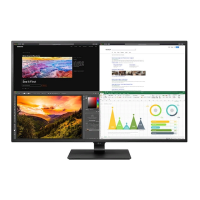
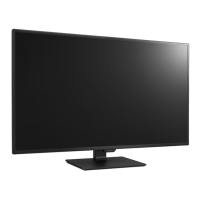
LG 43SE3DD - User Manual

LG 43SE3DD
36 pages
Print Icon
To Next Page IconTo Next Page
Loading...
OWNER’S MANUAL
LG Digital
Signage
(MONITOR SIGNAGE)
Please read this manual carefully before operating your set and retain it
for future reference.
43SE3DD
49SE3DD
55SE3DD
www.lg.com
Copyright © 2017 LG Electronics Inc. All Rights Reserved.

Questions and Answers

  • T
    Tyler MasseySep 9, 2025
    What to do if LG 43SE3DD Monitor shows 'Unknown Product' message?
    • K
      kjarvisSep 9, 2025
      If your LG Monitor displays an 'Unknown Product' message when connected, check if the Plug and Play function is supported by referring to the user manual for your graphics card.
  • L
    leandreaSep 12, 2025
    How to improve low color resolution on LG 43SE3DD Monitor?
    • H
      hcameronSep 12, 2025
      If your LG Monitor screen has low color resolution (16 colors), set the color resolution to 24 bits or higher (true color). In Windows, go to [Control Panel] ? [Display] ? [Settings] ? [Color Table].
  • C
    Corey AnthonySep 13, 2025
    How to remove thin lines in the background of LG Monitor?
    • J
      Jocelyn BookerSep 13, 2025
      If thin lines appear in the background of your LG Monitor screen, check the D-Sub analog signal. Press the AUTO button on your remote control to automatically select an optimal screen setting that matches the current mode. If you are not satisfied with the adjustment, go to [PICTURE] ? [Screen(RGB-PC)] ? [Size] in the OSD menu.
  • A
    Alyssa MontgomerySep 15, 2025
    Why does the sound from my LG 43SE3DD Monitor sound dull?
    • A
      Adam ButlerSep 15, 2025
      If the sound from your LG Monitor is too dull, select the appropriate equalizer sound setting.
  • C
    christopherrobertsSep 17, 2025
    Why does after-image appear on my LG 43SE3DD?
    • A
      Anthony KirbySep 17, 2025
      If an after-image appears on your LG Monitor when it is turned off, and you have been using a fixed image for a long time, the pixels may be damaged. Use the screen-saver function. When a dark image is displayed on the screen after an image with high contrast (black and white or gray), this may cause image sticking. This is normal for LCD screen products.

LG 43SE3DD Specifications

General IconGeneral
BrandLG
Model43SE3DD
CategoryMonitor
LanguageEnglish

Related product manuals