55
ENG
ENGLISH
MAKING CONNECTIONS
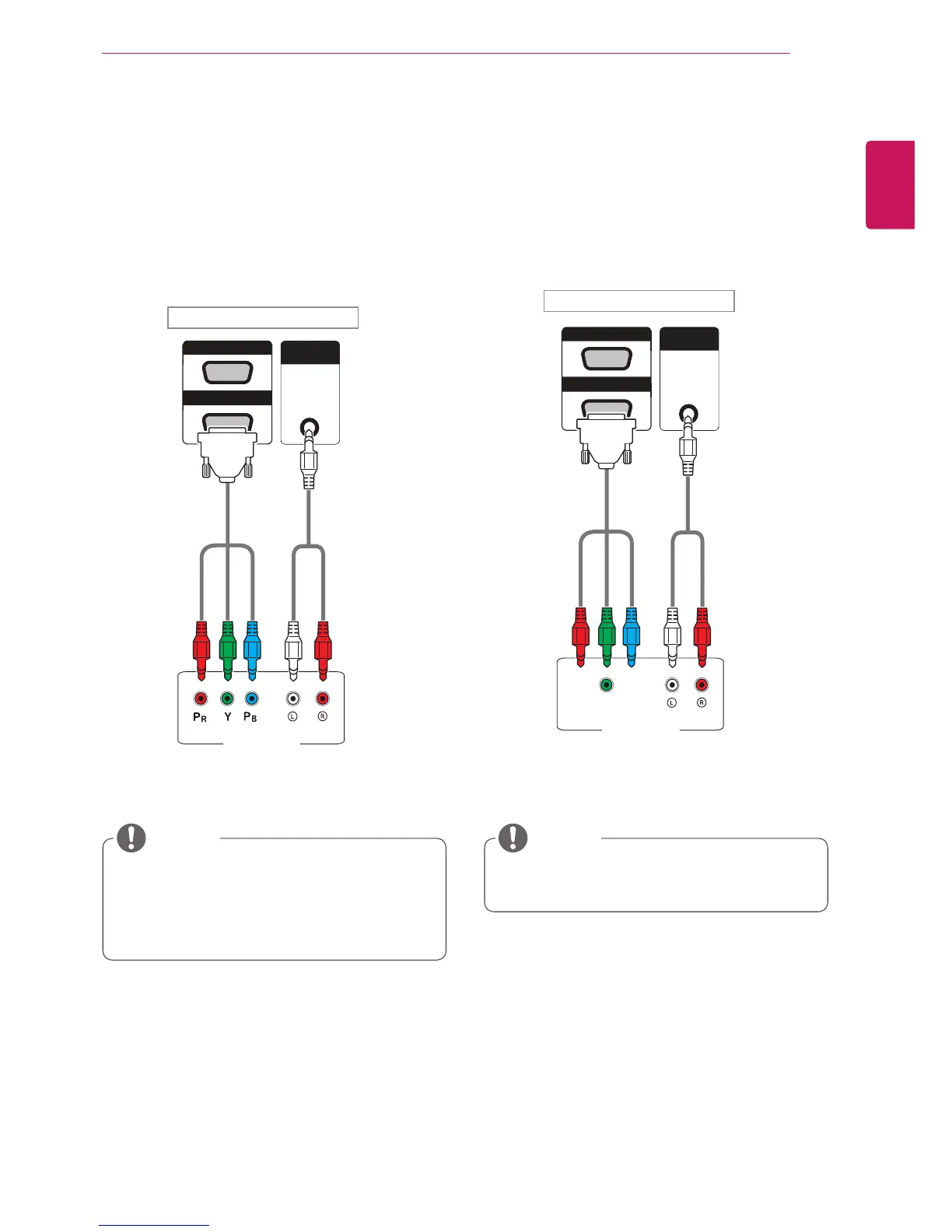
AV(CVBS) connection
Transmitstheanalogvideoandaudiosignalsfrom
anexternaldevicetotheMonitorset.Connectthe
externaldeviceandtheMonitorsetwiththe15
pinsignaltoRCAcableasshownonthefollowing
illustration.
Component connection
Transmitstheanalogvideoandaudiosignalsfrom
anexternaldevicetotheMonitorset.Connectthe
externaldeviceandtheMonitorsetwiththe15
pinsignaltoRCAcableasshownonthefollowing
illustration.Todisplayimagesbyusingprogressive
scan,makesuretousethecomponentcable.
PC
WhenconnectingtotheAVorComponent
portusingthesharedinterface,theportmust
matchuptotheinputsource.Otherwise,
noisemayoccur.
NOTE NOTE
Backoftheproduct.
Backoftheproduct.
(notincluded)
(notincluded)
(notincluded)
(notincluded)
ForAV(CVBS)connection,theredandblue
cablesinasharedinterfacearenotinuse.



 To Next Page