EasyManua.ls Logo

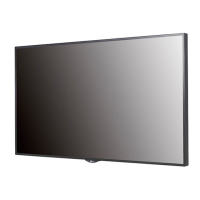
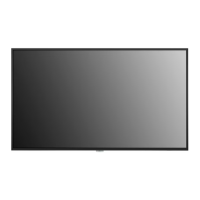
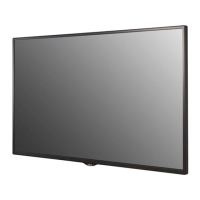
LG 49LS73D - User Manual

LG 49LS73D
131 pages
Print Icon
To Next Page IconTo Next Page
Loading...
www.lg.com
OWNER’S MANUAL
LG Digital
Signage
(MONITOR SIGNAGE)
Please read this manual carefully before operating your set and retain it
for future reference.
42LS73D
49LS73D
55LS73D

Table of Contents

Other manuals for LG 49LS73D

Questions and Answers

  • J
    Jaclyn SmithSep 9, 2025
    Why does after-image appear on my LG 49LS73D?
    • S
      Scott MuellerSep 9, 2025
      If an after-image appears on your LG Digital Signage and you use a fixed image for a long time, the pixels may be damaged. Use the screen-saver function. Note that this is normal for LCD screen products.
  • C
    Christina PetersonSep 12, 2025
    Why is the audio function not working on my LG Digital Signage?
    • E
      Elizabeth RobinsonSep 12, 2025
      There could be several reasons why the audio function isn't working. First, check if the audio cable is properly connected. Next, make sure the volume is adjusted appropriately and that the sound is set correctly. You may also want to select the appropriate equalizer sound and re-adjust the volume.
  • C
    Christopher ThompsonSep 12, 2025
    How to fix abnormal screen color on LG Digital Signage?
    • W
      Wanda SmithSep 13, 2025
      To correct abnormal screen colors, first set the number of colors to more than 24 bits (true color) by navigating to [Control Panel] ? [Display] ? [Settings] ? [Color Table] in Windows. Also, check the connection status of the signal cable. Note that slight color variations can be attributable to the unique characteristics of the LCD panel and do not indicate a malfunction.
  • E
    Elijah JacksonSep 15, 2025
    Why does an after-image appear on my LG 49LS73D?
    • A
      Amy GarzaSep 15, 2025
      If you notice an after-image, especially after displaying a fixed image for a long time, it may be due to pixel damage. To prevent this, use the screen-saver function. Image sticking can also occur when a dark image is displayed after an image with high contrast; this is normal for LCD screens.
  • S
    Susan WilsonSep 16, 2025
    How to fix 'Unknown Product' message on LG 49LS73D Digital Signage?
    • C
      Christina LangSep 17, 2025
      Check if the Plug and Play function is supported by referring to the graphics card user manual.

LG 49LS73D Specifications

General IconGeneral
Operating Hours24/7
Operating SystemwebOS
Operating Temperature0 °C to 40 °C
Storage Temperature-20 °C to 60 °C
Standby Power Consumption0.5W
Display Size49 inches
Resolution1920 x 1080 (FHD)
Viewing Angle (H x V)178° x 178°
Response Time8 ms
ConnectivityHDMI, USB, RS-232C
OrientationLandscape/Portrait

Related product manuals