12
Backlight
A backlight illuminates the display and the keypad.
When you press any key or open the flip, the backlight
turns on. It turns off if no key is pressed within a given
period of time, depending on the Backlight Timer
menu option. To specify the length of time the
backlight is active, set the Backlight Timer menu
option (Menu 9.2.2). See page 57 for further details.
Display Information
Your Phone
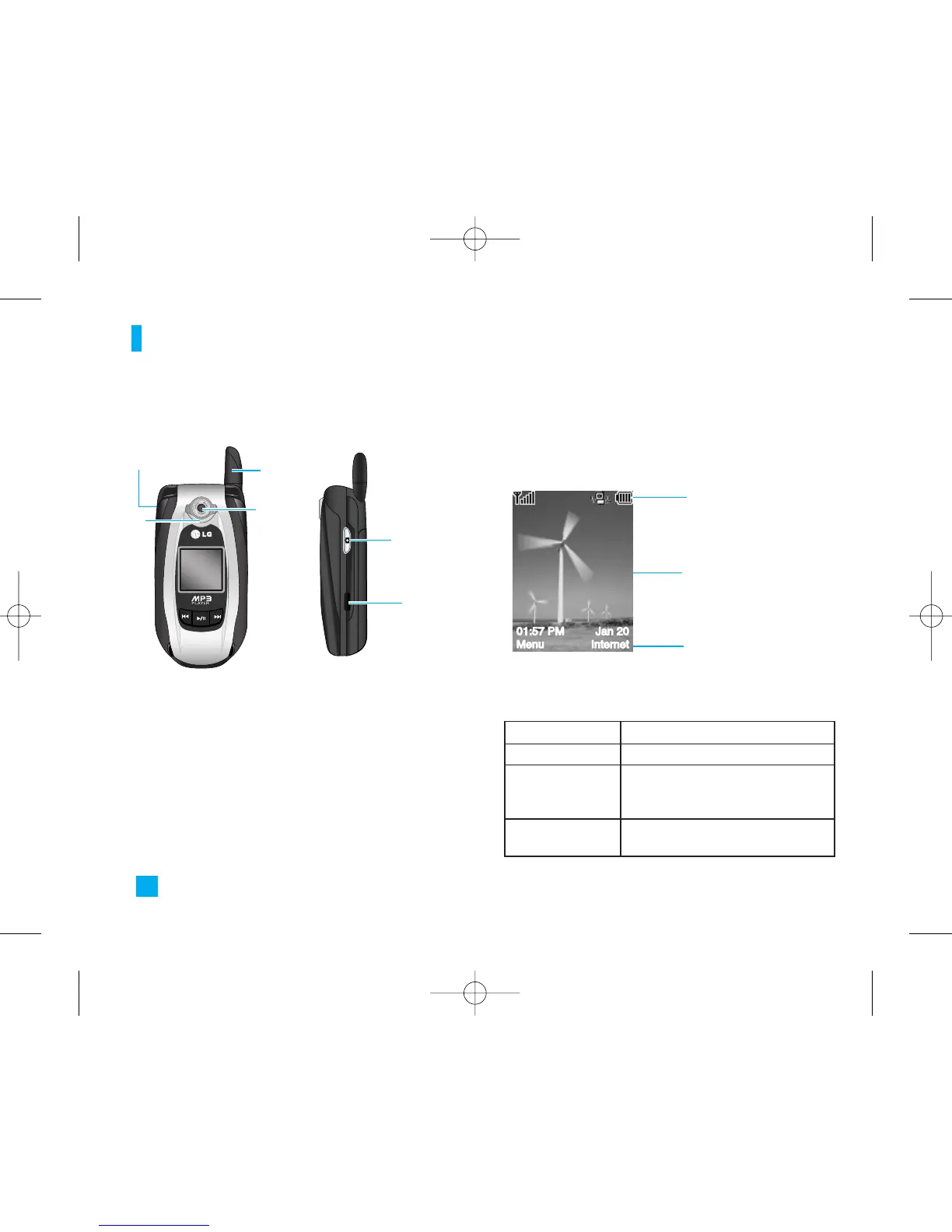
Ear-microphone
jack
Antenna
Camera
Infrared
port
Camera key
Area Description
First line
Middle lines
Displays various icons. See page 13
Display messages, instructions and
Any information that you enter,
such As number to be dialed.
Last line
Shows the functions currently
Assigned to the two soft keys.
Flash
Icon area
Soft key indications
Text and graphic area


 To Next Page