13
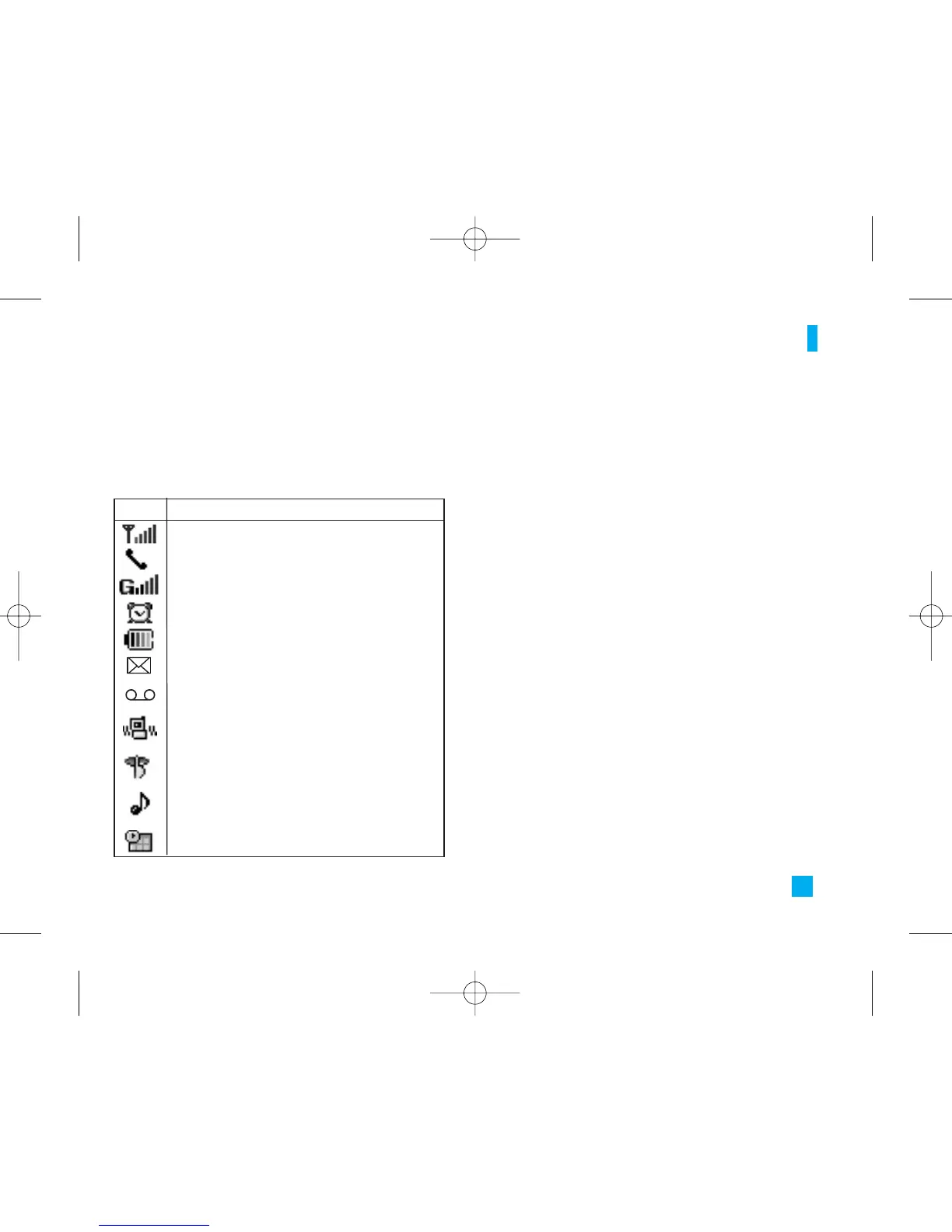
On-Screen Icons
The table below describes various display indicators
or icons that appear on the phone’s display screen.
Your Phone
Icon Description
Indicates the strength of the network signal.
Indicates a call is in progress.
Indicates the status of the battery charge.
Indicates the silent has been set for incoming
phone alert.
Indicates the receipt of a message.
Indicates the receipt of a voice mail.
Indicates that vibration has been set for
incoming phone alerts.
Indicates the alarm has been set and is on.
Indicates that GPRS service is available.
Indicates Ring has been set for incoming
phone alerts.
Indicates the Schedule function.
LG500 ENG Rogers_1026 2005.11.7 10:26 AM ˘`13


 To Next Page