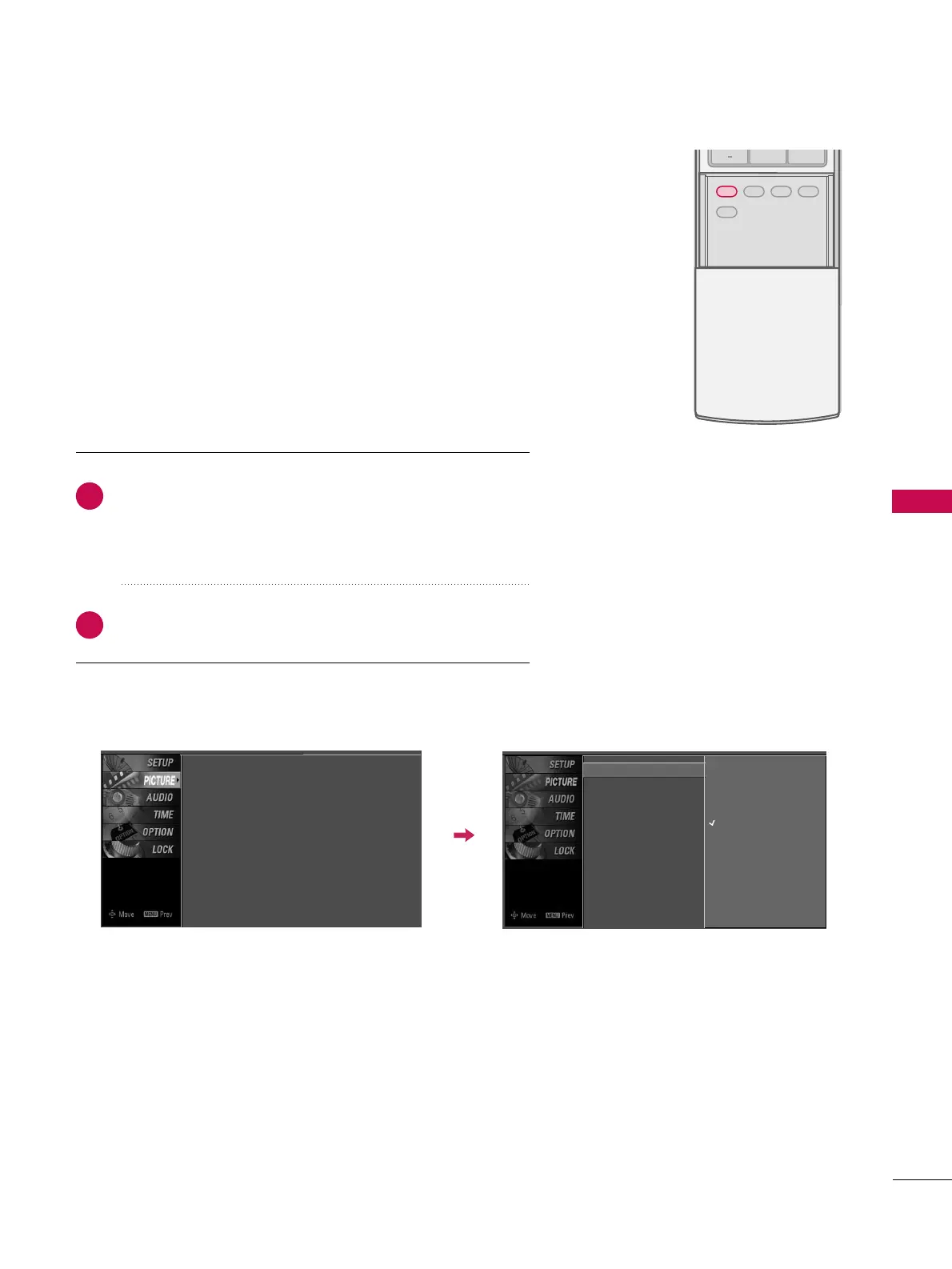
Picture Mode - Preset
Press the
PPIICCTTUURREE
button repeatedly to select the picture
appearance setup option as below :
DDyynnaammiicc
,
SSttaannddaarrdd
,
MMiilldd
,
UUsseerr11
, and
UUsseerr22
(your own
settings).
Press the
EEXXIITT
button to save and return to TV viewing.
Picture Mode adjusts the TV for the best picture appearance.
Select the preset value in the Picture Mode menu based on the
program category.
DDyynnaammiicc
,
SSttaannddaarrdd
,
MMiilldd
Settings are preset for the optimum
picture quality at the factory and are not adjustable.
In the
UUsseerr11
and
UUsseerr22
modes only, user can directly adjust
the contrast, brightness, color, sharpness, tint.
■
You can also use the
PPIICCTTUURREE
menu to adjust
PPiiccttuurree MMooddee
.
2
1
Picture Mode
G
Color Temperature
XD
Advanced
Aspect Ratio
Picture Reset
Screen
Dynamic
Standard
Mild
User 1
User 2
Picture Mode : User1
Color Temperature : Cool
XD
Advanced
Aspect Ratio : 16:9
Picture Reset
Screen


 To Next Page