EasyManua.ls Logo

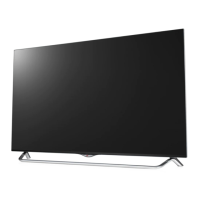
LG 55UB850T - User Manual

LG 55UB850T
120 pages
Print Icon
To Next Page IconTo Next Page
Loading...
P/NO : MFL67987072 (1504-REV06)
Please read this manual carefully before operating your set and retain it
for future reference.
OWNER’S MANUAL
LED TV*
* LG LED TVs are LCD TVs with LED backlighting.
www.lg.com
49UB850T
55UB850T
60UB850T
65UB930T
65UB950T
55UC970T
65UC970T
79UG880T
65UB980T
79UB980T
84UB980T
98UB980T
105UC9T
*MFL67987072*
Click! User Guide

Table of Contents

Other manuals for LG 55UB850T

Questions and Answers

  • B
    bmathewsAug 9, 2025
    What to do if the LG 55UB850T remote control is not working?
    • C
      Chase LeeAug 9, 2025
      If you're unable to control your LG LED TV with the remote, first, ensure there are no obstructions between the remote and the TV. Next, verify that the remote batteries are working correctly and are properly installed. Finally, check the remote control sensor on the TV and try using the remote again.
  • P
    perryjeffreyAug 16, 2025
    Why does my LG LED TV turn off by itself?
    • R
      Ronald DunlapAug 16, 2025
      Your LG LED TV might be turning off suddenly due to a few reasons. Check your power control settings to make sure the power supply isn't being interrupted. Also, see if the Sleep Timer or Timer Power Off is activated in the Timers settings. The TV will also turn off automatically after 15 minutes of inactivity if there is no signal.
  • T
    Taylor EstradaAug 23, 2025
    What to do if my LG 55UB850T turns off suddenly?
    • K
      Kayla BowmanAug 25, 2025
      If your LG LED TV turns off unexpectedly, it could be due to a few reasons. First, the power supply might be interrupted, so check the power control settings. Second, the Sleep Timer or Timer Power off function may be activated in the Timers settings. Finally, if the TV doesn't receive a signal for 15 minutes, it will automatically turn off.
  • D
    Debbie SosaAug 31, 2025
    Why my LG 55UB850T remote control is not working?
    • M
      Michael CareyAug 31, 2025
      If you cannot control your LG LED TV with the remote, there might be a few reasons. Ensure that there are no obstacles blocking the path between the remote and the TV's sensor. Also, verify that the batteries in the remote are working and properly installed. Finally, check the remote control sensor on the TV and try again.

Summary

Important Safety Instructions

Safety Warnings and Precautions

Covers essential warnings and precautions for electrical safety, fire prevention, and general product care.

Power Cord Safety and Handling

Safe handling of power cords, avoiding damage, and general usage guidelines.

Grounding, Cleaning, and Moving Procedures

Guidelines for grounding, safe cleaning methods, and procedures for moving the TV.

Viewing 3 D Imaging

3 D Viewing Environment and Health Considerations

Recommendations for viewing distance, time, and health considerations for 3D content.

3 D Glasses Usage and Safety

Guidelines and warnings for using LG 3D glasses.

Installation Procedure

Unpacking and Initial Setup Steps

Steps for unpacking the TV, checking contents, and initial setup considerations.

Assembling and Preparing

Wall Mounting Guidelines and VESA Standards

Instructions and considerations for securely mounting the TV on a wall.

Making Connections

Video and Audio Device Connections

Instructions for connecting various external devices like receivers, players, PCs, and audio systems.

Magic Remote Functions

Magic Remote Operation and Features

Details on using the Magic Remote, including button functions, pointer, and voice recognition.

Maintenance

Troubleshooting

External Control Device Setup

Command Reference List

LG 55UB850T Specifications

General IconGeneral
Screen shapeFlat
Response time- ms
Display diagonal55 \
Display brightness- cd/m²
Display technologyLED
Native aspect ratio16:9
Screen format adjustments4:3, 16:9
Motion interpolation technologyUCI (Ultra Clarity Index) 1000
Tuner typeAnalog & digital
Analog signal format system-
Digital signal format systemDVB-T2
Noise reductionYes
Picture processing technologyLG Triple XD Engine
Smart modesCinema, Game, Photo, Sports, Standard, Vivid
Lifestyle appsSkype
User memory3.9 GB
3D glasses quantity4
Supported file systemsNTFS
Supported 3D technologiesFPR 3D
RMS rated power20 W
Programming period8 day(s)
AC input voltage100 - 240 V
AC input frequency50 - 60 Hz
Power consumption (standby)0.3 W
DVI portNo
DVI-D ports quantity0
USB 2.0 ports quantity2
USB 3.2 Gen 1 (3.1 Gen 1) Type-A ports quantity1
Product colorBlack, Metallic
Weight and Dimensions IconWeight and Dimensions
Weight (without stand)- g

Related product manuals