23
ENG
ENGLISH
USING THE MONITOR SET
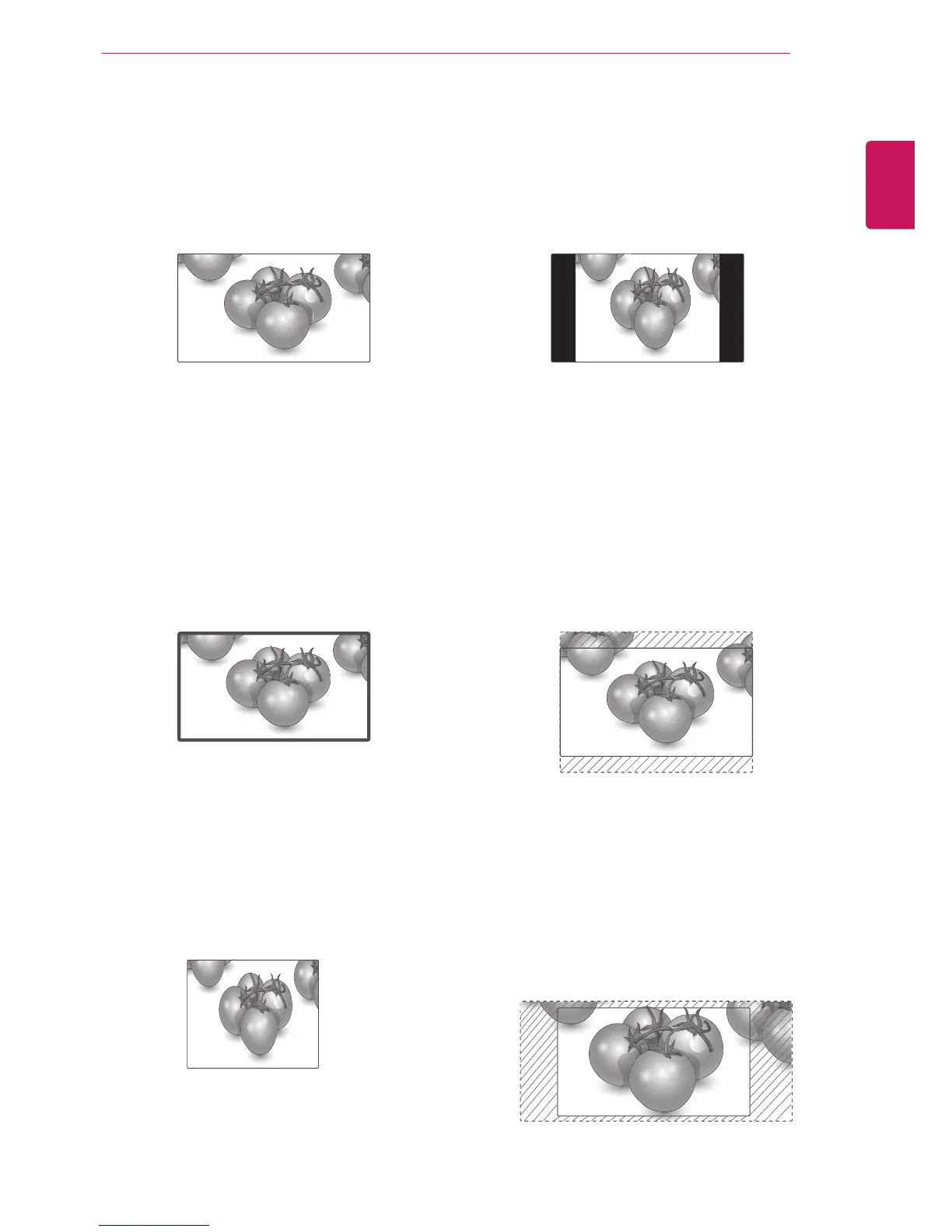
-4:3 :Thisselectionwillallowyoutoviewa
picturewithanoriginal4:3aspectratio,black
barswillappearonboththeleftandrightofthe
screen.
-Zoom :Thisselectionwillallowyoutoviewthe
picturewithoutanyalteration,whilefillingthe
entirescreen.However,thetopandbottomof
thepicturewillbecropped.
-Cinema Zoom :ChooseCinemaZoomwhen
youwanttoenlargethepictureincorrect
proportion.Note:Whenenlargingorreducing
thepicture,theimagemaybecomedistorted.
-16:9 :Thisselectionwillallowyoutoadjustthe
picturehorizontally,inlinearproportion,tofillthe
entirescreen(usefulforviewing4:3formatted
DVDs).
-Just Scan :ThisSelectionwillallowyouview
thepictureofbestqualitywithoutlossoforiginal
pictureinhighresolutionimage.Note:Ifthereis
noiseinoriginalPicture,Youcanseethenoise
attheedge.
-1:1 :Theaspectratioisnotadjustedfromthe
original.(OnlyDisplayPortPC,HDMIPC,
DVI-DPC,RGBPC)
Just Scan



 To Next Page