EasyManua.ls Logo

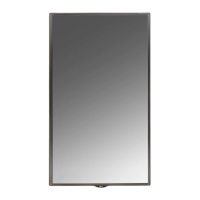
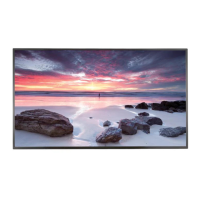
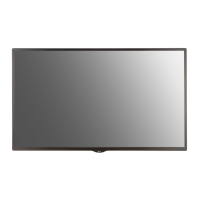
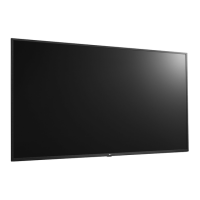
LG 65LS33A - User Manual

LG 65LS33A
76 pages
Print Icon
To Next Page IconTo Next Page
Loading...
www.lg.com
OWNER’S MANUAL
MONITOR SIGNAGE
32LS33A
42LS33A
47LS33A
55LS33A
65LS33A
42LS35A
47LS35A
55LS35A
Please read this manual carefully before operating the your set and
retain it for future reference.
MONITOR SIGNAGE MODELS

Questions and Answers

  • E
    Erika BellSep 2, 2025
    Why is there no sound on my LG 65LS33A?
    • J
      Jennifer GreenSep 2, 2025
      If the audio function isn't working on your LG Digital Signage, check if the audio cable is properly connected. Also, make sure the volume is adjusted appropriately and the sound settings are configured correctly. Try selecting an appropriate equalizer sound.
  • A
    austingordonSep 1, 2025
    How to fix no image on LG 65LS33A Digital Signage?
    • J
      Jose ContrerasSep 1, 2025
      If no image is displayed on your LG Digital Signage, first, ensure the power cord is properly connected to the outlet. Also, check that the signal cable between the PC and the product is securely connected. Use the 'INPUT' menu on the remote control to verify the input signal. If the signal from the PC (video card) is out of the vertical or horizontal frequency range, adjust the frequency range by referring to the Specifications in this manual.
  • J
    Jamie LeeAug 31, 2025
    Why does after-image appear on my LG Monitor?
    • K
      karen99Aug 31, 2025
      If you see an after-image on your LG Monitor, and you've been displaying a fixed image for a long time, the pixels may be wearing out. Try using the screen-saver function. Also, displaying a dark image after a high-contrast image can cause temporary image sticking, which is normal for LCD screens.
  • N
    Nicole MurrayAug 30, 2025
    What to do if my LG Monitor operation does not work normally?
    • R
      Rebecca HughesAug 30, 2025
      If your LG Monitor isn't operating normally: * Check if the Off Timer is set. * Examine the power control settings to ensure there are no interruptions.
  • J
    John WalkerAug 29, 2025
    What to do if the screen image looks abnormal on my LG Monitor?
    • C
      Christina SosaAug 29, 2025
      If the screen image appears abnormal on your LG Monitor, especially with a D-Sub analog signal: * Press the "AUTO" button on the remote control to automatically optimize the screen. If it's still not right, go to [PICTURE] - [Screen] - [Position] in the OSD menu. * Make sure your video card resolution and frequency are supported. If the frequency is too high, set the recommended resolution in the Control Panel's "Display" settings. * Press the "AUTO" button on the remote to auto-adjust the screen. If needed, go to [PICTURE] - [Screen] - [Size] in the OSD menu. * Press the "AUTO" button on the remote to auto-adjust. If unsatisfactory, go to [PICTURE] - [Screen] - [Phase] in the OSD menu. * Ensure the correct input signal is connected to the appropriate port.
  • J
    John SuarezAug 28, 2025
    What to do if the screen image looks abnormal on LG Monitor?
    • R
      Ronnie CookAug 28, 2025
      If the screen image on your LG Monitor looks abnormal, and you're using a D-Sub analog signal, press the "AUTO" button on the remote to automatically optimize the screen. If it's still not right, go to [PICTURE] - [Screen] - [Position] in the OSD menu. Also, check that your video card resolution and frequency are supported; if the frequency is too high, set it to the recommended resolution in the Control Panel "Display" settings. Ensure the correct input signal is connected to the appropriate port.
  • G
    Gail HubbardAug 27, 2025
    Why is the screen color abnormal on my LG Monitor?
    • A
      Adam MooreAug 27, 2025
      If the screen color on your LG Monitor looks abnormal, first, set the number of colors to more than 24 bits (true color) via Control Panel - Display - Settings - Color Table menu in Windows. Next, check the signal cable's connection and re-insert the PC video card. Note that several pixels (red, green, white or black color) may appear on the screen, which can be attributable to the unique characteristics of the LCD panel and not a malfunction.
  • J
    johnsonloriAug 26, 2025
    What to do if the audio function does not work on my LG Monitor?
    • E
      espinozaautumnAug 27, 2025
      If the audio on your LG Monitor isn't working, try the following: 1. Check if the audio cable is properly connected. 2. Adjust the volume settings. 3. Ensure the sound settings are correctly configured. 4. Select an appropriate equalizer sound setting. 5. Adjust the volume again to ensure it's at a suitable level.
  • L
    lopezdennisAug 26, 2025
    Why is no image displayed on my LG Monitor?
    • A
      alexis69Aug 26, 2025
      There might be several reasons: * Ensure the power cord is securely connected to the outlet. * The signal from your PC's video card may be outside the LG Monitor's vertical or horizontal frequency range. Refer to the manual's specifications to adjust the frequency range. * Verify the signal cable between your PC and the monitor is properly connected. * Use the 'INPUT' menu on the remote control to check the input signal.
  • S
    spattersonAug 25, 2025
    What to do if my LG Monitor displays no image?
    • J
      Jackson DeanAug 25, 2025
      If your LG Monitor displays no image, ensure the power cord is correctly connected to the outlet. Also, verify that the signal cable between your PC and the monitor is securely connected. Check the input signal by pressing the 'INPUT' menu on the remote control. Finally, ensure the signal from your PC's video card is within the monitor's vertical or horizontal frequency range, adjusting as needed by referring to the Specifications in this manual.

Summary

ASSEMBLING AND PREPARING

Accessories

Lists included accessories like remote control, power cord, etc.

Parts and Buttons

Identifies screen buttons and connection panel ports.

Connecting the Stand

Instructions on how to attach the stand to the monitor.

Mounting on a Wall

General guidance on wall mounting, including clearance and VESA standards.

REMOTE CONTROL

MAKING CONNECTIONS

HDMI Connection

Instructions for connecting via HDMI.

USING THE MONITOR

Adjusting Aspect Ratio

How to resize the image.

ENTERTAINMENT

Using the My Media

Accessing and playing media files.

CUSTOMIZING SETTINGS

Accessing Main Menus

How to navigate the main settings menus.

PICTURE Settings

Adjusting image quality settings.

AUDIO Settings

Adjusting sound quality and effects.

TIME Settings

Setting the clock, on/off times, and standby.

TROUBLESHOOTING

No image is displayed

Troubleshooting steps for no display.

The screen image looks abnormal.

Troubleshooting image display issues.

After-image appears on the product.

Addressing image retention issues.

The audio function does not work.

Troubleshooting audio problems.

Screen color is abnormal.

Resolving color display issues.

The operation does not work normally.

Troubleshooting general operation failures.

LG 65LS33A Specifications

General IconGeneral
Screen Size65 inches
Display TypeLCD
Brightness500 cd/m²
Response Time8 ms
Operating Temperature0°C to 40°C
Storage Temperature-20°C to 60°C
Standby Power Consumption0.5 W
OrientationLandscape / Portrait
Operating Hours16/7
Resolution1920 x 1080 (Full HD)
Contrast Ratio1200:1
ConnectivityHDMI, USB, RS-232C
Viewing Angle178°

Related product manuals