37
ENG
ENGLISH
MAKING CONNECTIONS
AV IN / OUT
VIDEO
IN
OUT
AUDIO
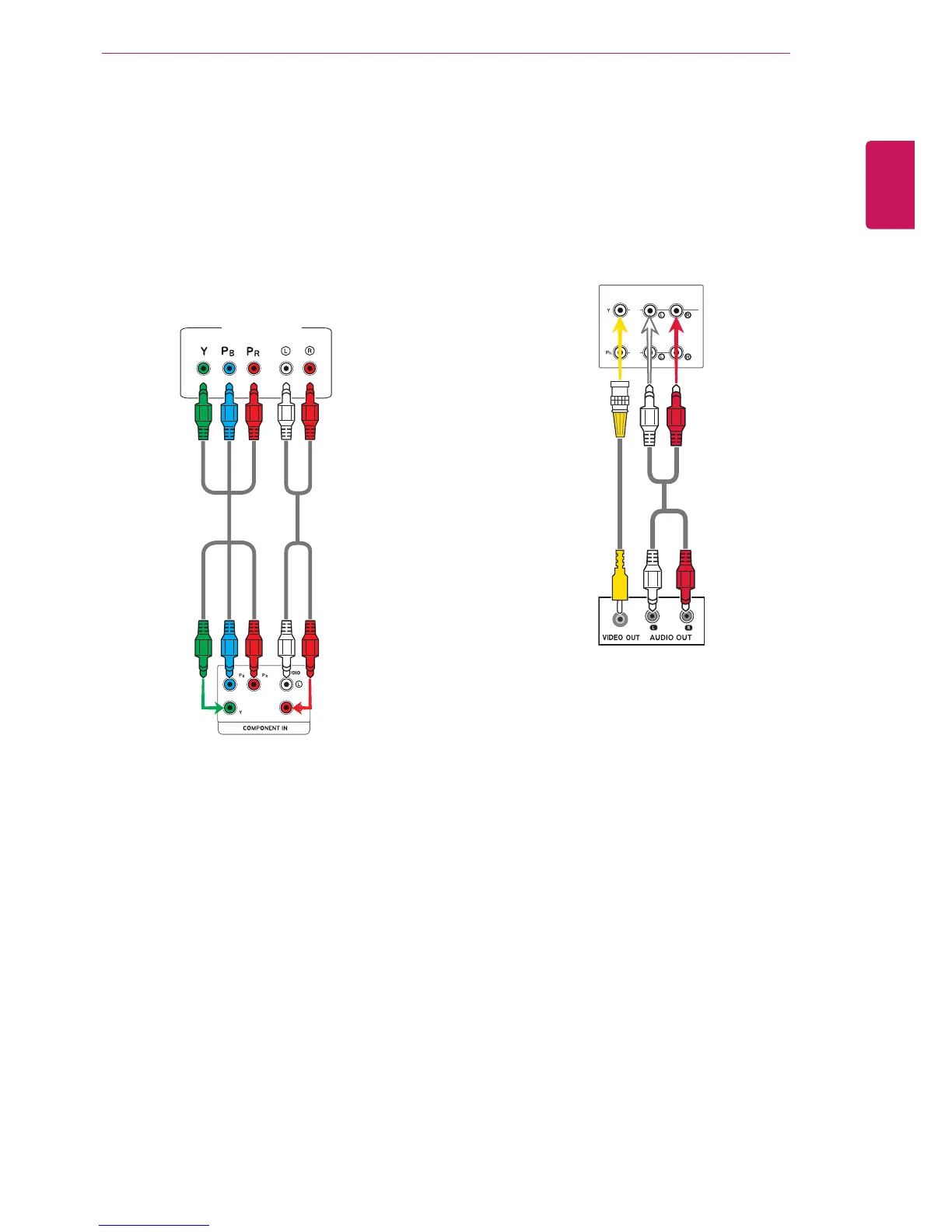
AV(CVBS) connection
Transmits the analog video and audio signals from
an external device to the Monitor set. Connect the
external device and the Monitor set with the BNC
cable as shown on the following illustration.
BNC Cable
(not included)
RCA-PC
Audio Cable
(not included)
Component connection
Transmits the analog video and audio signals from
an external device to the Monitor set. Connect
the external device and the Monitor set with the
component cable as shown on the following
illustration. To display images by using progressive
scan, make sure to use the component cable.








 To Next Page