EasyManua.ls Logo

LG ACC96T - User Manual

LG ACC96T
30 pages
Print Icon
To Next Page IconTo Next Page
Loading...
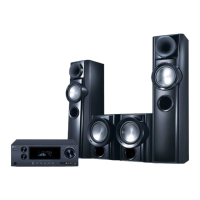
WIRELESS DVD
RECEIVER SYSTEM
MODEL: LH-W760IA
(Main Unit: LH-W760
Speakers: LHS-76IAS, LHS-76IAC,
LHS-76IAW, ACC96R,
ACC96T)
Before connecting up, operating or repairing this product,
please read this instruction booklet carefully and
completely.
LH-W7634IA_JA3GLLD_ENG
R
USB

Questions and Answers

LG ACC96T Specifications

General IconGeneral
BrandLG
ModelACC96T
CategoryReceiver
LanguageEnglish

Summary

Safety and Precautions

General Safety Warnings

Covers electrical shock, ventilation, rain/moisture, and general warnings.

Laser System Safety

Precautions regarding visible and invisible laser radiation when the enclosure is open.

Power Cord Safety

Guidelines for safe handling and risks associated with the power cord.

System Components and Controls

Front Panel Overview

Description of buttons, indicators, and ports on the front panel.

Rear Panel Connections

Identification and explanation of all rear panel input and output connectors.

Remote Control Operations

Remote Control Buttons and Functions

Detailed explanation of each button's function on the remote control.

Installation and Connections

TV Connection Options

Describes various video output connections (S-Video, Composite, Component, SCART) to a TV.

Video Output Selector

Explanation of the switch to select video output signal type (e.g., Progressive Scan, SCART).

Connecting External Devices

Speaker System Setup

Connecting Speakers

Detailed instructions for connecting front, center, rear, and subwoofer speakers.

Wireless System Setup

Wireless TX and RX Components

Description of the wireless transmitter (TX) and receiver (RX) units and their indicators.

Assembling and Connecting Speakers

Final steps for assembling and connecting the wireless front and rear speakers.

Wireless System Configuration

Changing Wireless Channels

Procedures for manually or automatically changing the wireless transmission channel.

Setting Wireless System ID

Steps to pair the wireless transmitter (TX) and receiver (RX) units by setting their ID.

HDMI and Video Output

HDMI Connection Guide

Instructions for connecting the receiver to an HDMI-compatible TV or monitor.

Audio and Speaker Configuration

5.1 Speaker Setup Details

Adjusting individual speaker volume, distance, and testing speaker output.

System Security and Registration

General Playback Operations

Basic Playback Controls

Functions for opening/closing disc tray, pausing, skipping, scanning, and repeating playback.

Media File Playback

Image File Viewing

Video File Playback

Radio Tuning and Listening

Advanced Operation and Sound Modes

Troubleshooting Guide

Power and Receiver Issues

Solutions for problems related to no power, receiver not working, or disc playback failure.

Video and Audio Problems

Troubleshooting steps for issues with picture (no picture, poor picture) and sound (no sound, low level).

Troubleshooting Continued

Radio and Remote Control Issues

Solutions for radio tuning difficulties and remote control malfunctions.

Related product manuals