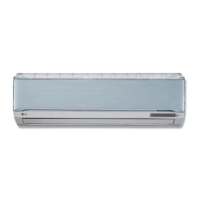
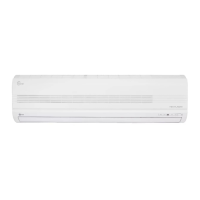
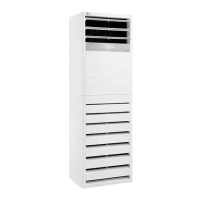
This document is an owner's manual for an LG floor-standing air conditioner, providing instructions for operation, maintenance, and troubleshooting. It is available in both English and Arabic.
Function Description
The LG air conditioner is designed to provide cooling, heating (for heat pump models), dehumidification, and fan-only operation for indoor spaces. It aims to minimize power consumption through efficient operation.
Cooling Mode: This mode allows the user to cool the indoor environment. The desired temperature can be set between 18°C and 30°C. A 3-minute delay function protects the compressor when restarting after being turned off.
Heating Mode (Heat Pump Models): For heat pump models, this mode provides heating. The desired temperature can be set between 16°C and 30°C. A preheating operation may occur at low outdoor temperatures, where the indoor fan stops for several minutes to ensure warm air is supplied. Defrost operation is also integrated into heating mode to remove frost from the outdoor unit, which can occur at low outdoor temperatures and high humidity, affecting heating capability. During defrost, the indoor display shows a snowflake symbol.
Dehumidification Mode: This mode is particularly useful in rainy seasons or high-humidity climates. It operates to effectively remove humidity from the air, often in conjunction with cooling.
Fan Mode: This mode circulates indoor air without cooling or heating. During fan mode, the outdoor fan and compressor are not operated. The indoor unit displays the fan mode lamp, room temperature lamp, and fan speed lamp.
Power Cooling/Heating Mode: This function enables powerful cooling or heating for a short period. In power cooling, the desired temperature is set to 18°C, and the horizontal louver is fixed at the highest position. In power heating, the desired temperature is set to 30°C, and the horizontal louver is fixed at the lowest position.
Auto Dry Function: This feature automatically dries the evaporator in the indoor unit after the air conditioner is turned off. When activated, the display panel shows a countdown from 00 to 99 before the unit turns off. This function helps prevent mold and odors. It can be set or released via the indoor unit button or remote control.
Auto Restart Operation: If power is interrupted due to an outage or other causes, the unit will automatically restart with its previous settings once power is restored. This operation typically starts within 3 minutes of power being supplied.
Usage Features
The air conditioner offers several features to enhance user comfort and control:
Airflow Setting: The airflow direction can be adjusted both vertically (up/down) and horizontally (left/right). The louvers can be set to swing automatically or fixed at a desired direction.
Fan Speed Setting: Users can select from four fan speeds: Low, Mid, High, and Super High. This allows for customized airflow during cooling, heating, dehumidification, blowing, and auto operation modes.
Simple Reservation: This function allows users to set a specific time for the unit to turn ON or OFF. The ON reservation mode can be set for up to 24 hours, while the OFF reservation mode can be set for up to 7 hours. The remaining setting time is displayed on the unit.
Child Lock Operation Function: This feature locks the display panel of the indoor unit to prevent accidental changes to settings. When activated, the display shows "CL." While the indoor unit buttons are locked, the remote controller can still be used. This function can be activated or deactivated by pressing specific buttons on the indoor unit or the remote control simultaneously for 3 seconds.
Wireless Remote Controller: The air conditioner is operated using a wireless remote controller. The remote has buttons for power ON/OFF, operation mode selection (cooling, heating, fan, auto dry, fan mode), temperature setting, fan speed, airflow direction (up/down, left/right), power cooling/heating, ON/OFF timer setting, and timer cancel. It also includes a child lock button. The remote control should be aimed at the signal receptor on the indoor unit, kept free from obstructions, and not exposed to direct sunlight or heat sources.
Tips for Saving Energy:
- Avoid excessive indoor cooling.
- Block sunlight with blinds or curtains during operation.
- Keep doors and windows closed tightly.
- Adjust airflow direction to circulate indoor air effectively.
- Use higher fan speeds to cool or warm quickly.
- Clean the air filter regularly (every 2 weeks) to maintain efficiency.
- Do not use the air conditioner for non-specified purposes like preserving food or art.
- Ventilate the room occasionally, especially when using with stoves or other heating devices.
Maintenance Features
Regular maintenance is crucial for the air conditioner's performance and longevity:
Grille, Case, and Remote Control Cleaning: The exterior of the unit and the remote control should be wiped with a soft, dry cloth. Bleach or abrasives should not be used. Before cleaning the indoor unit, the power supply must be disconnected.
Air Filter Cleaning: The air filters, located behind the front grille, should be checked and cleaned every two weeks or more often if necessary.
- Removal: Hold the tab and pull the filter slightly forward to remove it. Caution is advised to avoid touching sharp metal parts of the indoor unit.
- Cleaning: Dirt can be removed using a vacuum cleaner or by washing with water. For conspicuous dirt, a neutral detergent in lukewarm water can be used. Hot water (40°C or more) should be avoided as it may deform the filter. Volatile substances like benzene should not be used as they can damage the air conditioner's surfaces.
- Drying: After washing, the filter should be dried well in the shade. Direct sunlight or heat from a fire should be avoided during drying.
- Installation: Reinstall the air filter once dry.
When Not Using for a Long Time:
- Operate the air conditioner in fan mode for 2 to 3 hours to dry out internal mechanisms.
- Turn off the circuit breaker. This prevents dirt accumulation and potential fire hazards.
When Using Again After a Long Time:
- Clean and reinstall the air filter.
- Check that the air inlet and outlet of both indoor and outdoor units are not blocked.
- Verify that the ground wire is correctly connected.
Troubleshooting Tips: The manual provides a troubleshooting guide for common issues such as the unit not operating, peculiar odors, condensation, noise, ineffective cooling/heating, faint remote control display, and error codes. Users are advised to contact a service person immediately if abnormal situations like burning smells, loud noises, power cord issues, self-diagnosis error codes, water leaks, or switch/breaker failures occur. Routine check-ups and cleaning are recommended to prevent poor performance.


 To Next Page
 General