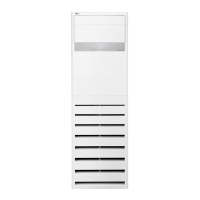
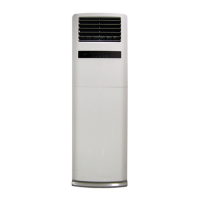
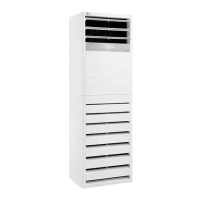
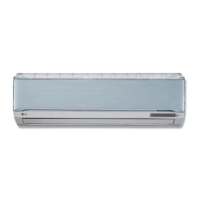
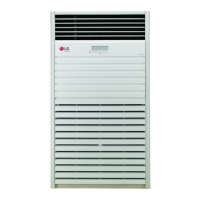
This document is an owner's manual for an LG Floor Standing Air Conditioner, providing instructions for its operation, maintenance, and safety.
Function Description
The LG Floor Standing Air Conditioner is designed to provide cooling, dehumidification, and fan-only operation for indoor spaces. It aims to minimize power consumption through various efficiency tips, such as avoiding excessive cooling, blocking sunlight, keeping doors and windows closed, adjusting airflow direction, and regularly cleaning the air filter. The unit features an auto dry function to prevent moisture buildup and an auto re-operation function that restores previous settings after a power interruption. It also includes a child lock function to prevent unintended operation.
Important Technical Specifications
While specific technical specifications like power consumption, cooling capacity, or dimensions are not detailed in this manual, the document highlights several operational parameters:
- Cooling Temperature Range: 18 °C to 30 °C.
- Fan Speed: Selectable in four steps: low, mid, high, and super high.
- Timer Settings:
- ON Reservation Mode: Up to 24 hours.
- OFF Reservation Mode: Up to 7 hours.
- Auto Dry Function: Operates for 00 to 99 counts on the display panel before automatically turning off the unit.
- Compressor Protection: A 3-minute delay function protects the compressor when turning off and on the cooling mode.
Usage Features
The air conditioner offers several modes and features for user convenience:
- Cooling Mode: Standard cooling operation with adjustable temperature settings.
- Auto Dry Function: Automatically dries the evaporator in the indoor unit to prevent mold and odors. It can be set or released via indoor unit buttons or remote control.
- Airflow Setting:
- Up/Down Airflow Direction Control: Allows vertical adjustment of airflow, with an automatic continuous movement option.
- Left/Right Airflow Direction Control: Allows horizontal adjustment of airflow, with an automatic continuous movement option.
- Fan Speed Mode: Users can select from four fan speeds (low, mid, high, super high) to control the air circulation.
- Dehumidification Mode: Effectively removes humidity, especially useful during rainy seasons or in high-humidity climates.
- Power Cooling Mode: Provides strong, rapid cooling by setting the desired temperature to 18 °C and fixing the horizontal louver at the highest position.
- Fan Mode: Circulates indoor air without operating the outdoor fan or compressor.
- Auto Operation Mode: The air conditioner automatically controls the setting temperature based on room temperature to maintain a comfortable environment.
- Simple Reservation:
- Turning ON Reservation Mode: Sets a time for the unit to turn on automatically (up to 24 hours).
- Turning OFF Reservation Mode: Sets a time for the unit to turn off automatically (up to 7 hours).
- Child Lock Operation Function: Locks the display panel buttons to prevent accidental changes, indicated by "CL" on the display. The remote control remains functional.
- Auto Re-Operation Function: Remembers previous settings and resumes operation automatically after a power supply interruption. The outdoor unit starts within 3 minutes of power restoration.
- Wireless Remote Control: Provides comprehensive control over all functions, including power ON/OFF, fan speed, temperature setting, mode selection (cooling, auto dry, dehumidification, auto operation, fan), airflow direction, power cooling, and timer settings. The remote has a signal reception range of approximately 7 meters and requires two AAA batteries.
Maintenance Features
Regular maintenance is crucial for optimal performance and longevity of the air conditioner:
- Grille, Case, and Remote Control Cleaning: Should be wiped with a soft, dry cloth. Bleach or abrasives should not be used. The system should be turned off before cleaning.
- Air Filter Cleaning: The air filters behind the front grille should be checked and cleaned once every 2 weeks or more often.
- Removal: Hold the tab and pull slightly forward.
- Cleaning: Use a vacuum cleaner or wash with water. For conspicuous dirt, use a neutral detergent in lukewarm water. Water hotter than 40 °C should be avoided to prevent deformation.
- Drying: Dry well in the shade, away from direct sunlight or heat from a fire.
- Installation: Reinstall the air filter securely.
- Long-Term Storage: If the air conditioner will not be used for a long time, operate it in fan mode for 2 to 3 hours to dry internal mechanisms, then turn off the breaker.
- Re-use After Long Period: Clean the air filter, check for blocked air inlets/outlets, and ensure the ground wire is correctly connected.
- Battery Replacement: Replace all remote control batteries with new ones of the same type. Do not mix old and new batteries or different types. Do not recharge, disassemble, or dispose of batteries in fire. Remove batteries if the remote control will not be used for a long time.
The manual also includes troubleshooting tips for common issues like the unit not operating, ineffective cooling, peculiar odors, noisy operation, condensation, crack sounds, faint remote display, and error codes after a lightning strike. It advises users to contact service immediately for serious malfunctions.


 To Next Page
 General