EasyManua.ls Logo

LG AR702TS - User Manual

LG AR702TS
46 pages
Print Icon
To Next Page IconTo Next Page
Loading...
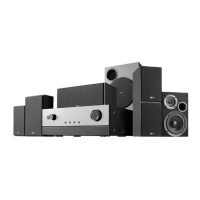
AV RECEIVER SYSTEM
OWNER’S MANUAL
MODEL: AR702TT
Main Unit - AR702TT-DD
Speakers - SR72TT-F, SR72TT-C, SR72TT-B
SR72TT-A
AR702TS
Main Unit - AR702TS-DD
Speakers - SR72TS-F, SR72TS-C, SR72TS-L
SR72TS-B, SR72TS-A
AR702BR
Main Unit - AR702BR-DD
Speakers - SR72BR-L, SR72BR-B, SR72BR-S
SR72BR-A
AR702NS
Main Unit - AR702NS-DD
Before connecting, operating or adjusting this product,
please read this instruction booklet carefully and completely.
AR702TT-DD.DESPLL_ENG_2925

Table of Contents

Questions and Answers

  • J
    James GutierrezSep 3, 2025
    Why is there no sound from the front center speaker on my LG Receiver?
    • D
      Daniel RobertsSep 3, 2025
      If there is no sound from the front center speaker on your LG Receiver, it may be because Dolby Virtual, normal stereo mode, etc is selected (select the desired surround mode). Alternatively, the MASTER VOLUME and center level may be too low (adjust MASTER VOLUME and center level).
  • T
    taylorthomasSep 1, 2025
    Why is there no sound from the surround center speakers on my LG Receiver?
    • C
      Carl WilliamsSep 2, 2025
      If you're not getting any sound from the surround center speakers on your LG Receiver, the input signal format or the current surround mode may not support the 6.1 surround (under the proper situations, perform the 6.1 surround playback). Also, the MASTER VOLUME and surround center level might be too low (adjust MASTER VOLUME and surround center level).
  • R
    Regina RamirezAug 31, 2025
    What to do if preset stations cannot be received on LG Receiver?
    • M
      michael50Aug 31, 2025
      If preset stations cannot be received on your LG Receiver, an incorrect station frequency may have been memorized (memorize the correct station frequency). Alternatively, the memorized stations may have been cleared (memorize the stations again).
  • S
    Sandra ScottAug 29, 2025
    Why is there no sound from the surround speakers on my LG Receiver?
    • Q
      qmendozaAug 30, 2025
      If there is no sound from the surround speakers on your LG Receiver, it could be because surround mode is switched off (normal stereo mode) - select a surround mode. It may also be that the MASTER VOLUME and surround level are too low - adjust MASTER VOLUME and surround level. Another reason could be that a monaural source is used - select a stereo or surround source. Finally, the surround speaker setting might be set to “NONE” - select the desired surround speaker setting.
  • S
    Steven WarrenAug 28, 2025
    Why are stations not received on my LG Receiver?
    • J
      James HowardAug 28, 2025
      If stations cannot be received on your LG Receiver, it may be because no antenna is connected (connect an antenna). It could also be that the desired station frequency is not tuned in (tune in the desired station frequency), or the antenna is in the wrong position (move antenna and retry tuning).
  • J
    James PerezAug 26, 2025
    How to fix poor FM reception on my LG Receiver?
    • N
      Natalie MoodyAug 27, 2025
      To fix poor FM reception on your LG Receiver, make sure an antenna is connected (connect an antenna). Also, the antenna may not be positioned for the best reception (change the position of the antenna).
  • S
    Shelby TorresAug 25, 2025
    What to do if my LG Receiver has no power?
    • N
      Nicole ThompsonAug 25, 2025
      If your LG Receiver has no power, the AC input cord might be disconnected (connect cord securely). Also, there could be a poor connection at the AC wall outlet, or the outlet might be dead or off (check the outlet using a lamp or another appliance).
  • M
    Melissa YorkAug 22, 2025
    Why is there no sound from my LG Receiver?
    • M
      Molly LopezAug 23, 2025
      If there is no sound from your LG Receiver, it could be due to several reasons: the speaker wires may be disconnected (check the speaker connections); the MASTER VOLUME may be too low (adjust the MASTER VOLUME); the MUTE button may be on (press the MUTE button to cancel the muting effect); the selected decoding mode may not match the input signal format (select the available decoding mode); the input source may be incorrectly selected (select the desired input source correctly); there may be incorrect connections between the components (make connections correctly); or the USB cable may be separated during playing a file on the PC-LINK mode (execute a media player again).

Summary

Introduction to the AV Receiver System

Before Use and Connection Procedures

Initial setup and pre-connection procedures for safe and proper operation.

Manual Symbols and Required Cables

Explanation of manual symbols and a list of necessary connection cables.

Front Panel Overview

Front Panel Controls and Indicators

Detailed description of front panel buttons, knobs, display, and indicators.

Rear Panel Connections

Rear Panel Input;Output Jacks

Identification and function of all rear panel connectors for audio/video sources.

Active Subwoofer Operation

Subwoofer Controls and Indicators

Explanation of subwoofer's LED, volume, and frequency controls.

Display Window Information

Display Window Indicators and Messages

Meaning of various indicators and messages shown on the receiver's display.

Remote Control Usage

Operation Range and Battery Installation

Guidelines for remote operation range, aiming, and battery setup.

Remote Control Modes

How to select and use different component control modes on the remote.

Remote Control Button Functions

Detailed Button Operation Descriptions

In-depth explanation of individual remote control button functions and their uses.

Remote Control for Specific Devices

DVD Mode Button Operations

Instructions for controlling DVD playback functions using the remote.

Remote Control for VCR and TV Modes

VCR Mode Button Operations

Instructions for controlling VCR functions using the remote.

TV Mode Button Operations

Instructions for controlling TV functions and LG TVs with the remote.

Connecting Digital Sources

Digital Audio Input Connections

Guide for connecting digital audio output from sources like DVD players and tuners.

Digital Video Input Connections

Guide for connecting digital video output from sources like DVD players and tuners.

Connecting Analog Audio Components

Connecting Analog Audio Sources

Instructions for connecting analog audio sources like VCRs, tuners, and CD players.

Connecting Camcorders and Game Consoles

Connecting Audio and Video Inputs

How to connect video game consoles or camcorders to the receiver.

Connecting External Devices

PC, Portable, USB, and iPod Connections

Guide for connecting various external media devices like PCs, USB drives, and iPods.

Connecting Video for Playback

Connecting Video Sources for Playback

Procedure for connecting video sources and TVs for playback.

Connecting Video for Recording

Setting Up Video Recording

Steps for setting up video recording from various sources to a VCR.

Connecting via HDMI

HDMI Connection Guide

Instructions for establishing HDMI connections for digital audio and video.

Connecting Antennas

AM and FM Antenna Connections

Guide for connecting the supplied AM loop and FM wire antennas.

Speaker System Setup

Speaker Configuration and Placement

Guidance on ideal speaker placement for 6.1 channel systems.

Speaker System Connection

Wiring Speakers and Subwoofer

Detailed instructions for wiring speakers and subwoofer to the unit.

Operation Basics

Power On, Headphones, and Audyssey Intro

Initial operation, headphone use, and introduction to Audyssey setup.

Audyssey 2 EQ Setup Procedure

Automatic Speaker Calibration Steps

Step-by-step guide for automatic speaker calibration using the Audyssey 2EQ system.

Selecting Input Sources and Modes

Input Source Selection

How to choose and switch between connected input sources.

Digital Input Mode Assignment

Assigning digital audio inputs to specific sources for optimal signal reception.

Signal Routing Overview

Audio and Video Signal Paths

Tables detailing audio and video signal output routing for various modes.

Playing Music Files via USB

USB Music Playback Operations

Instructions for playing MP3/WMA files from USB devices, including controls.

Using iPod and PC Link

iPod Operation and Controls

Connecting, operating, and controlling an iPod through the receiver.

Radio Operation

FM;AM Tuning Methods

Procedures for automatic and manual radio tuning.

Presetting Radio Stations

How to store and recall favorite radio frequencies.

RDS Radio Features

RDS Tuning and Display Options

Explanation of Radio Data System tuning and display features.

Programme Search (PTY)

How to search for radio stations by Programme Type (PTY).

Display and Information Features

Display Brightness, Mute, and Sleep Timer

Adjusting display brightness, muting sound, and setting the sleep timer.

Displaying Source Information

How to view information about the current input source and signal format.

Setup Menu Navigation

General Setup Menu Operation

How to access and navigate the main setup menu.

Surround Sound Settings

Adjusting various surround sound listening modes and parameters.

Setup Menu: Speaker and Crossover Settings

Speaker Type and Crossover Configuration

Configuring speaker types, sizes, and crossover frequencies.

Setup Menu: Advanced Settings

Speaker Distance and Level Settings

Configuring speaker distances and individual speaker levels.

HDMI Output and Digital Input Settings

Configuring HDMI output sound and digital input signal assignment.

Listening Mode Selection

Surround Sound Mode Overview

Introduction to various surround sound processing modes like PLIIx and Neo:6.

Listening Mode Details

DSP, Enhancer, and Bypass Mode Details

Explanations for DSP, Enhancer, and Bypass listening modes.

Listening Mode Compatibility

Mode Compatibility Table

Table showing listening mode compatibility with different audio signal formats.

Audio Adjustments

Speaker Level and AV Sync

Adjusting individual speaker levels and audio delay for synchronization.

Tone Control Adjustment

Adjusting bass, middle, and treble sound levels.

Special Operation Features

Night Function and Settings Storage

Using the Night function for dynamic range control and saving/loading settings.

Reference Glossary

Dolby Audio Formats

Definitions of Dolby Digital, Pro Logic, and related audio technologies.

Reference Glossary (Continued)

DTS Audio Formats

Definitions of DTS, DTS-ES, and Neo:6 surround sound formats.

Troubleshooting Guide

Common Problems and Solutions

Solutions for common issues like no power, no sound, and poor reception.

Technical Specifications

General, Amplifier, and Tuner Specs

Detailed technical data for power, dimensions, and tuner performance.

Speaker Specifications (Part 1)

AR702 TT;AR702 TS Speaker Details

Technical details for AR702TT/AR702TS front, center, surround, and subwoofer models.

Speaker Specifications (Part 2)

AR702 BR Speaker Details

Technical details for AR702BR front, center, surround, and subwoofer models.

LG AR702TS Specifications

General IconGeneral
Audio Output ModeStereo
Tuner BandsAM/FM
Output Impedance / Channel8 Ohm
Frequency Response20 Hz - 20 kHz
Speaker Impedance8 Ω

Related product manuals