15
ENGLISH
PREPARATION
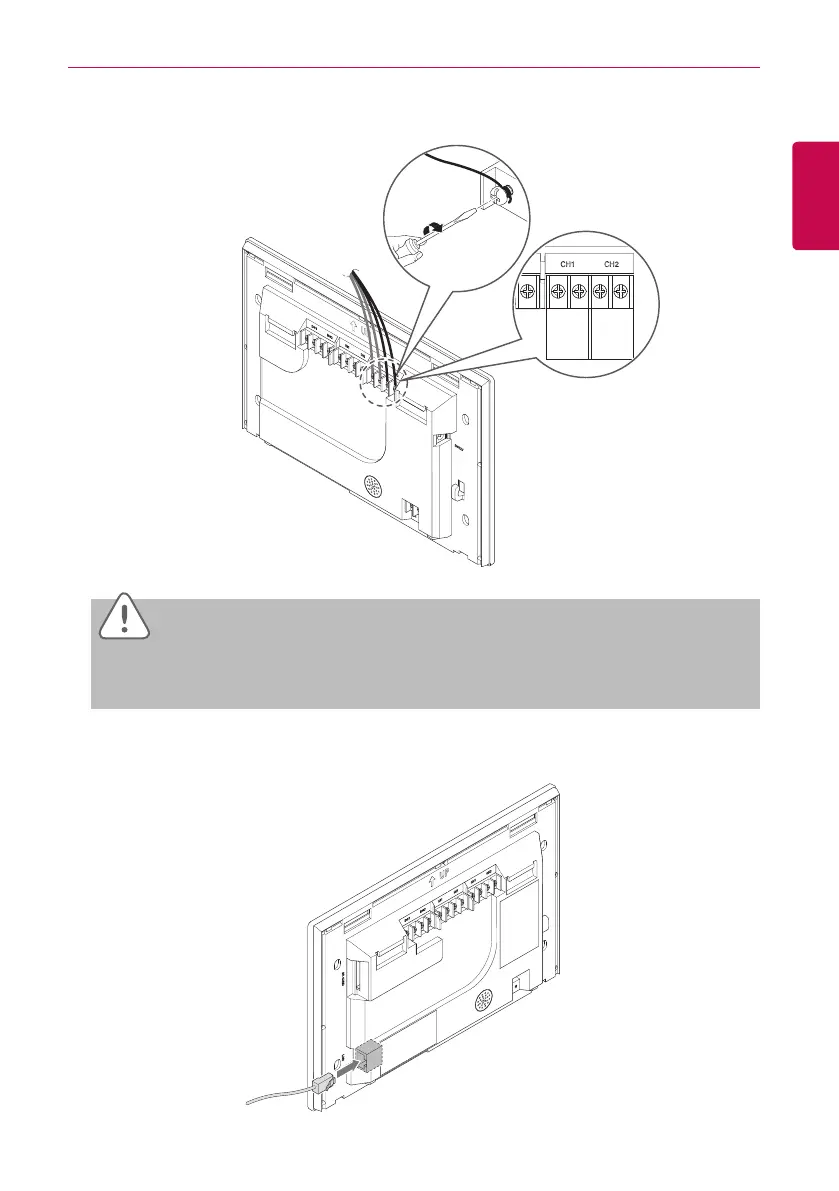
4. Connect the RS485 cable,which is located behind the AC Smart BACnet, to the RS485 terminal.
CAUTION
The RS485 cable is polarity sensitive, be careful about keeping polarity when connecting the
cables.
5. To use the network functions (email transmission and web control) provided by AC Smart
BACnet, connect an Ethernet cable to the LAN port on the back of AC Smart BACnet.


 To Next Page