40 Operation
Operation
4
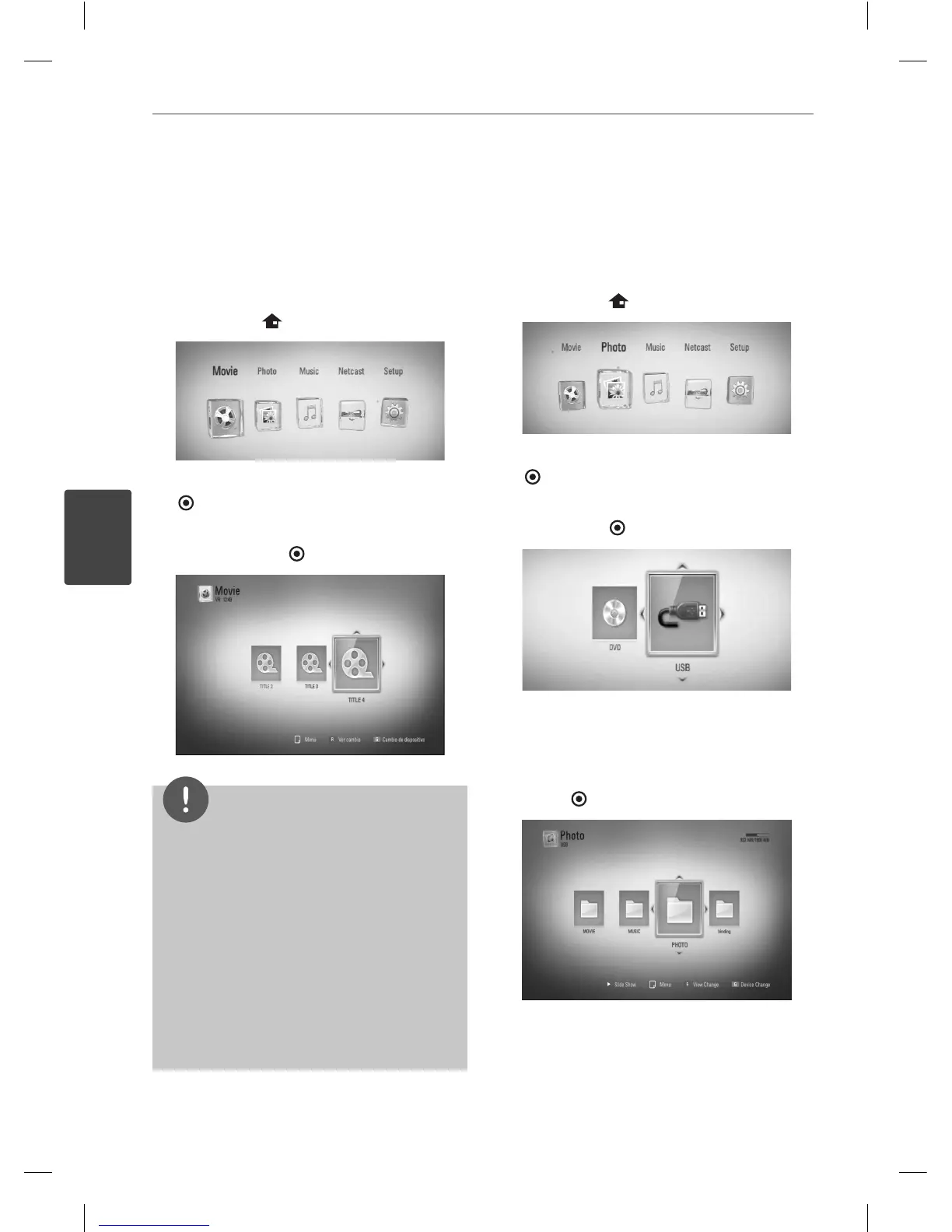
Playing a VR disc
You can play DVD-RW discs that is recorded in
Video Recording (VR) format.
1. Press HOME (
).
2. Select [Movie] using
I
/
i
, and press ENTER
( ).
3. Select a le using
U
/
u
/
I
/
i
, and press
B
(PLAY) or ENTER (
) to play the le.
NOTE
• You can use various playback functions. Refer to
pages 31-38.
• Un nalized DVD VR format discs may not be
played in this player.
• Some DVD-VR discs are made with CPRM data
by DVD RECORDER. This unit cannot support
these kinds of discs.
What is CPRM?
CPRM is a copy protection system (with
scramble system) only allowing the recording of
‘copy once’ broadcast programs. CPRM stands
for Content Protection for Recordable Media.
Viewing a photo
You can view photo les using this player.
1. Press HOME (
).
2. Select [Photo] using
I
/
i
, and press ENTER
( ).
3. Select [Disc] or [USB] option using
I
/
i
, and
press ENTER (
).
This step is needed only when a disc and a
USB device is connected simultaneously on
this unit.
4. Select a le using
U
/
u
/
I
/
i
, and press
ENTER (
) to view the photo.
BD561-N-BUSALLK-ENG.indd 40BD561-N-BUSALLK-ENG.indd 40 10. 10. 20 11:1810. 10. 20 11:18



 To Next Page