42 Operation
Operation
4
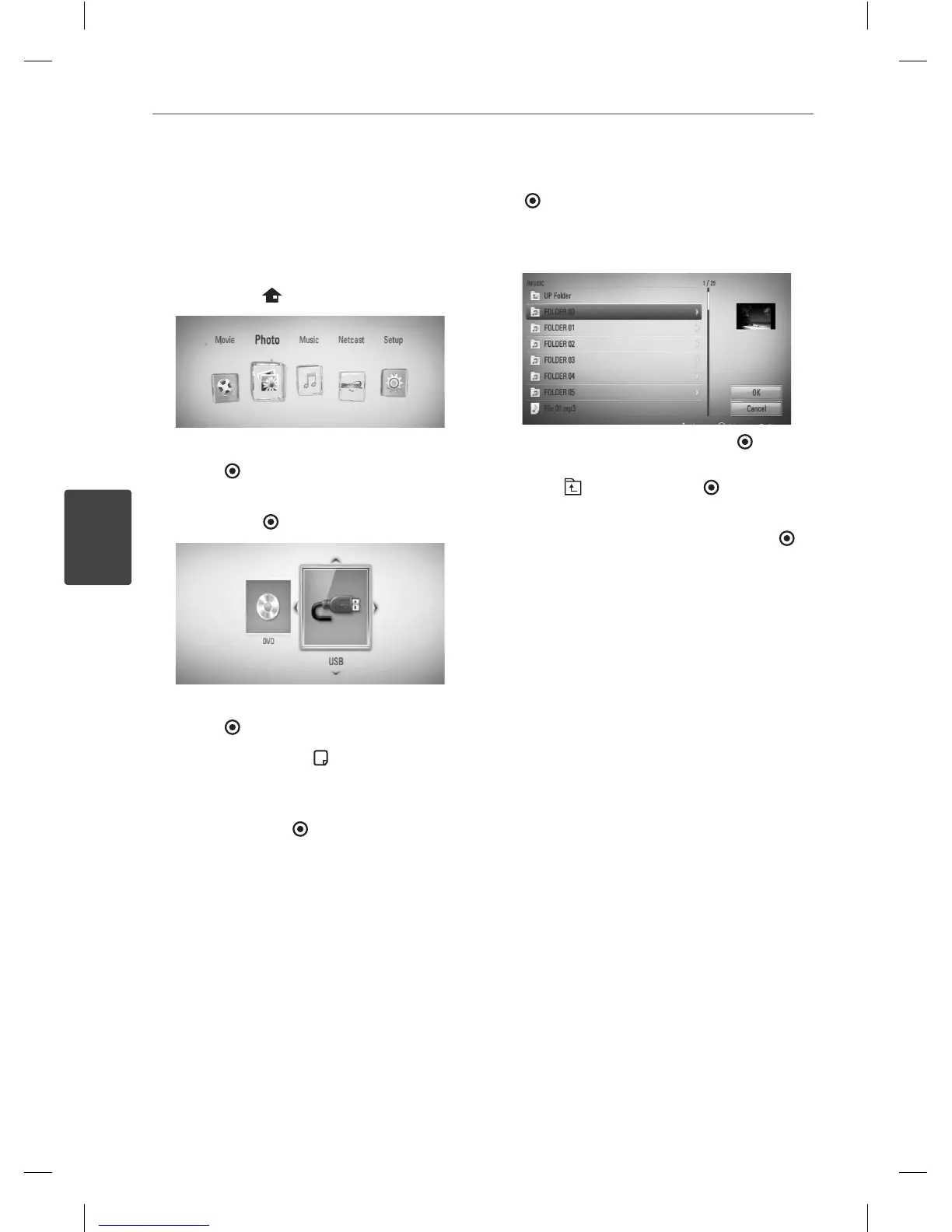
Listening to music while slide
show
You can display photo les while listening to
audio les.
1. Press HOME (
).
2. Select [Photo] using
I
/
i
, and press
ENTER ( ).
3. Select [Disc] or [USB] option using
I
/
i
, and
press ENTER (
).
4. Select a le using
U
/
u
/
I
/
i
, and press
ENTER ( ) to view the photo.
5. Press INFO/DISPLAY (
) to display the
option menu.
6. Use
U
/
u
to select [Music Select] option,
and press ENTER ( ) to display the [Music
Select] menu.
7. Use
U
/
u
to select a device, and press ENTER
(
).
8. Use
U
/
u
to select a le or a folder you wish
to play.
Select a folder and press ENTER ( ) to
display the lower directory.
Select
and press ENTER ( ) to display
the upper directory.
9. Use
i
to select [OK], and press ENTER (
)
to complete music selection.
BD561-N-BUSALLK-ENG.indd 42BD561-N-BUSALLK-ENG.indd 42 10. 10. 20 11:1810. 10. 20 11:18



 To Next Page