66
Operation
Operation
4
2. Use
U
/
u
/
I
/
i
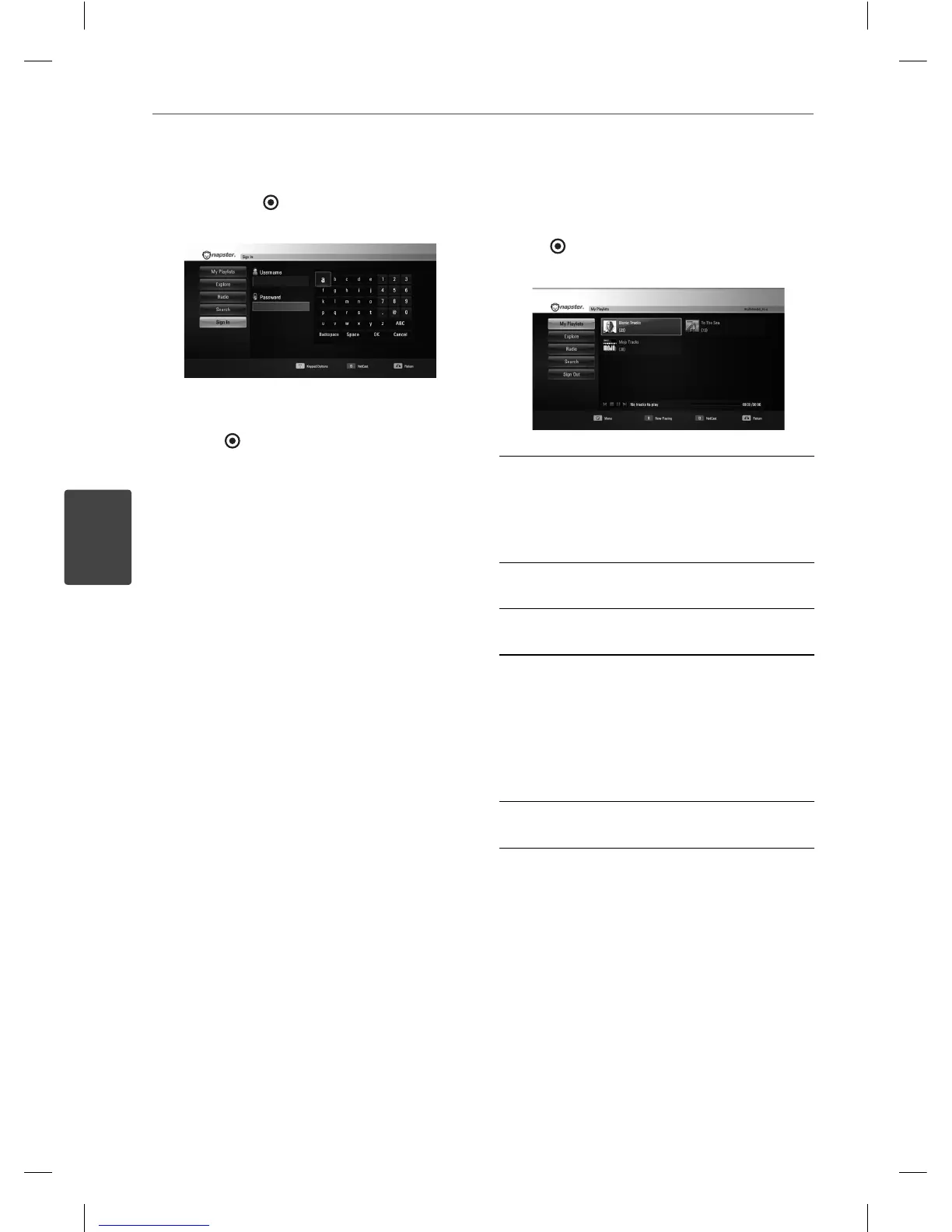
to select a character then
press ENTER ( ). Fill up the username and
the password.
3. When you nish entering the user name
and the password, select [OK] and press
ENTER ( ) to sign in.
About the menu
There are various options on the menu.
Use
U
/
u
/
I
/
i
to select an option and press
ENTER (
) to select the options as described
below.
My Playlists - My Playlists menu is the rst
screen of Napster service and shows the
playlists created by user. Displays the list that
is arranged in the Napster server with your
account.
Explore - You can browse New Releases, Top
Albums, Top Artists.
Radio - You can browse the radio stations
categorized with genre.
Search - Searching Keyword.
The recent searched keywords will be
displayed to the numbers of 10.
If there are multiple search results, you can
select a category of Artists, Albums or Tracks.
Refer to “Using the virtual keyboard” on page
58 for using the virtual keyboard.
Sign In/ Out - Sign out resets your sign-in
history.
BD561-N-BUSALLK-ENG.indd 66BD561-N-BUSALLK-ENG.indd 66 10. 10. 20 11:1810. 10. 20 11:18



 To Next Page