68
Operation
Operation
4
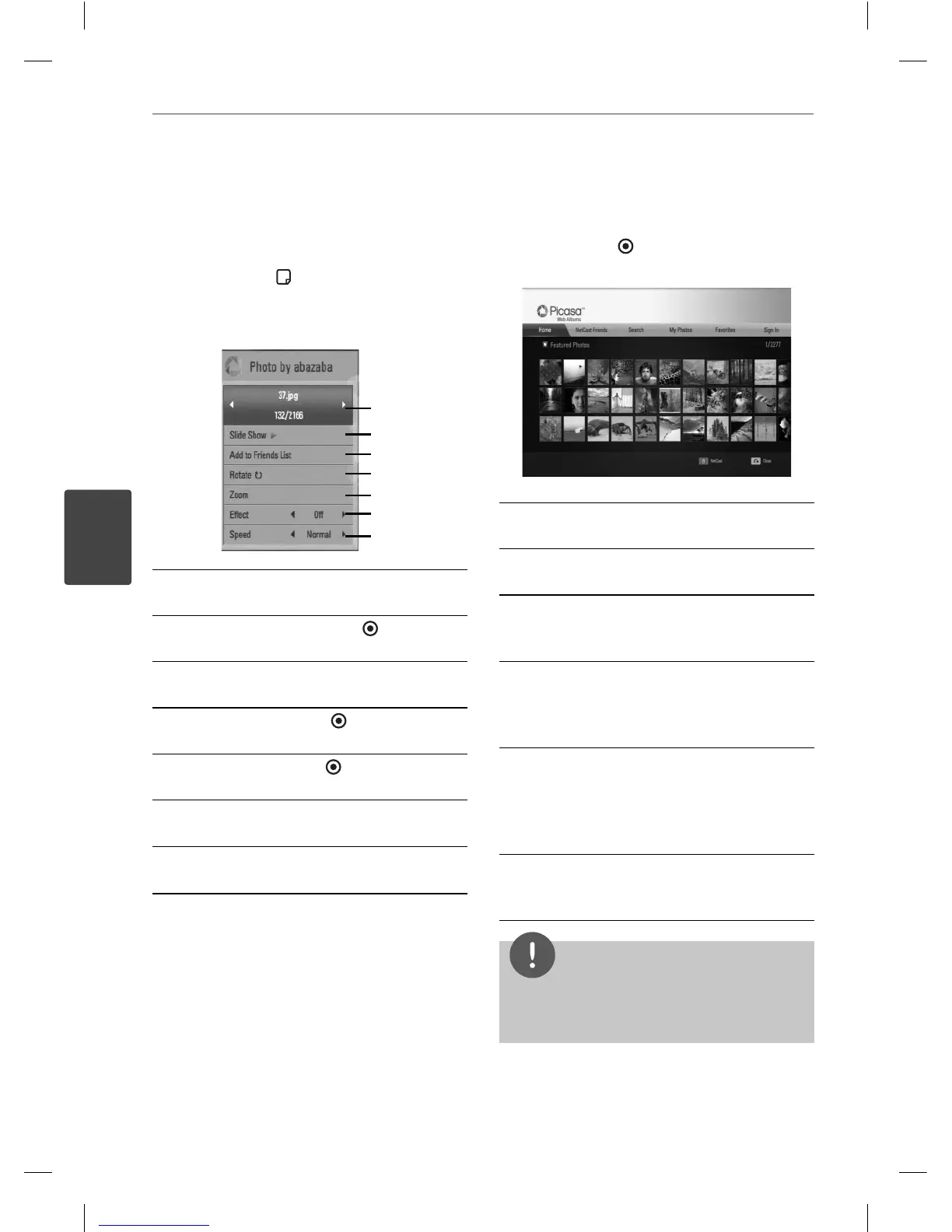
Options while viewing a photo
You can use various options during viewing a
photo in full screen.
1. While viewing a photo in full screen, press
INFO/DISPLAY (
) to display the option
menu.
2. Select an option using
U
/
u
.
a
g
f
e
d
c
b
a
Current photo/Total number of photos
– Use
I
/
i
to view previous/next photo.
b
Slide Show – Press ENTER (
) to start or
pause slide show.
c
Add to Friends List– Add the current
photo owner to my friend list.
d
Rotate – Press ENTER (
) to rotate the
photo clockwise.
e
Zoom – Press ENTER (
) to display the
[Zoom] menu.
f
E ect – Use
I
/
i
to select a transition
e ect between photos in a slide show.
g
Speed – Use
I
/
i
to select a delaying
speed between photos in a slide show.
3. Press RETURN (
O
) to exit the option menu.
About the Picasa™ menu
There are various options on the Picasa™
menu. Use
U
/
u
/
I
/
i
to select an menu option
and press ENTER (
) to select the options as
described below.
Home – The featured photo list will be
displayed.
NetCast Friends – List of your friends will be
displayed.
Search – Enter a search word to nd related
photos. The virtual keyboard will be displayed
(page 69).
My Photos – Displays the photos organized
in my Picasa™ Web Album. This option is
available only when the unit is in sign-in
status.
Favorites – Displays up to 50 favorite web
albums that are arranged in the Picasa™
web server with your account. This option
is available only when the unit is in sign-in
status.
Sign in (Sign Out) – Displays the virtual
keyboard to sign in or returns to the sign-out
status (page 69)
NOTE
Photos displayed in [My Photos] and [Favorites]
may di er with the photos from a web browser on
PC.
BD561-N-BUSALLK-ENG.indd 68BD561-N-BUSALLK-ENG.indd 68 10. 10. 20 11:1810. 10. 20 11:18



 To Next Page