System Setting 19
System Setting
3
Initial Setup
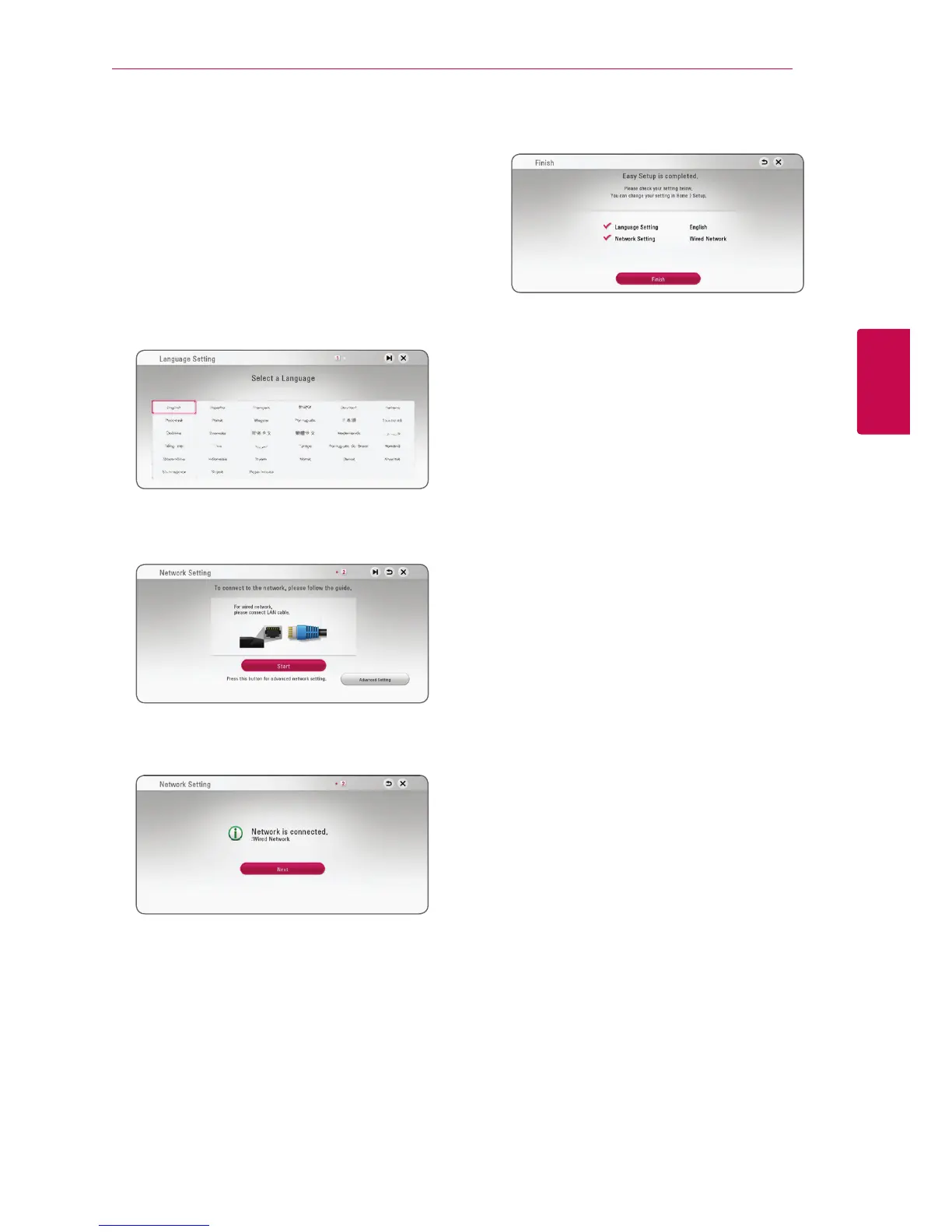
When you turn on the unit for the rst time, the
initial setup wizard appears on the screen. Set the
display language and network settings on the initial
setup wizard.
1. Press
1
(POWER).
The initial setup wizard appears on the screen.
2. Use
W/S/A/D
to select a display language
and press ENTER (
b
).
3. Read and prepare the preparations for the
network settings and then press ENTER (
b
)
while [Start] is highlighted.
If wired network is connected, the network
connection setting will automatically be
finished.
For details on network settings, refer to
“Connecting to your Home Network” on page
16.
4. Check all the settings that you have set in the
previous steps.
Press ENTER (
b
) while [Finish] is highlighted
to finish the initial setup settings. If there is any
settings to be changed, use
W/S/A/D
to
select
1
and press ENTER (
b
).



 To Next Page