12
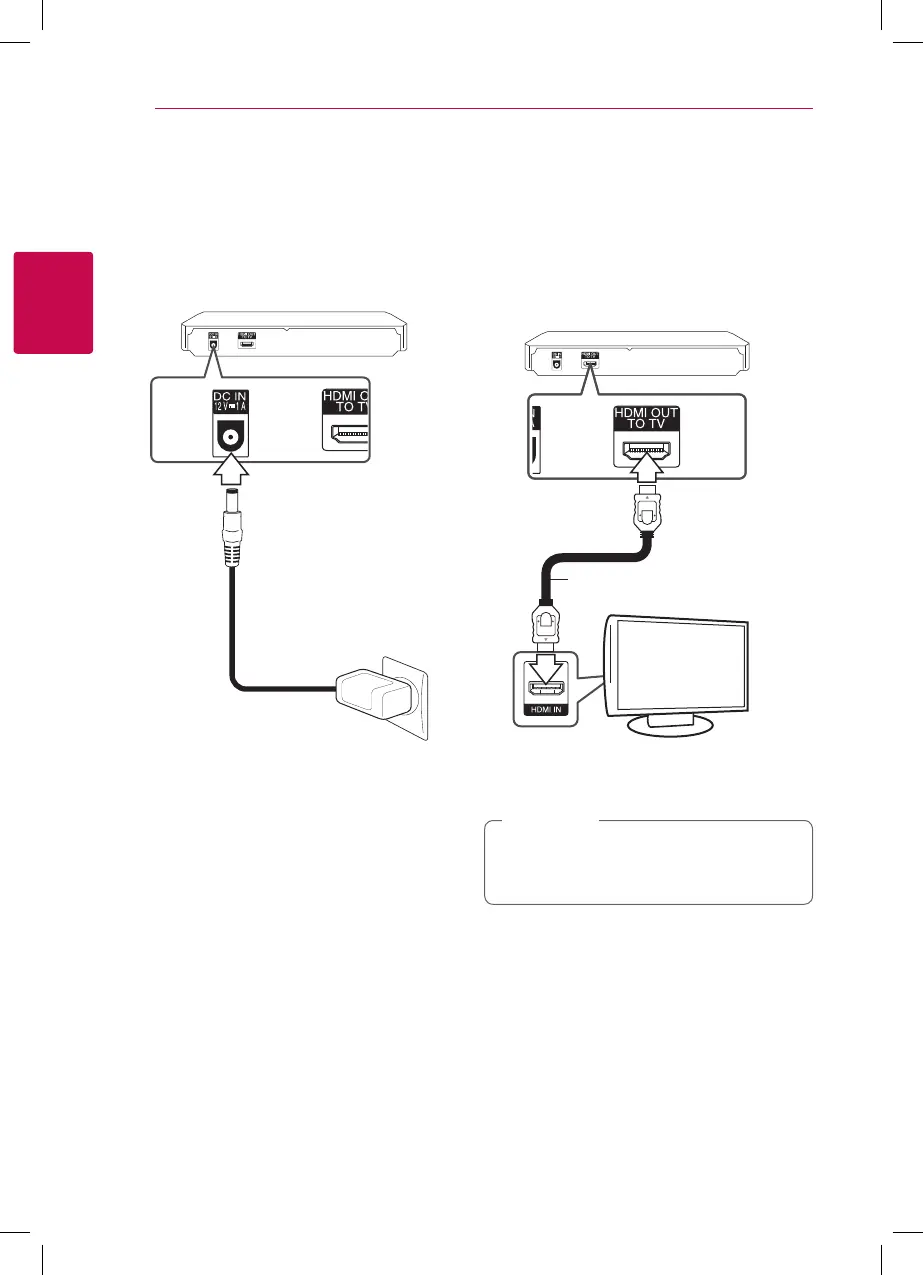
Connecting the AC
Adapter
Connect the unit to the power supply with the
supplied AC adapter.
Rear of the unit
Plug into a power
source.
y
Contact an electrical parts distributor for
assistance in selecting a suitable AC plug adapter
or AC cord set.
Connecting to Your TV
If you have a HDMI TV or monitor, you can connect
it to this player using a HDMI cable (Type A, High
Speed HDMI™ Cable). Connect the HDMI jack on
the player to the HDMI jack on a HDMI compatible
TV or monitor.
Rear of the unit
TV
HDMI cable
Set the TV’s source to HDMI (Refer to TV’s Owner’s
manual).
Please refer to the manuals of your TV, Stereo
System or other devices as necessary to make
the best connections.
,
Note



 To Next Page