41
Listening to music during slide
show
i
You can display photo les while listening to audio
les.
1. While viewing a photo in full screen, press INFO/
MENU (
m
) to display the option menu.
2. Select an [Option] using
a/d
, and press
ENTER (
b
).
3. Use
w/s
to select [Music Select] option, and
press ENTER (
b
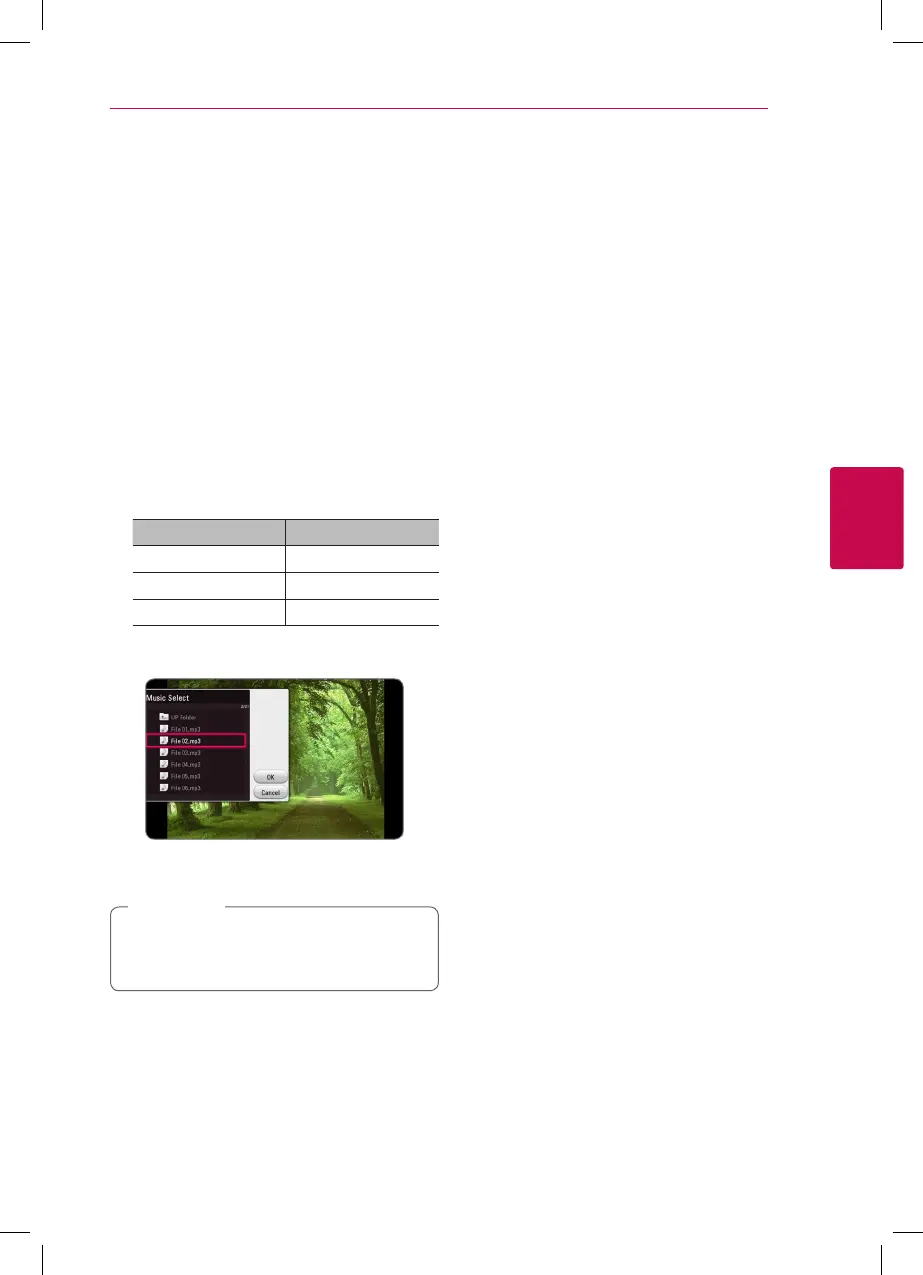
) to display the [Music Select]
menu.
4. Use
w/s
to select a device, and press ENTER
(
b
).
Available device may differ depending on the
location of the current photo file.
Photo location Available Device
Disc, USB Disc, USB
MTP MTP
Media server Media server
5. Use
w/s
to select a file or a folder you wish to
play.
Select
g
and press ENTER (
b
) to display the
upper directory.
When selecting audio le from a server, folder
selection is not available. Only le selection is
available.
,
Note
6. Use
d
to select [OK], and press ENTER (
b
) to
complete music selection.
Advanced Features
Enjoying BD-Live™
e
BD-ROM supporting BD-Live that has a network
extension function allows you to enjoy more
functions such as downloading new movie trailers
by connecting this unit to the internet.
1. Check the network connection and settings
(page 16).
2. Insert an USB storage device to the USB port on
the front panel.
An USB storage device is needed to download
bonus content.
3. Press HOME (
n
), and set the [BD-LIVE
connection] option on the [Settings] menu
(page 20).
Depending on a disc, the BD-Live function may
not be operated if [BD-LIVE connection] option
is set to [Partially Permitted].
4. Insert a BD-ROM with BD-Live.
The operations may dier depending on the
disc. Refer to the manual supplied with the disc.



 To Next Page