43
The recording or copying features on this
player are provided for your personal and
non-commercial use. The making of
unauthorized copies of copy-protected
material, including computer programs, les,
broadcasts and sound recordings, may be an
infringement of copyrights and constitute a
criminal oense. This equipment should not be
used for such purposes. LG expressly disclaims
any responsibility for illegal distribution or
use of unauthorized content in commercial
purpose.
Be Responsible
Respect Copyrights
>
Caution
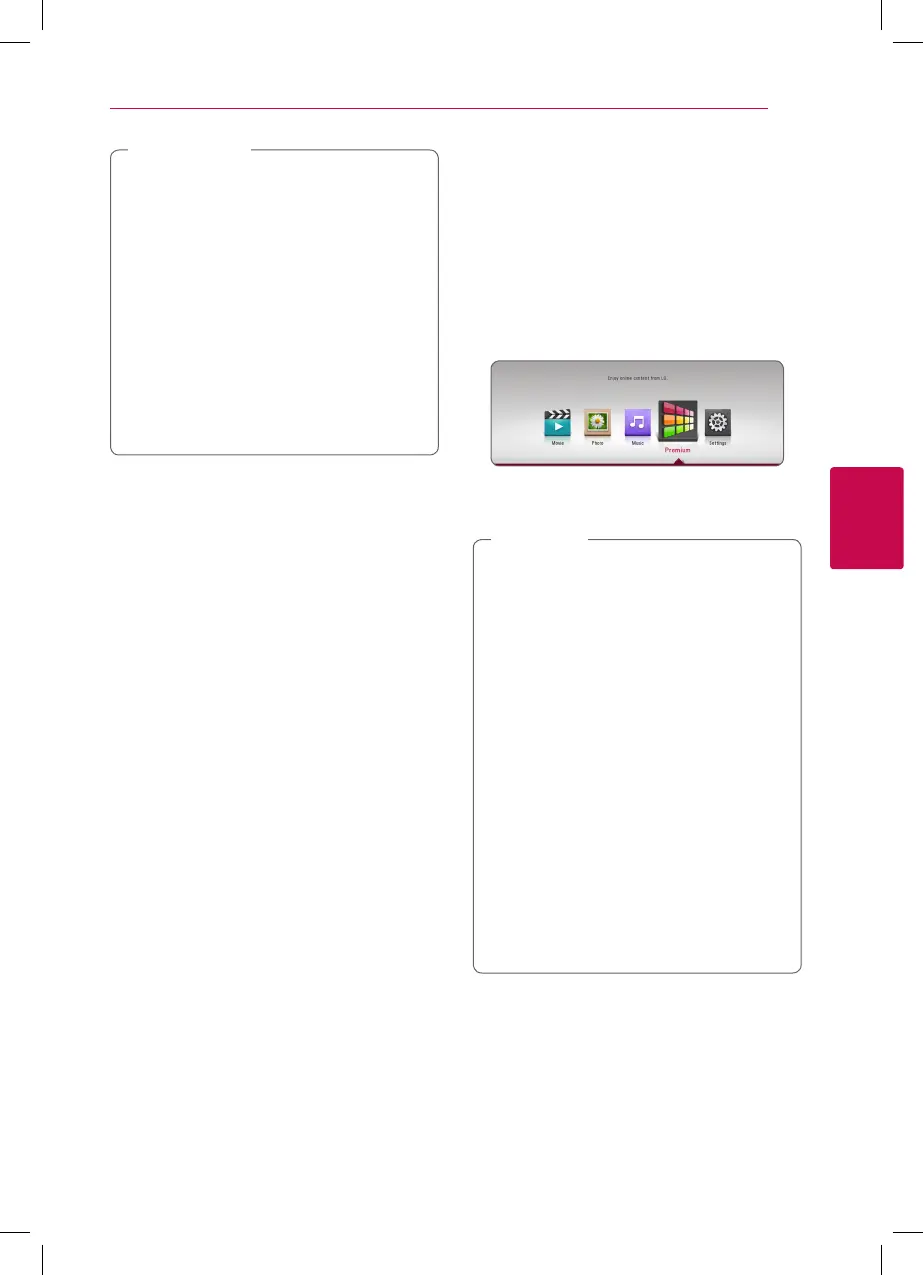
Using the Premium
You can use various content services via Internet
with the Premium feature.
1. Check the network connection and settings
(page 16).
2. Press HOME (
n
).
3. Select the [Premium] using
a/d
, and press
ENTER (
b
).
4. Select an online service using
w/s/a/d
,
and press ENTER (
b
).
y
For detailed information of each service,
contact to the content provider or visit
support link of the service.
y
The content of Premium services and
service related information, including user
interface, is subject to changes. Please refer
to the web site of each service for most up-
to-date information.
y
Using Premium features with wireless
network connection may result in improper
streaming speed by interference from
household devices that are using radio
frequencies.
y
For the rst time to access [Premium],
current country setting appears.
y
If you want to change the country setting,
go to [Settings] > [NETWORK] > [Smart
Service Setting] > [Country Setting]. Select
[Manual] and press ENTER (
b
) on [Country
Setting] menu.
,
Note



 To Next Page