32
English
User Controls
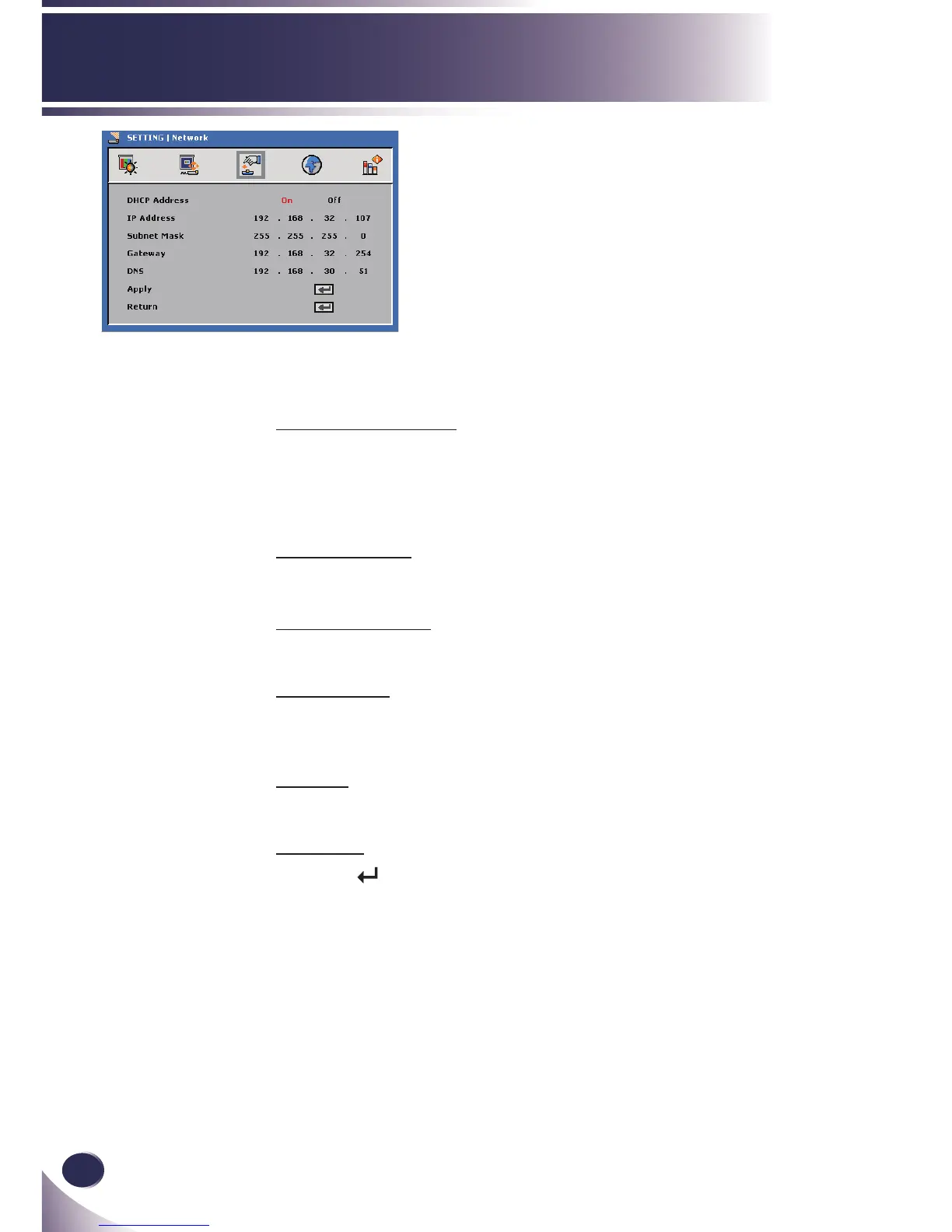
SETTING |
Network
DHCP Address
On: Assign an IP address to the projector from an external
DHCP server automatically.
Off: Assign an IP address manually.
IP Address
Select an IP address.
Subnet Mask
Select subnet mask number.
Gateway
Select the default gateway of the network connected to the
projector.
DNS
Select DNS number.
Apply
Press “ ” to save the changes made in network con guration
settings.



 To Next Page