English
9
English
Introduction
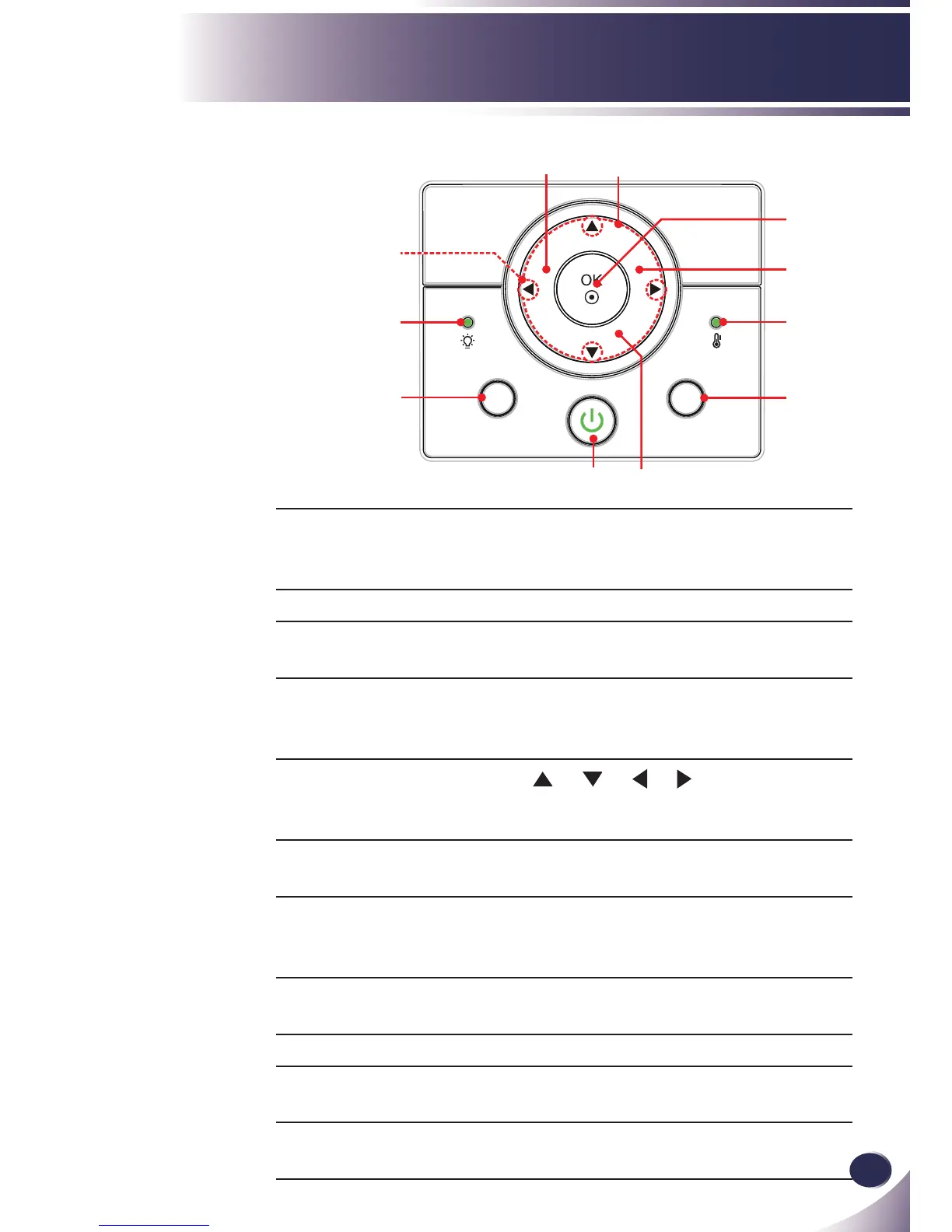
Control Panel
1 POWER
POWER LED
Refer to the “Power On/Off the Pro-
jector” section on pages 15~16.
Indicate the projector’s status.
2 LAMP LED Indicate the projector’s lamp status.
3 TEMP LED Indicate the projector’s temperature
status.
4 KEYSTONE Adjust the image to compensate for
distortion caused by tilting the projec-
tor.
5 Four Direction-
al Select Keys
Use or or or to select items
or make adjustments to your selec-
tion.
6 SOURCE Press “SOURCE” to select an input
signal.
7 MENU Press “MENU” to launch the on-
screen display (OSD) menu. To exit
OSD, Press “MENU” again.
8 VOLUME Adjust to increase / decrease the
volume.
9 OK Con rm your item selection.
10 AUTO Automatically synchronizes the pro-
jector to the input source.
11 STILL Pause the screen image. Press again to
resume the screen image.
1



 To Next Page