EasyManua.ls Logo

LG BW286 - Network Setting; Alert Setting

LG BW286
59 pages
Print Icon
To Next Page IconTo Next Page
To Previous Page IconTo Previous Page
Loading...
44
English
User Controls
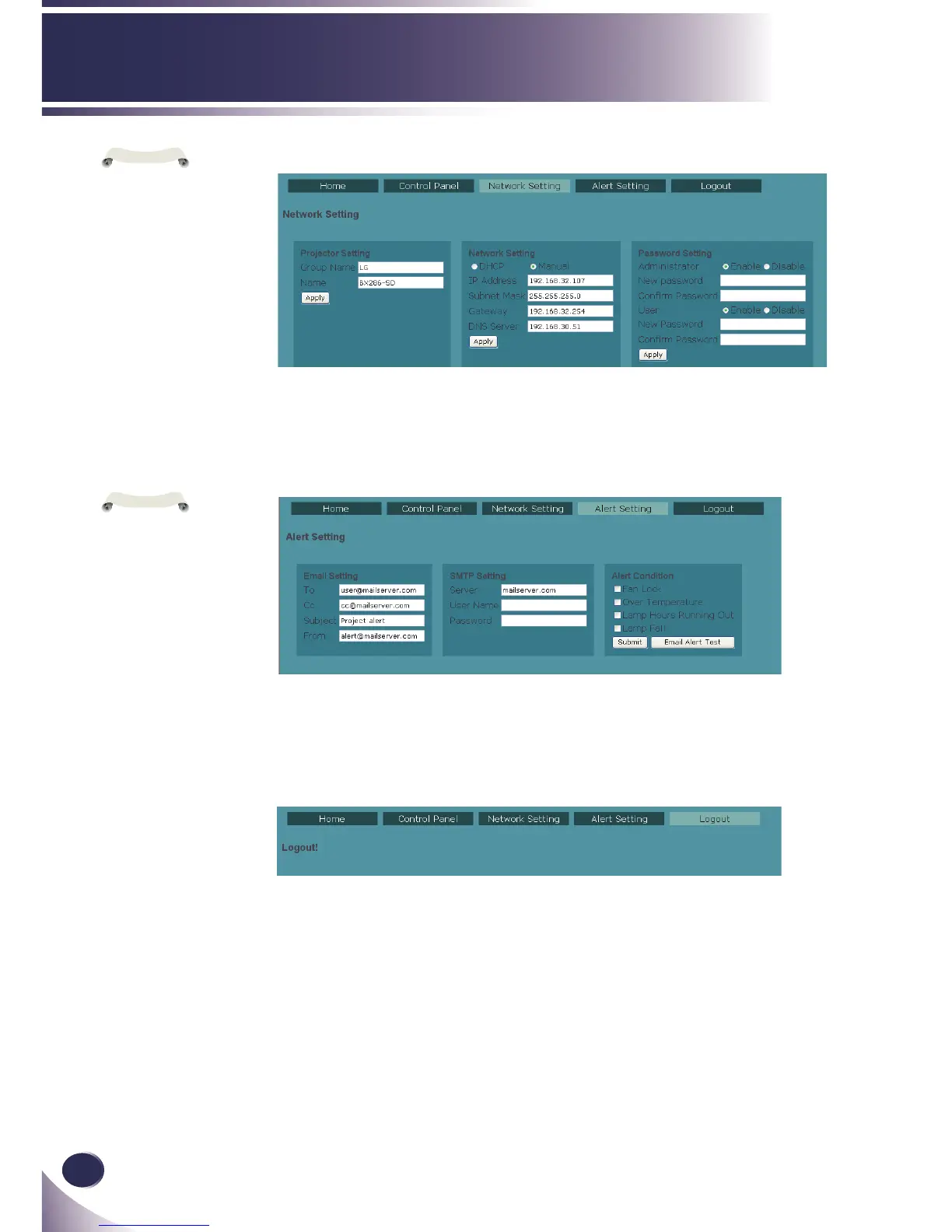
Alert Setting
Email will be sent whose body text informs the events which
conditions occurred.
Logout
This page will appear for 5 seconds and then jump to login
page
N
o
t
e
1. Information on
this page will be
updated every time
this page begins to
show.
2. Please submit set-
tings before process
test.
Network Setting
Group Name and projector Name must be less then 32 char-
acters. Strings will be truncated if it is too long.
N
o
t
e
1. After Network
congurations are
changed, LAN
module may reboot
and there will be a
moment before runs
normally.
2. Information on
this page will be
updated every time
this page begins to
show.

Related product manuals