Installing and Composition
17
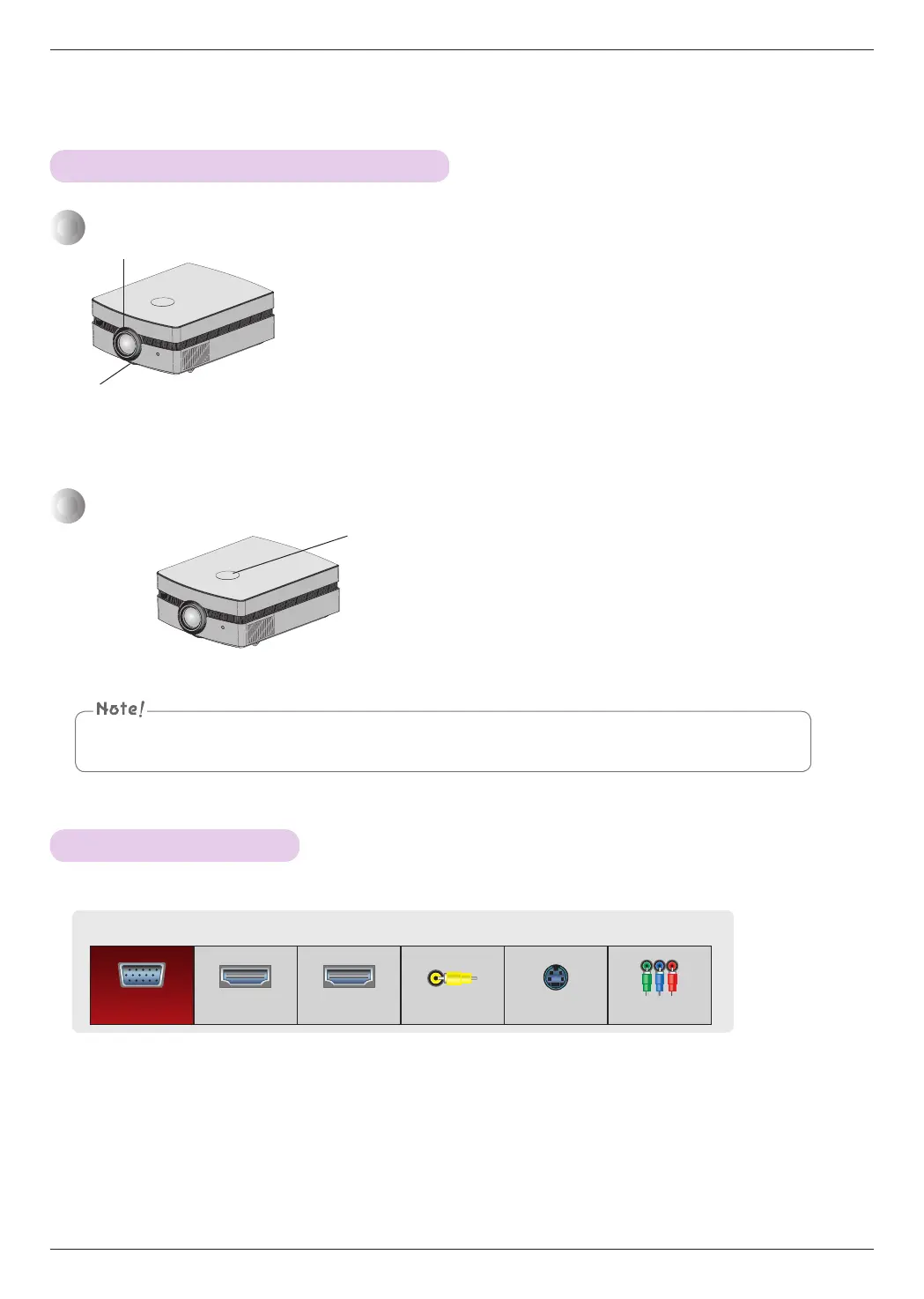
Turning the Lens shift dial with excessive power may cause damage to the projector.
• Turn the Lens shift dial left or right to adjust the projector image up or down.
When an image appears on the screen, check if it is in focus and fits the screen properly.
• To adjust the focus of the image, rotate the focus ring which is the outer ring on the lens.
• To adjust the size of the image, rotate the zoom ring which is the under ring on the lens.
Focus ring
Zoom ring
1. Press the INPUT button.
2. Selecting an input signal with the INPUT button will only change the projector only to connected
inputs. You can change it to any inputs with the <, > button.
When you need to move the screen image up or down, use the Lens shift dial on the projector
to adjust the height as shown below.
Lens shift Dial
Input List
RGB HDMI1 HDMI2 Video S-Video Component
Focus and Position of the Screen Image
Selecting source mode


 To Next Page