24
Function
SCREEN Menu Options
1. Press the MENU button. Then, move to SCREEN with the ∧, ∨, <,
> buttons and press the ꔉOK button.
2. Move to a sub-item with the > button. Then, use the ∧, ∨ buttons to
move to PJT Mode and press the ꔉOK button.
3. Move to a desired item with the ∧, ∨ buttons and then press the ꔉOK
button.
• Select Rear when projecting from the back of the transparent screen purchased separately.
• Select Ceiling when installing the product on the ceiling.
• Press the MENU or EXIT button to exit the menu screen.
• Some options may not be available depending on input signals.
• You can use this function through the MENU button.
• To exit the menu display, press the EXIT button.
* This function turns the projected image upside down or flips horizontal.
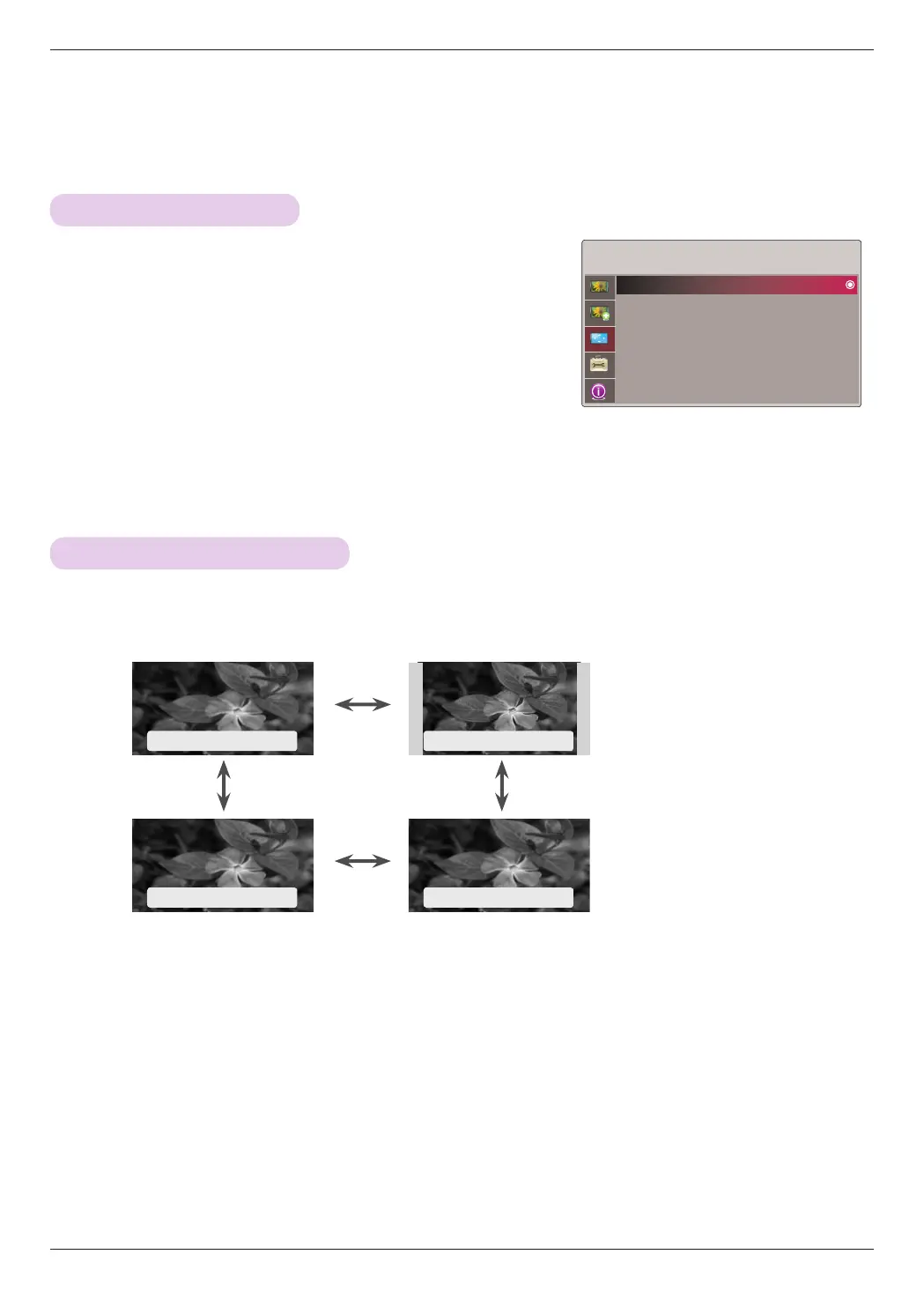
1. Press the RATIO button on the remote control.
2. Use the <, > buttons to select a desired screen size.
ꔗ
Auto
ꔃ ꔗ
4 : 3
ꔃ
ꔗ
Just Scan
ꔃ ꔗ
16 : 9
ꔃ
SCREEN
PJT Mode : Front
Aspect Ratio : 16 : 9
Keystone
Test Pattern
RGB Config.
Screen Reset
ꔂMove ꔉOK
To Change PJT Mode
Using Aspect Ratio Function


 To Next Page