Function
20
Function
PICTURE Menu Options
* The On-Screen Display (OSD) in this manual may be slightly different from your projector.
* This operating guide explains operation of RGB(PC) mode mainly.
1. Press the MENU button. Then, move to PICTURE with the ∧, ∨, <, >
buttons and press the ꔉOK button.
2. Move to a sub-item with the >
button. Then, use the ∧, ∨ buttons to
move to a desired function and press the ꔉOK button.
3. Use the <, > buttons to make a desired adjustment and then press the
ꔉOK button.
• You can set image values differently for each input and Picture Mode.
• Saving after making adjustments will display (User) in adjusted Picture
Mode. (except Expert 1/2)
• Execute Picture Reset for Picture Mode to restore back to default factory settings.
• You can adjust contrast by pressing the button on the remote control.
• You can adjust brightness by pressing the button on the remote control.
• Press the MENU or EXIT button to exit the menu screen.
1. Press the MODE button on the remote control.
2. Press the <, > button to toggle through the preset picture settings.
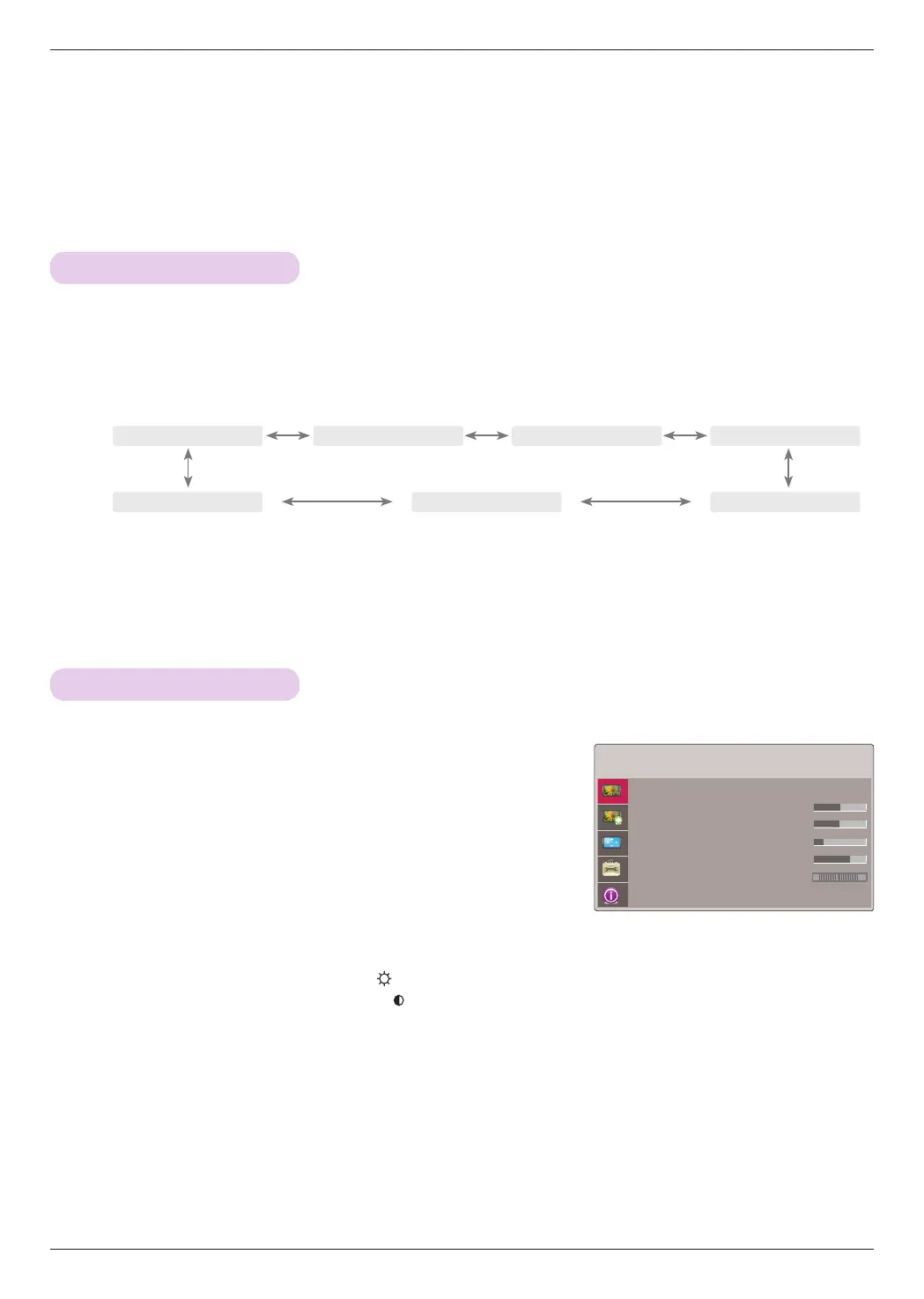
Picture mode
Adjusting Video
* Use the Picture mode function to set the projector for the best picture appearance.
• Each press of the <, > button changes the screen as shown below.
• You can use this function through the MENU button.
• To exit the menu display, press the EXIT button.
ꔗ
Vivid
ꔃ ꔗ
Standard
ꔃ ꔗ
Cinema
ꔃ ꔗ
Sport
ꔃ
ꔗ
Expert2
ꔃ ꔗ
Expert1
ꔃ ꔗ
Game
ꔃ
PICTURE
Picture Mode : Standard
• Contrast 50
• Brightness 50
• Sharpness 5
• Color 70
• Tint 0
• Picture Reset
R G
ꔂMove ꔉOK


 To Next Page