EasyManua.ls Logo

LG DA-W6100A - User Manual

LG DA-W6100A
33 pages
Print Icon
To Next Page IconTo Next Page
Loading...
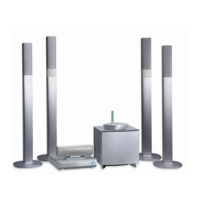
DVD HOME CINEMA
WIRELESS SPEAKER
SYSTEM
OWNER’S MANUAL
MODEL : DA-SW6100
DA-W6100A, FE-6100TE, FE-6100CVE, FE-6100WE,
ACC-W6100, FA-W6100SL, FA-W6100SR
CD-R/RW
CASA_DA-SW6100(Eng)-D029M
Before connecting, operating or adjusting this product,
please read this instruction booklet carefully and completely.

Table of Contents

Other manuals for LG DA-W6100A

Questions and Answers

  • A
    Anthony GonzalezAug 7, 2025
    Why is there no sound from my LG Speaker System, or why is the sound very low?
    • S
      sarahrichardsAug 7, 2025
      If your LG Speaker System isn't producing any sound, or the sound is very quiet, ensure the equipment connected with the audio cable is set to receive DVD signal output. Also, check that the audio cables are securely connected and the connected equipment is powered on. If the issue persists, the audio connecting cord may be damaged and need replacement.
  • V
    Victoria WhitneyAug 12, 2025
    Why is there severe hum or noise heard from my LG Speaker System?
    • B
      blairmaryAug 12, 2025
      To resolve severe hum or noise from your LG Speaker System, wipe the plugs and jacks with a cloth slightly moistened with alcohol. Clean the disc. Ensure the speakers and components are securely connected. Also, move the TV away from the audio components.
  • K
    Kim RuizAug 16, 2025
    What to do if the LG Speaker System remote control does not work properly?
    • W
      wayne19Aug 16, 2025
      If the LG Speaker System remote control isn't working, make sure it's pointed at the receiver's remote sensor and is within 23 ft (7 m). Remove any obstacles in the way. If it still fails, replace the batteries with new ones.
  • J
    Joshua WillisAug 20, 2025
    What to do if my LG Speaker System DVD receiver does not start playback?
    • J
      Jennifer KeyAug 20, 2025
      If your LG Speaker System DVD receiver isn't starting playback, first ensure a playable disc is inserted correctly with the playback side down, and that it's placed properly within the guide. Clean the disc if it's dirty. Also, ensure no menu is on the TV screen by pressing the SET-UP button, and that the Rating level is not set or is appropriately adjusted.
  • R
    Richard CarterAug 25, 2025
    How to fix no picture on LG Speaker System?
    • V
      victoriarayAug 26, 2025
      If your LG Speaker System shows no picture, first ensure the TV is set to receive the DVD signal output. Check that the video cable is securely connected and that the connected TV is powered on.
  • L
    Lisa WigginsAug 29, 2025
    How to fix no power on LG Speaker System?
    • P
      Phillip RodgersAug 29, 2025
      If your LG Speaker System isn't getting power, plug the power cord into the wall outlet securely.
  • L
    Lisa TurnerSep 2, 2025
    Why is recording not possible on LG Speaker System?
    • J
      Jennifer ColeSep 2, 2025
      If recording isn't possible on your LG Speaker System, ensure the components are correctly connected. Also, select the correct source using the FUNCTION button (CD/DVD, VIDEO 1, VIDEO 2, or Tuner).

LG DA-W6100A Specifications

General IconGeneral
BrandLG
ModelDA-W6100A
CategoryReceiver
LanguageEnglish

Related product manuals