Getting Started
42 LG dLite | User Guide
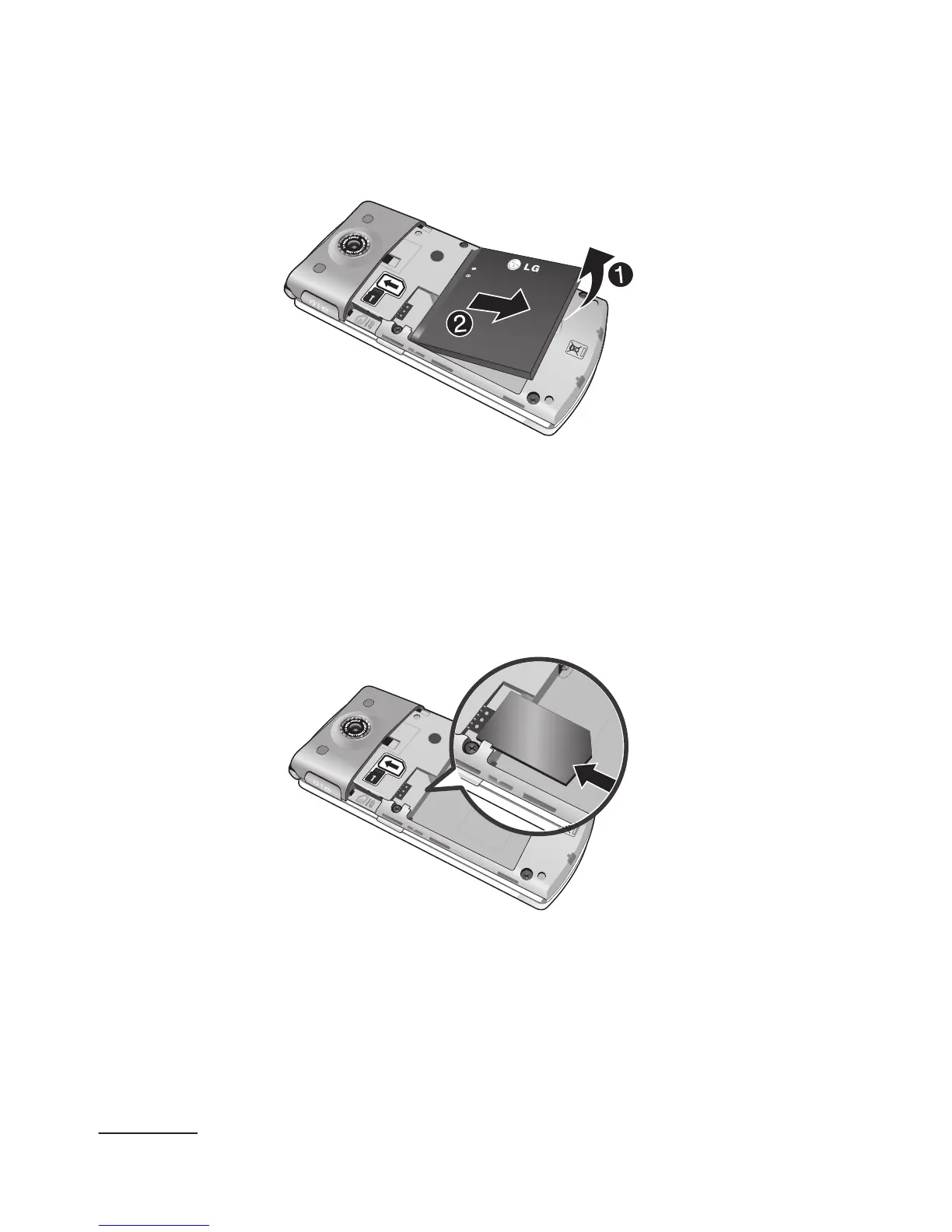
4 Place your thumbnail below the battery and lift it
up (1) and out (2) as shown..
5 Carefully slide the SIM card into the SIM card
socket as shown in the image below.
Make sure that the card’s gold contacts face
downwards into the phone and that the upper-left
angled corner of the card is positioned, as shown.



 To Next Page