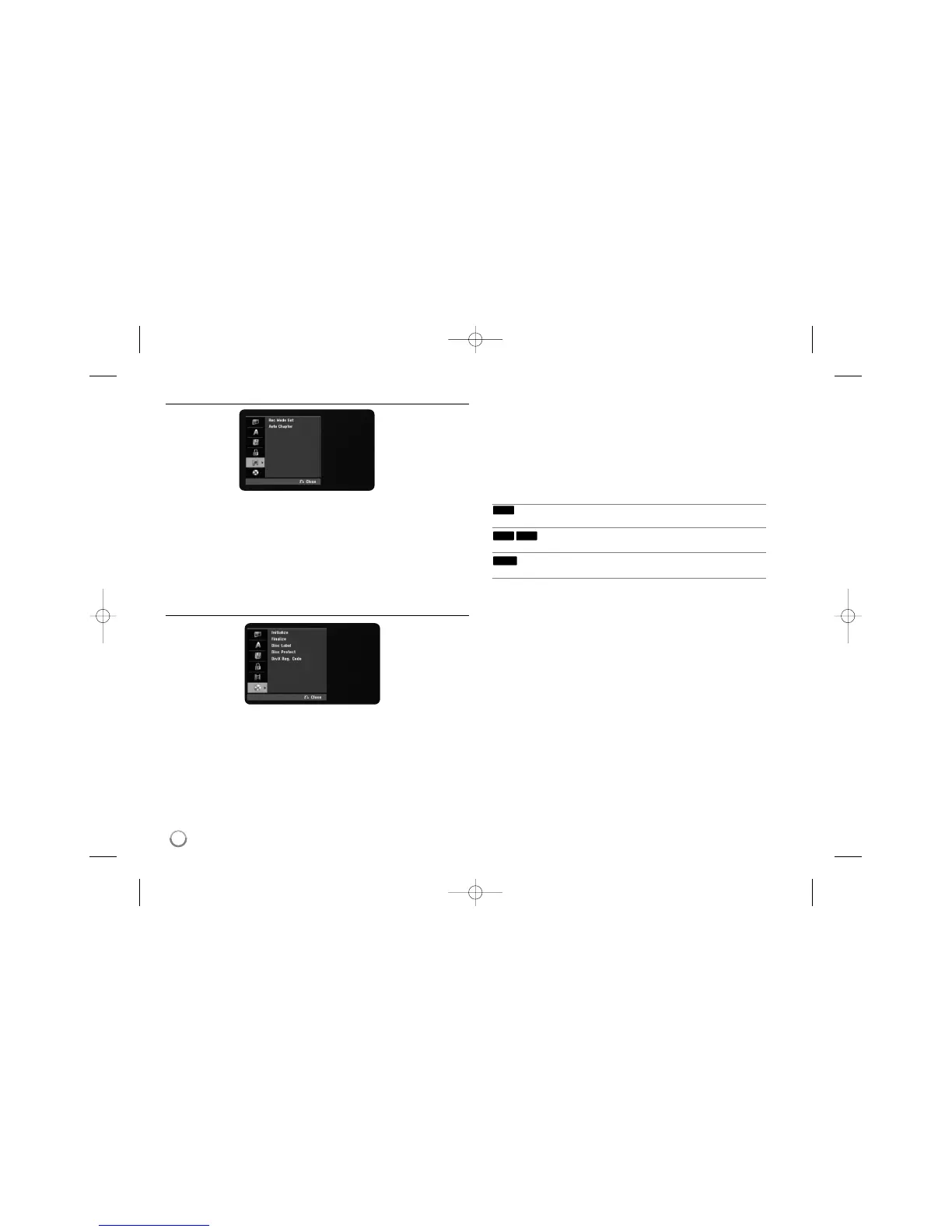
Adjust the recording settings
Record Mode Set – Select the picture quality for recording from XP, SP, LP, EP
or MLP. See recording time of each mode on page 30.
[XP]: Highest picture quality.
[SP]: Standard picture quality.
[LP]: Slightly lower picture quality than [SP] mode.
[EP]: Low picture quality.
[MLP]: The longest recording time with the lowest picture quality.
Auto Chapter – When DVD recording, chapter markers are added automatical-
ly in every specified interval (5 or 10 min.).
Adjust the disc settings
Initialize – You can Initialize a DVD by pressing ENTER while [Start] is select-
ed. The [Initialize] menu appears. The unit starts formatting after
confirmation. You can select a mode between VR and Video for DVD-RW discs.
The everything recorded on the DVD will be erased after formatting.
If you load a completely blank disc, the unit will initialize the disc automatically.
See “Formatting mode (new disc)” on page 5 for more information.
Finalize – Finalizing is necessary when you play disc recorded with this unit on
other DVD equipment. How long finalization takes depends on the disc condi-
tion, recorded length and number of titles.
[Finalize]: The [Finalize] menu appears. The unit starts finalizing after
confirmation.
[Unfinalize]: The finalized DVD-RW discs can be unfinalized after confirming
on the [Unfinalize] menu. After unfinalizing, the disc can be edited and re-
record.
Before finalizing, check the characteristics between the disc type in the table
below.
The finalized DVD-RW discs can be unfinalized
so that the disc can edit or record again.
Once you finalize a disc, you can not edit or
record anything on the disc.
Discs are automatically finalized when removed from
the unit.
Disc Label – This function allow you to change the default disc name to some-
thing more descriptive. This name appears when you load a disc and when you
display disc information on-screen. The keyboard menu appears by pressing
ENTER while [Edit] is selected.
Disc Protect – This function allow you to protect discs from accidental record,
erasure and editing by setting this option to [ON]. The DVD-R and Video mode
formatted DVD-RW are not available to protect.
DivX Reg. Code– We provide you with the DivX® VOD (Video On Demand)
registration code that allows you to rent and purchase videos using the DivX®
VOD service. For more information, visit www.divx.com/vod.
Press ENTER when [Enter] icon is highlighted and you can view the registration
code of the unit.
+RW
-R+R
-RW
16



 To Next Page