9
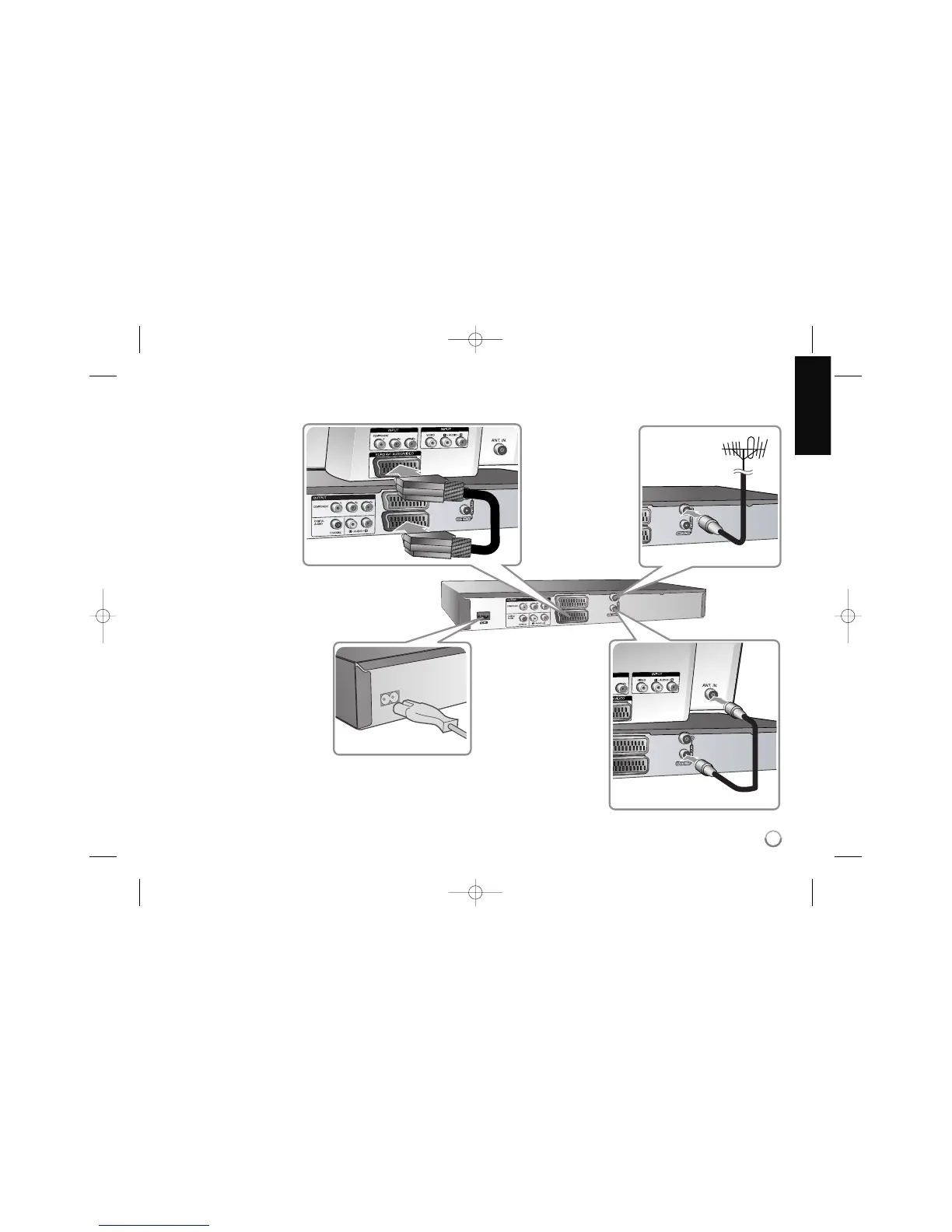
Hooking up the unit
a Antenna connection
Connect the Terrestrial
TV antenna to the
ANTENNA IN jack on
the unit.
b Antenna connection to
your TV
Connect one end of the RF
cable to ANTENNA OUT jack
on the unit and other end to
ANTENNA IN jack on your
TV.
Passes the signal from the
ANTENNA IN jack to your
TV/monitor.
c SCART connection
Connect one end of the scart
cable into the AV1 SCART
jack on the unit and other
end to the
corresponding in jack on
your TV.
You can get Audio and Video
signals together with this
connection.
d Power cord connection
Connect the mains lead to
the AC IN terminal on the
unit. Then plug the power
cord into the mains.



 To Next Page