11
Checking Battery Status
Charging Status
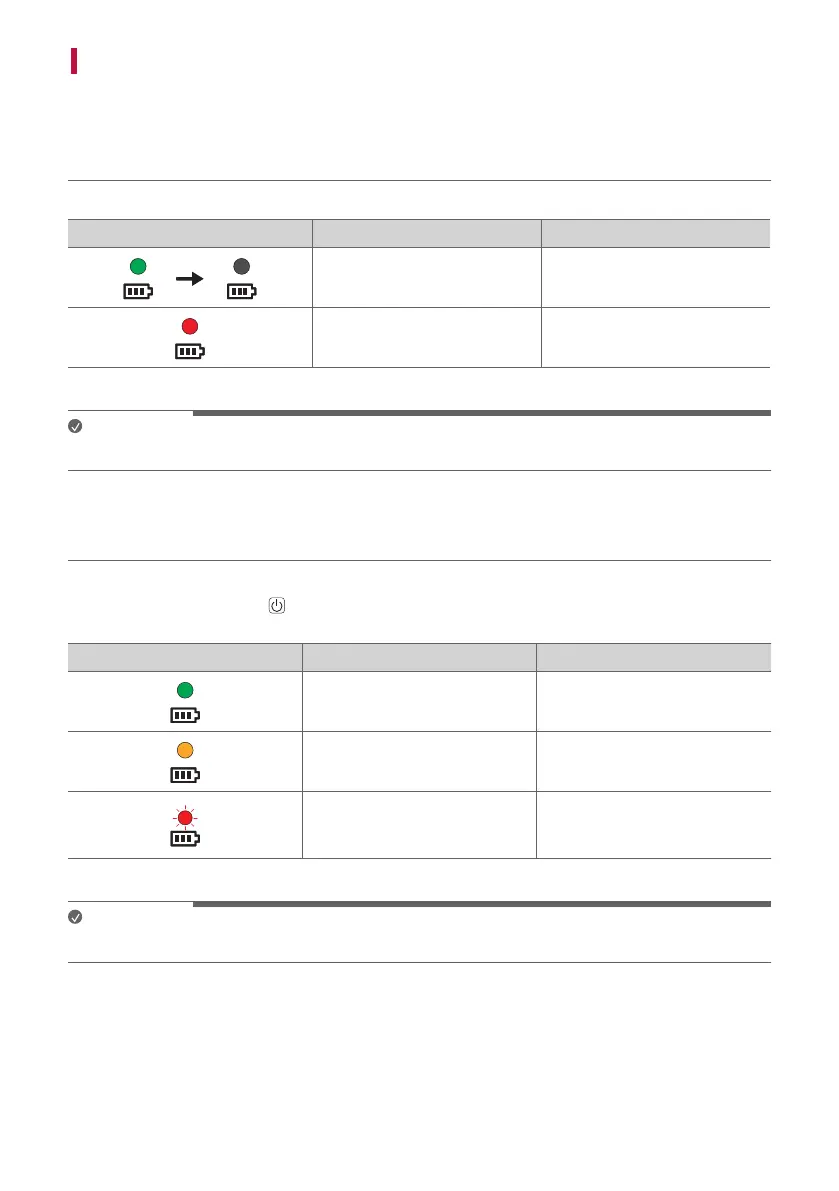
When the battery of the product starts charging, you can see the charging status in the battery LED.
Battery LED LED Status Battery Status
Blinks in green for 15 seconds. Charging is complete.
It is red. Charging is in progress.
Note
• Playing tracks while charging may lengthen the charging time.
Use Status
When the product is turned on, the battery status is displayed on the battery LED for 3 seconds.
If you press and hold the Power
button for 2 seconds with product on, you can see the battery LED for 3
seconds depending on the battery status.
Battery LED LED Status Battery Status
Turns on in green. The battery level is above 70 %.
Turns on in orange.
The remaining battery level is 70
to 10 %.
It blinks red continuously and
you can hear a notication sound
once.
The battery level is below 10 %,
and the battery needs to be
charged.
Note
• The battery status cannot be checked while charging.



 To Next Page