19
Connecting to an External Device
Connecting via 3.5 mm Stereo Cable
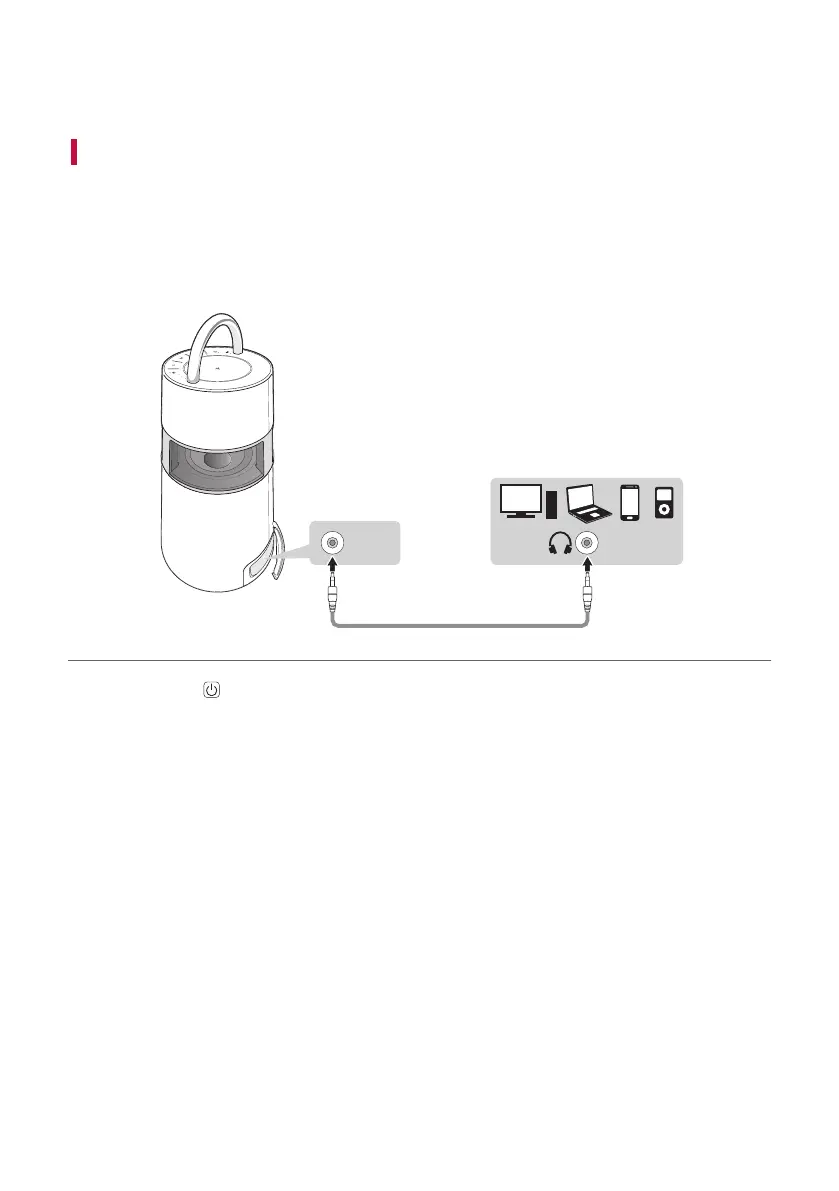
You can connect the product and various external devices via a 3.5 mm stereo cable to enjoy the
music.
a Open the back cover of the product and connect the external device to the AUX. IN terminal via a 3.5 mm
stereo cable.
AUX
USB
BT
AUX. IN
b Press the Power button to the turn on the product.
Connecting to an External Device


 To Next Page